14
3-1. Saving and Loading a File
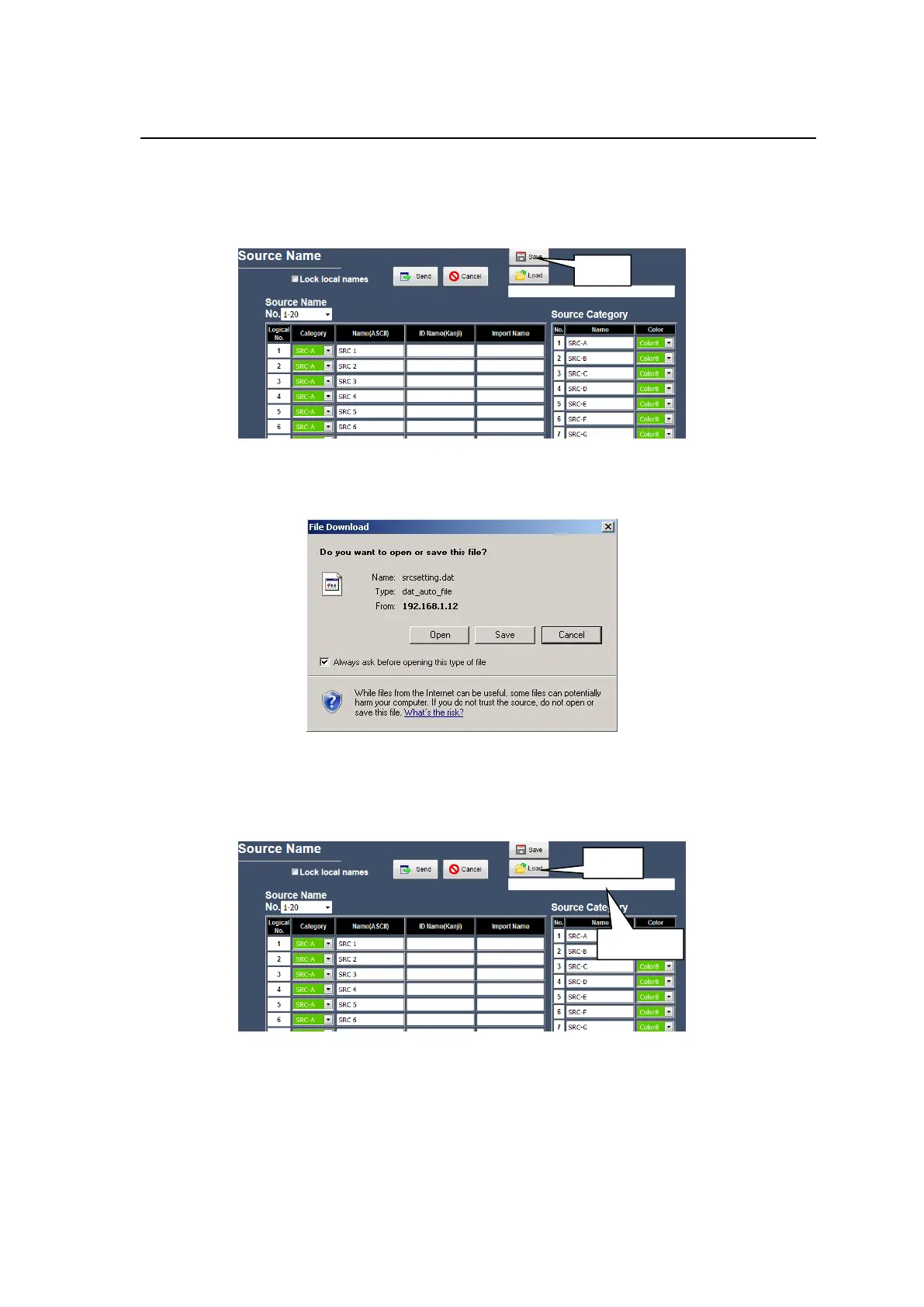
The Web-Based Control settings can be saved to a file, and the saved file can be loaded into
Web-Based Control.
Saving a file
Open the page and click the Save button. The File Download dialog box, which prompts you
to open or save the file appears.
Click the Save button and specify the destination directory and file name.
Loading a File
Enter the file path in the field and click the Load button to load the saved settings.
Note that a file must be loaded from the page in which the file was saved.



 To Next Page
 Loading...