10
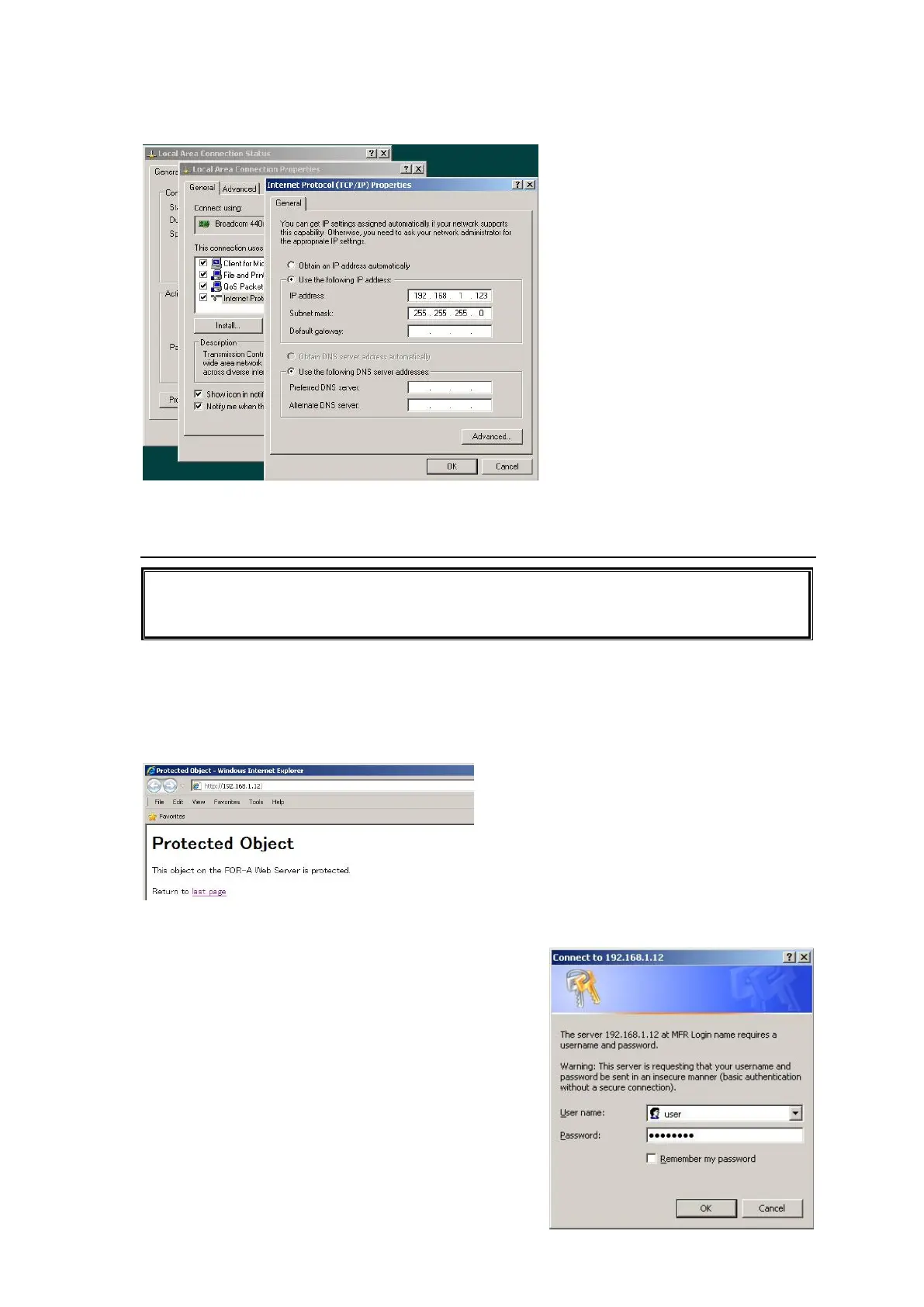
PC network settings
For details on the PC network settings, see the operating system operation manual.
2-4. Connecting to Web-Based Control
This product has been tested with Internet Explorer 8.
XGA (1024 x 768) screen resolution is recommended.
If the main unit is rebooted, the web browser should also be restarted.
1. Open a browser (for example, Internet Explorer) and connect to the LAN (TO PC) port
address.
The MFR Main Unit address (default) is “http://192.168.1.12.”
The MFR-TALM Tally Manager address (default) is “http://192.168.1.62.”
2. Once the page is accessed, enter the password. Enter the username and password as follows:
Username: user
Password: password (factory default setting)


 To Next Page
 Loading...