68
5-6-4-4. Changing Window/Label Positions
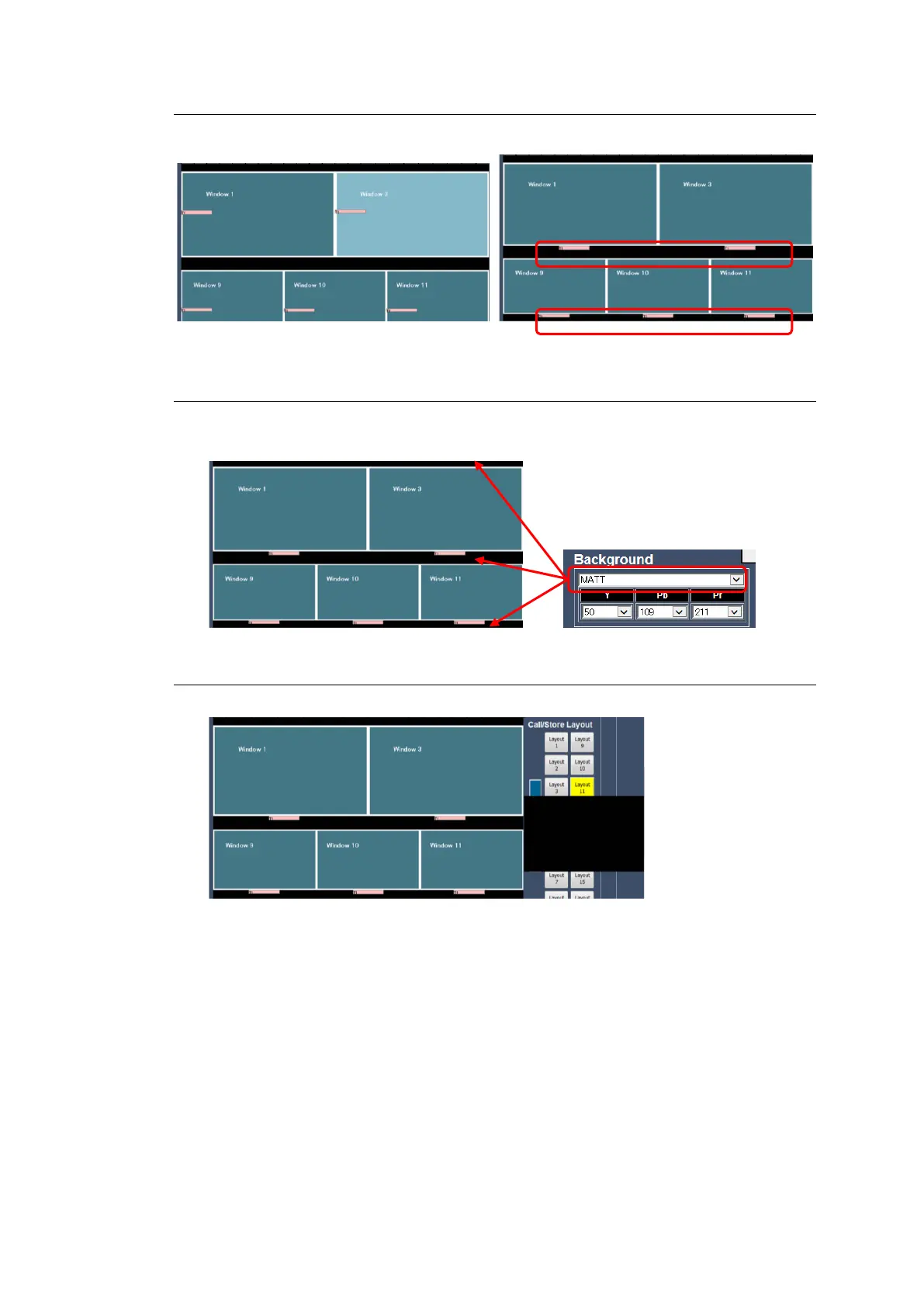
Drag & drop to change the position of windows and labels.
5-6-4-5. Selecting the Background Image
The background image appears behind windows.
* When SDI Input Mode is Async, signal that is externally is unselectable.
5-6-5. Saving a Layout
To save the layout with 5 windows created in Sec. 5-6-1 to Layout 11, proceed as follows.
1. Click Layout 11. A black image appears under the button if there is no layout stored.



 To Next Page
 Loading...