58
Parameters for
MIG/MAG wel-
ding in the set-up
menu level 2
C-C
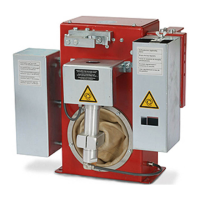
Cooling unit control
Unit -
Setting range Aut, On, Off
Factory setting Aut
Aut: The cooling unit cuts out after a 2-minute welding off-time
Important! If the „Thermostat“ option has been installed in the cooling unit, the cooling
unit cuts out as soon as the return-flow temperature drops below 50°C, but at the earliest
after a 2-minute welding off-time.
On: The cooling unit is permanently ON
Off: The cooling unit is permanently OFF
Important! If the FAC parameter is used, the C-C parameter is not reset to the factory
setting.
C-t
Cooling time - time from when the rate-of-flow watchdog is triggered until the „no | H2O“
service code is output. For example, if there are air bubbles in the cooling system, the
cooling unit will not cut out until the end of this pre-set time.
Unit s
Setting range 5 - 25
Factory setting 10
Important! Each time the power source is switched on, the cooling unit carries out a test
run for 180 seconds.
SEt
Setting - country-specific setting (Standard / USA) ... Std / US
Unit -
Setting range Std, US (Standard / USA)
Factory setting Standard version: Std (measurements in cm / mm)
USA version: US (measurements in in.)
ASt
Anti-stick
Unit -
Setting range On, Off
Factory setting Off
Exiting from the set-up menu
13. Press and hold the Mode button
14. Press the Process button
15. Release the Mode and Process buttons
Set-up menu
Level 2 - Syner-
gic control panel
(continued)



 To Next Page