EasyManua.ls Logo

Fuji Electric PXR3 - User Manual

Fuji Electric PXR3
74 pages
Print Icon
To Next Page IconTo Next Page
Loading...
Micro-controller X
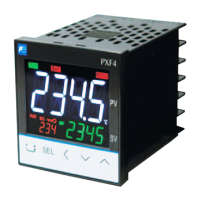
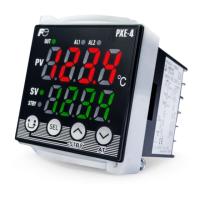
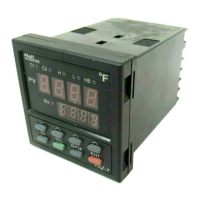
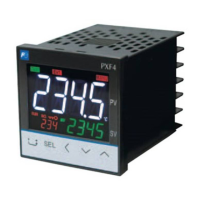
Model: PXR3
Operation Manual
SV
C2
C1
SEL
AL2
AL1
ECNO:409b

Table of Contents

Other manuals for Fuji Electric PXR3

Questions and Answers

  • S
    Susan FlowersAug 17, 2025
    Why is my Fuji Electric Temperature Controller not controlling properly?
    • M
      Maria BrownAug 17, 2025
      If your Fuji Electric Micro-controller is not controlling properly, it might be due to incorrect set values of the parameters , , P and . To fix this, perform the auto-tuning. Also, if the cycle times are too long, decrease the set value of the parameters and gradually. If the output is limited, set the parameters , , and again to be suitable for the process. If the output is not limited correctly, set the parameter again to be suitable for the process.
  • R
    Ricky LopezAug 20, 2025
    What to do if auto-tuning doesn't work on my Fuji Electric Temperature Controller?
    • S
      Susan SmithAug 20, 2025
      If auto-tuning does not work properly on your Fuji Electric Temperature Controller, it could be due to several reasons: * The display shows or after starting auto-tuning. To fix this, make the difference of the set values of and larger, and perform the auto-tuning again. * You changed the SV after starting auto-tuning. Set the desirable SV and perform the auto-tuning again. * You tried to perform auto-tuning during ramp-soak operation. Set the parameter to , and perform the auto-tuning again. * Peripheral devices have problems or are not connected properly. Connect them properly.
  • N
    Nicholas RandolphAug 22, 2025
    How to fix keys that don't operate on Fuji Electric Temperature Controller?
    • M
      martinezmeganAug 22, 2025
      If the keys on your Fuji Electric Temperature Controller do not operate and you cannot change the set value of the parameters, it is because "1", "2", "4", or "5" is set in the parameter . To solve this, set the parameter to "0" or "3".
  • C
    Christopher WhiteAug 26, 2025
    What to do if ON/OFF control is not functioning properly on my Fuji Electric Temperature Controller?
    • M
      Mark ZamoraAug 26, 2025
      If ON/OFF control is not functioning properly on your Fuji Electric Temperature Controller, it could be due to an incorrect set value of parameter . Adjust the set value of parameter to be suitable for the device to be controlled. Alternatively, the setting of parameter might be incorrect, so set the parameter correctly.
  • K
    Kyle SchwartzAug 28, 2025
    Why has the SV or set values changed on my Fuji Electric Temperature Controller without any operation?
    • D
      David GreenAug 28, 2025
      If the SV or set values of some parameters have been changed on your Fuji Electric Temperature Controller without any operation, it could be because the parameter of , , or was changed. Reset all the parameters again. Another cause can be when the set value of is larger than 1000, "1" is registered for . Set to "0", and return to an original value.
  • E
    Eric SmithAug 30, 2025
    Why is the response too slow on my Fuji Electric Temperature Controller?
    • C
      czimmermanAug 30, 2025
      If the Fuji Electric Temperature Controller response is too slow, meaning the measured value changes slowly, it is likely that the input filter constant is too large. To resolve this, decrease the set value of the parameter .
  • M
    Michelle MillerSep 2, 2025
    How to fix SV if it cannot be changed on Fuji Electric PXR3?
    • K
      Kelly BlakeSep 3, 2025
      If the SV cannot be changed on your Fuji Electric Temperature Controller, it could be because "1", or "4" is set in the parameter . Set the parameter to "0", "2", "3" or "5". Another reason could be that you have tried to set a value outside of the measuring temperature range. Widen the range to . You might also have tried to change the SV during ramp-soak operation. Set the parameter of to .
  • S
    Sandra FarleySep 5, 2025
    What to do if excessive over-shoot has occurred during auto-tuning operation on Fuji Electric Temperature Controller?
    • L
      laurahoffmanSep 5, 2025
      If an excessive over-shoot has occurred during auto-tuning operation of your Fuji Electric Temperature Controller, perform the auto-tuning with the parameter being "2" (Low PV type AT). Alternatively, perform the tuning manually.
  • D
    David WilliamsSep 8, 2025
    What to do if ON/OFF control hasn't started on Fuji Electric Temperature Controller?
    • M
      Mr. Christopher EdwardsSep 8, 2025
      If ON/OFF control (Two-position control) has not started on your Fuji Electric Temperature Controller, it is because 0.0 is not set in the parameter . To fix this, set the parameter to 0.0.
  • K
    Karl HolmesSep 12, 2025
    Why aren't the parameters I want to change displayed on my Fuji Electric PXR3 Temperature Controller?
    • A
      Anthony ReyesSep 12, 2025
      If the parameters you want to confirm or change are not displayed on your Fuji Electric Temperature Controller, it is because the concerned parameters are set to skip in the parameters of to . To solve this, change the set value of the concerned dSP.

Summary

Part Names and Functions

Operations

Parameter List Structure

Parameters are classified under three blocks: first, second, and third.

Basic Operations

Explains how to set the SV (Setting value) and parameters for the PXR.

Parameter Functions and Method of Settings

Explains parameter functions and provides methods for setting them.

Troubleshooting

Safety Precaution

Over-temperature Protection

Fuji Electric PXR3 Specifications

General IconGeneral
ModelPXR3
Control MethodPID, ON/OFF
CommunicationRS-485 (optional)
Number of Control Outputs1 or 2
Input TypeThermocouple, RTD
Output TypeRelay, Current
Display TypeLED
Power Supply100 to 240 VAC
Dimensions48 x 48 mm
Number of Alarms2
Ambient Temperature-10 to 50°C
Temperature RangeVaries depending on input type (e.g., -200 to 1300°C for thermocouple)
Alarm OutputRelay

Related product manuals