EasyManua.ls Logo

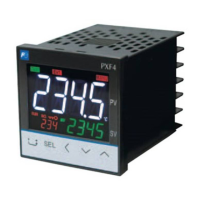
Fuji Electric Micro-Controller X Socket type - User Manual

Fuji Electric Micro-Controller X Socket type
80 pages
Print Icon
To Next Page IconTo Next Page
Loading...
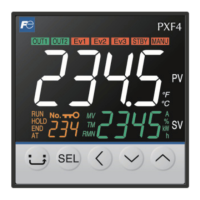
Digital temperature controller
Micro-Controller X
Socket type
Operation Manual
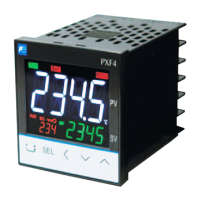
Type: PXF4
INP-TN5A4117-E

Table of Contents

Other manuals for Fuji Electric Micro-Controller X Socket type

Questions and Answers

  • K
    Kristin PaulAug 13, 2025
    How to display decimal point on Fuji Electric Temperature Controller?
    • C
      Christine LeAug 13, 2025
      If a decimal point is not displayed on your Fuji Electric Temperature Controller, it is likely that “0” is set in the parameter of [P-dP]. To display the decimal point, set the parameter of [P-dP] to a value from “1” to “3”.
  • L
    lesliewoodAug 17, 2025
    How to display hidden parameters on Fuji Electric Temperature Controller?
    • J
      Jaime FullerAug 17, 2025
      If you cannot view certain parameters on your Fuji Electric Temperature Controller, it is possible that the display mask is set. Check the DSP settings.
  • M
    Melissa PetersonAug 20, 2025
    Why is auto-tuning not working on my Fuji Electric Temperature Controller?
    • M
      mileserikaAug 21, 2025
      If the display shows “UUUU” or “LLLL” after starting auto-tuning, reset the parameters to increase the difference between [P-SL] and [P-SU], then retry auto-tuning. If you changed the SV after starting auto-tuning, set the desired SV and retry. Auto-tuning won't work during ramp soak operation; set [ProG] to “oFF” and try again. Ensure normal/reverse actions are correctly set via [P-N1]. If the controlled device responds too slowly (auto-tuning doesn't finish in 9 hours), manually tune or try ON/OFF control by setting [P] to “0.0”.
  • W
    williamsingletonAug 25, 2025
    Why the SV cannot be changed on Fuji Electric Temperature Controller?
    • M
      Mr. Nathan WilsonAug 26, 2025
      If the SV (set value) cannot be changed on your Fuji Electric Temperature Controller, it might be due to the parameter [LoC] being set to “1” or “4”. Change [LoC] to “0”, “2”, “3” or “5”. It could also be that you are trying to set a value outside the SV limiter range defined by parameters [SV-L] and [SV-H]. Widen the range between [SV-L] and [SV-H], ensuring it stays within the input range table's set limits. Lastly, if ramp soak control is ongoing (RUN or HLd) or completed (ENd), disable it by setting the parameter [ProG] to “oFF.”
  • C
    cwatsonAug 28, 2025
    What to do if my Fuji Electric Temperature Controller display shows 'UUUU' or 'LLLL'?
    • M
      Maria SchaeferAug 28, 2025
      If the display of your Fuji Electric Temperature Controller shows “UUUU” or “LLLL”, the [P-N2] setting might be incorrect for your sensor's input signals. Set [P-N2] correctly. The sensor's polarity may not match the controller's; correct the polarity. For thermocouple B or R inputs, if input terminals are short-circuited, set [P-N2] to “3” to check the temperature. Loose connecting cables can cause this, so tighten them. A break or short-circuit in the sensor itself can also cause this, so replace the sensor. The set value of [P-SL] may be larger than [P-SU]; ensure [P-SL] is smaller than [P-SU]. Finally, the process variable might be too large or small; increase the difference between [P-SL] and [P-SU].
  • A
    Adam ThorntonSep 1, 2025
    What to do if my Fuji Electric Temperature Controller displays 'Err'?
    • R
      Robert PageSep 1, 2025
      If “Err” is displayed on your Fuji Electric Temperature Controller, it could be due to [P-SU] being set to 3277°C or more for thermocouple and resistance bulb input. Set the parameters of [P-SL] and [P-SU] again according to the input range table. For voltage and current input, the measured range ([P-SU] to [P-SL]) might be set to 10000 or more. Adjust the parameters of [P-SL] and [P-SU] again so that the measured range is 9999 or less.
  • R
    Richard WilsonSep 5, 2025
    Why are the keys not working on my Fuji Electric Temperature Controller?
    • J
      john79Sep 5, 2025
      If the keys on your Fuji Electric Temperature Controller are not working, check the key lock settings, as a value other than “0” might be set in the parameter of [LoC]. Also, check the SV limit value settings. Additionally, review the (USER) key settings, as they may have been changed.
  • J
    James ChanSep 9, 2025
    Why is there no control output from my Fuji Electric Temperature Controller even when it's powered on?
    • L
      Leslie LopezSep 9, 2025
      If the control output isn't working on your Fuji Electric Temperature Controller, first check the ramp soak settings to ensure the output isn't turned OFF there. Also, verify that standby mode is not activated, and check the output settings during standby mode.

Fuji Electric Micro-Controller X Socket type Specifications

General IconGeneral
BrandFuji Electric
ModelMicro-Controller X Socket type
CategoryTemperature Controller
LanguageEnglish

Related product manuals