22 TruVision DVR 40 User Manual
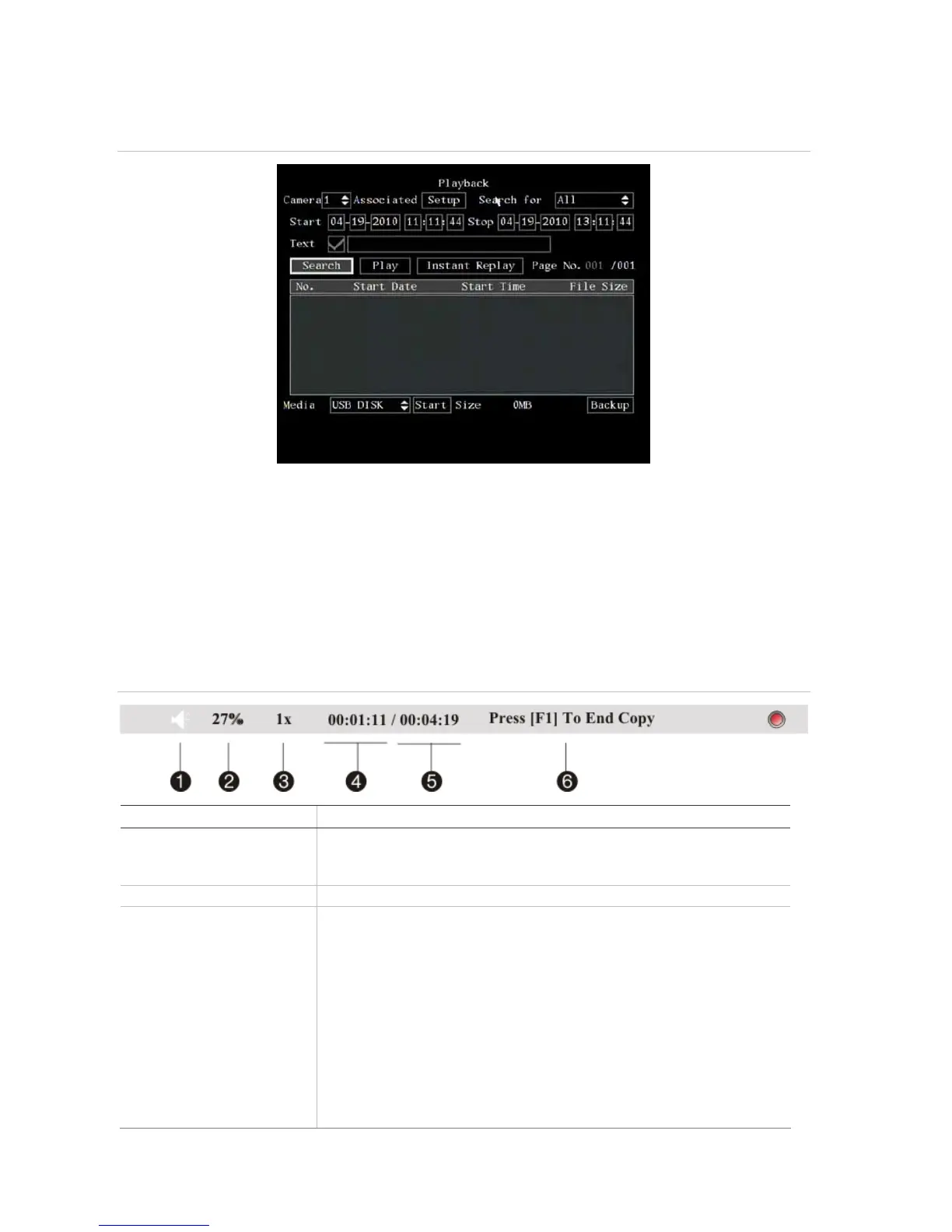
Figure 11: Playback screen
Note: You must have playback rights to playback recorded images. See “Modifying operational rights” on page
90 for more information.
The system also lets you playback channels simultaneously so that multiple images appear on-
screen.
Control playback progress
When in playback mode a status bar appears on-screen during playback to show playback progress
and speed. See Figure 12 below.
Figure 12: Playback status bar
Option Description
1. Audio Press PLAY to silence the audio recording associated with this video. Press PLAY
again to reactivate the audio.
Audio in this example is on.
2. Playback progress Shows how far you have progressed through the recorded file.
3. Playback speed Move the joystick left or right to change the rate of playback. Nine options are
available:
Single: Advance one frame at a time.
1/8x: An eighth of actual speed.
1/4x: Quarter of actual speed.
1/2x: Half of actual speed.
1x: Actual speed.
2x: Twice actual speed.
4x: Four times actual speed.
8x: Eight times actual speed.
MAX: Maximum speed.



 To Next Page