TruVision DVR 40 User Manual 81
10. PTZ settings
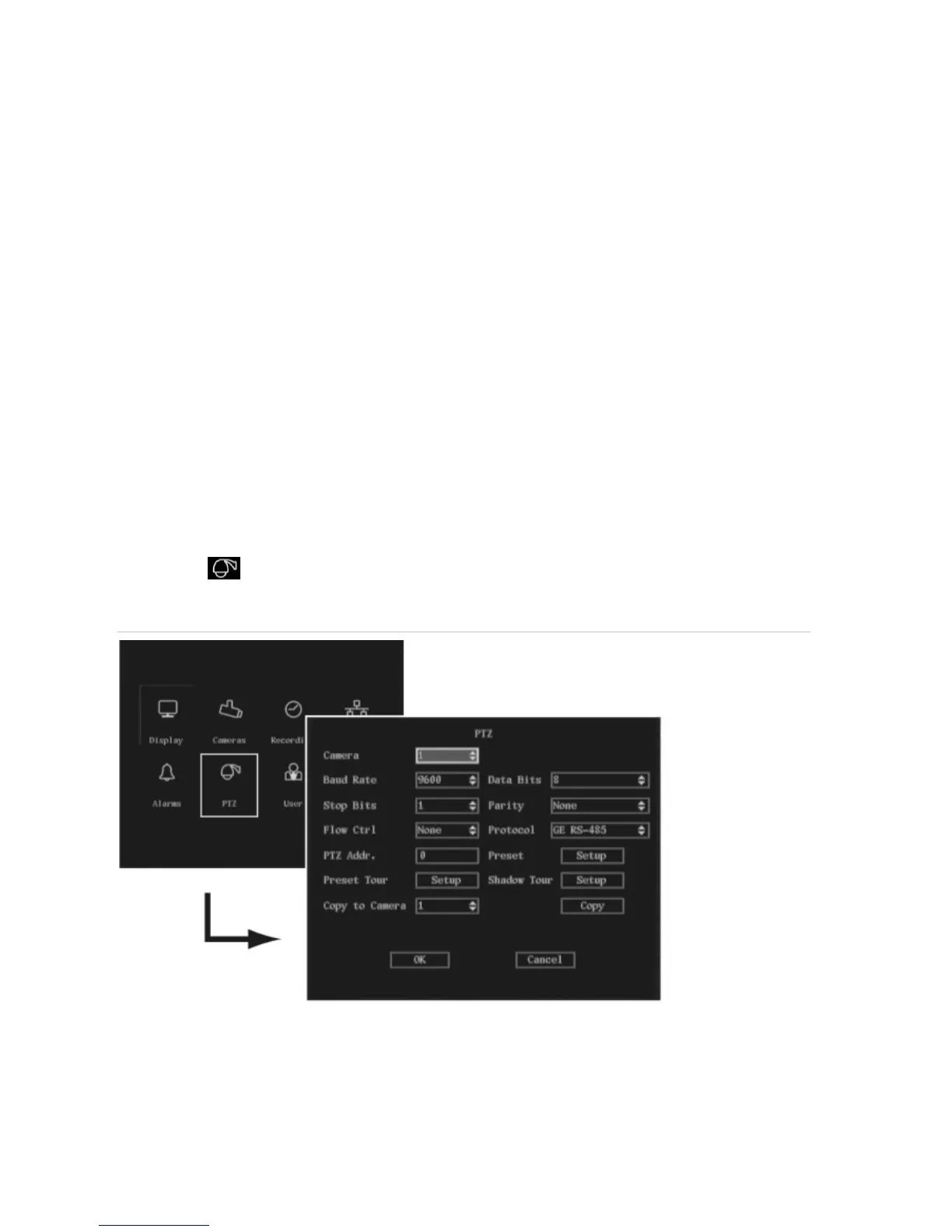
You can control the PTZ functions of the cameras connected to the TVR 40. The PTZ menu allows you
to setup the RS-485 and PTZ parameters to match your PTZ protocol such as:
RS-485 parameters (Baud rate, data bits, stop bits, parity, and flow control)
PTZ protocol
PTZ address
Preset parameters
Preset tour function
Shadow tour function
The PTZ icon is located in the main menu. The following screen appears when you select the PTZ
icon:
Figure 22: The PTZ menu



 To Next Page