96 TruVision DVR 40 User Manual
Handling transaction information
To setup how to handle transaction information
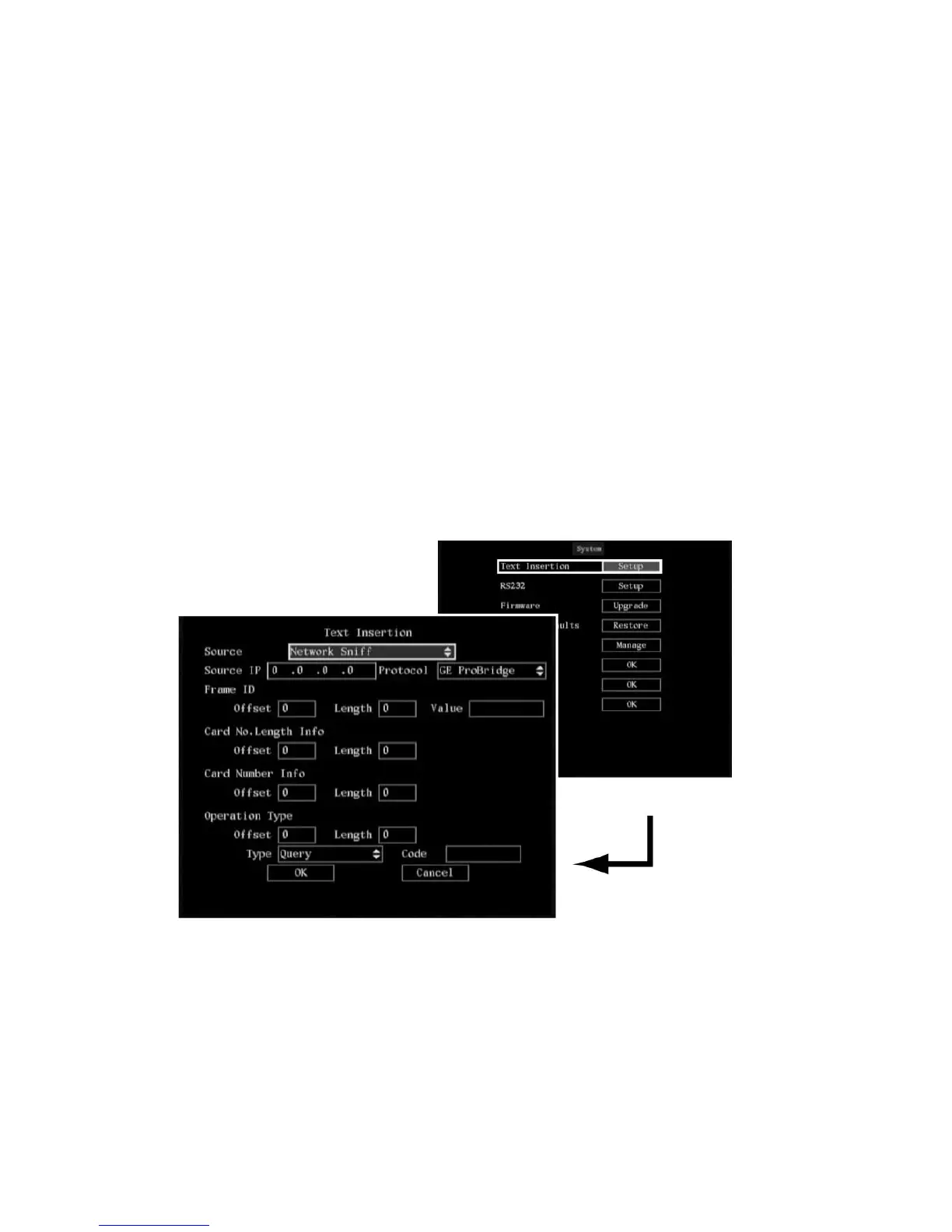
1. In the System menu go to the Text Insertion setup button and press Enter or left-click the mouse.
The Text Insertion submenu appears.
2. Select one of the four text capture types from the drop-down list (see Table 15):
Network sniff
String
from serial port
ATM CMD from serial port
Network receive
Depending on the text capture type selected, the menu options listed will differ.
a. Network Sniff: Go to each of the settings and press Enter or left-click the mouse to enter edit
mode. Enter the values using the on-screen keyboard or the numeric buttons on the front
panel. When finished, press Enter or left-click the mouse to exit edit mode.
Select OK when completed and return to the System menu.
b. Network Receive: Go to Local Port and press Enter or left-click the mouse to enter edit mode.
Enter the values using the on-screen keyboard or the numeric buttons on the front panel.
When finished, press Enter or left-click the mouse to exit edit mode.
Select OK when completed and return to the System menu.
c. Receive data sent by ATM through serial port: Go to the Protocol list box and select the
protocol parameter. GE ProBridge is default. Enter the values using the on-screen keyboard or
the numeric buttons on the front panel. When finished, press Enter or left-click the mouse to
exit edit mode.



 To Next Page