Handheld Tester Emulator Test Suite Worksheet
3
PAGE 109
[P] [F] E. Handoff available signal test for load: All steps must occur in the prescribed order to pass:
1. Verify that the HO_AVBL signal is ON on the equipment
2. Activate the presence sensor(s) on the loadport associated with the E84 interface being
tested
3. Verify that the equipment does not allow for the delivery of a FOUP. The three acceptable
communication scenarios include:
• the equipment turns the HO_AVBL signal OFF immediately
• the equipment does not turn the L_REQ signal ON after the tester turns the VALID signal
ON
• the equipment does not turn the READY signal ON after the tester turns the TR_REQ signal
ON.
One of these three scenarios must occur for this test to pass.
Notes:
Handheld Tester Emulator Test Suite Worksheet
3
PAGE 110
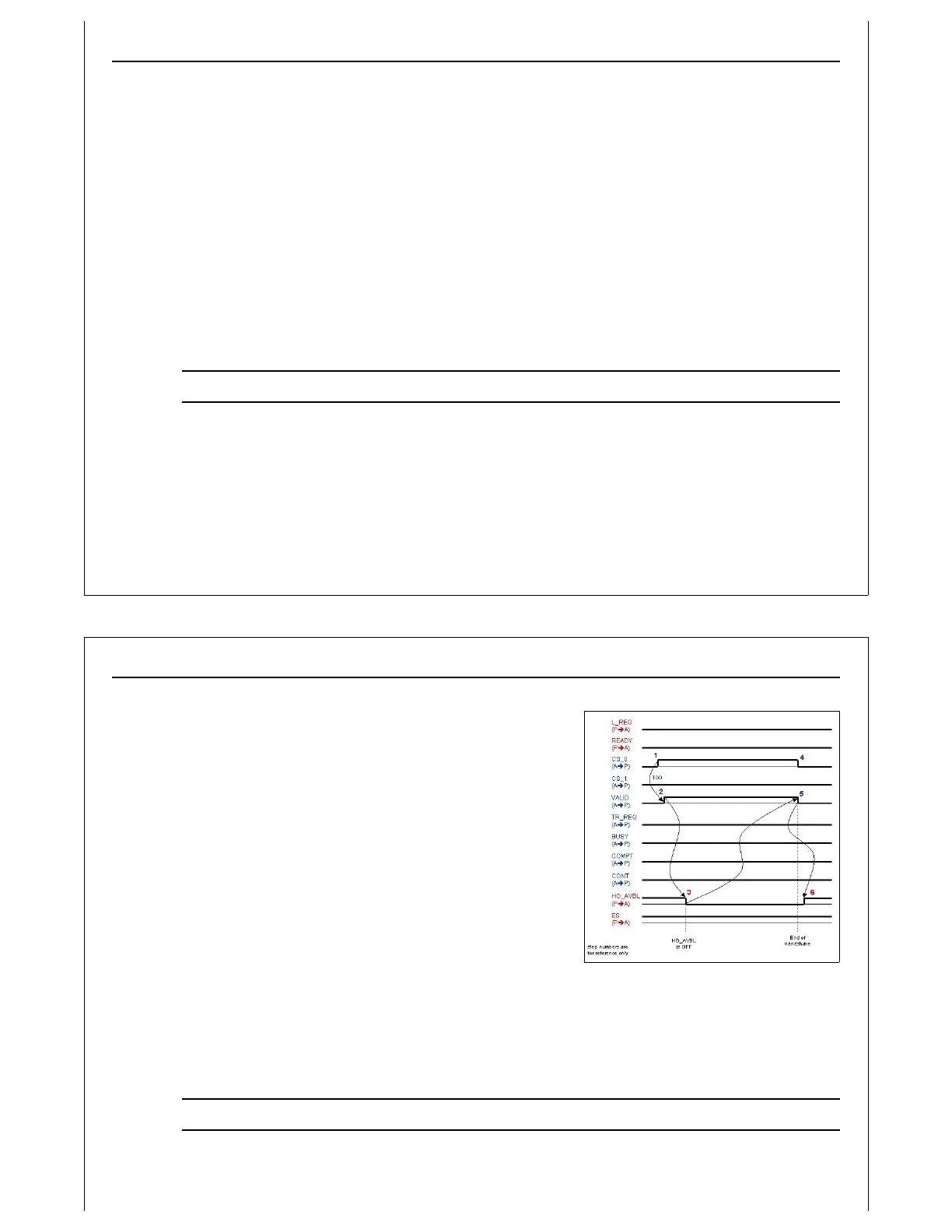
Figure 101 - HO_AVBL Signal
Example
[P] [F] F. Handoff available sequence: All steps must occur in the prescribed order to pass:
1. For this test only, set the TP1 setting to 15 seconds
2. Verify that the HO_AVBL signal is ON on the
equipment
3. Set the CS_0 signal ON and CS_1 signal OFF on the
E84 HHT
4. Set the VALID signal ON on the E84 HHT
5. Manually induce a condition on the equipment that
causes the HO_AVBL signal to go OFF. This may be
done by loading an unexpected FOUP on the
loadport, or possibly switching the equipment to
manual mode. Note the test person must cause the
condition in a time less than 15 seconds.
6. Verify that the equipment turns the HO_AVBL signal
OFF
7. Set the CS_0 signal OFF and the VALID signal OFF on
the E84 HHT
8. Fix the error condition that was induced in Step 4
9. Verify that the equipment turns the HO_AVBL signal ON again
10. Change the TP1 setting back to the original default setting
Notes:



 To Next Page