37
Fryer Operation
GBF-50 Fryer
4.01.5.1 Editing a Menu Item Preset - continued
Continued on Next Page
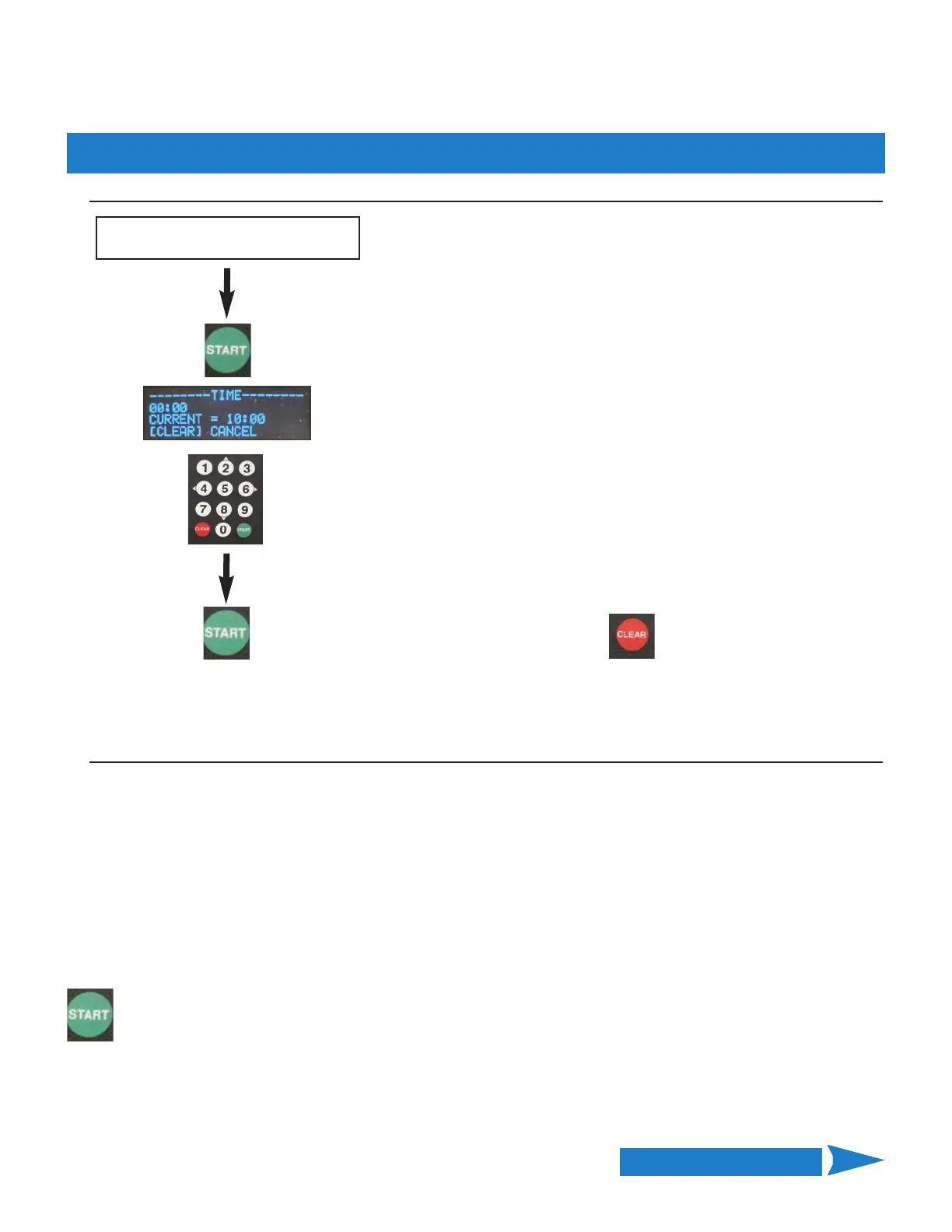
Edit COOKING TIME:
Current time setting for item is displayed.
Use numeric keypad to enter new TIME (mm:ss)
NOTE: All digits must be entered, e.g. 1000 = 10:00.
While entering time, [CLEAR] key backspaces to erase an
incorrect input.
After entering new TIME value, press
[START] to Save
‐ OR ‐
Press CLEAR to exit without Saving
Scroll to and select the TIME setting
as shown on previous page.
Regardless of the global STIR ALARM setting in User Settings (Section 4.01.8), you may decided that a particular
item does or does not, need to be stirred during the cook cycle. STIR OVERRIDE overrides the global setting for the
specific menu item. Available settings = [NORMAL] • [SKIP] • [FORCE].
[NORMAL] = stir alarm is controlled normally by the global setting.
[SKIP] = regardless of the global setting, controller DOES NOT issue the alarm when cooking this menu item.
[FORCE] = regardless of the global setting, controller ALWAYS issues the alarm when cooking this menu item.
Factory‐default = [NORMAL]
To edit STIR OVERRIDE setting, scroll to and select as described previously ... [—>] pointing to [STIR]
Press the [START] key to toggle between the available options, stop at desired setting.
Edit STIR OVERRIDE Setting:



 To Next Page