GSI Audera Pro User Manual
D-0129360 Rev A Page 81 of 231
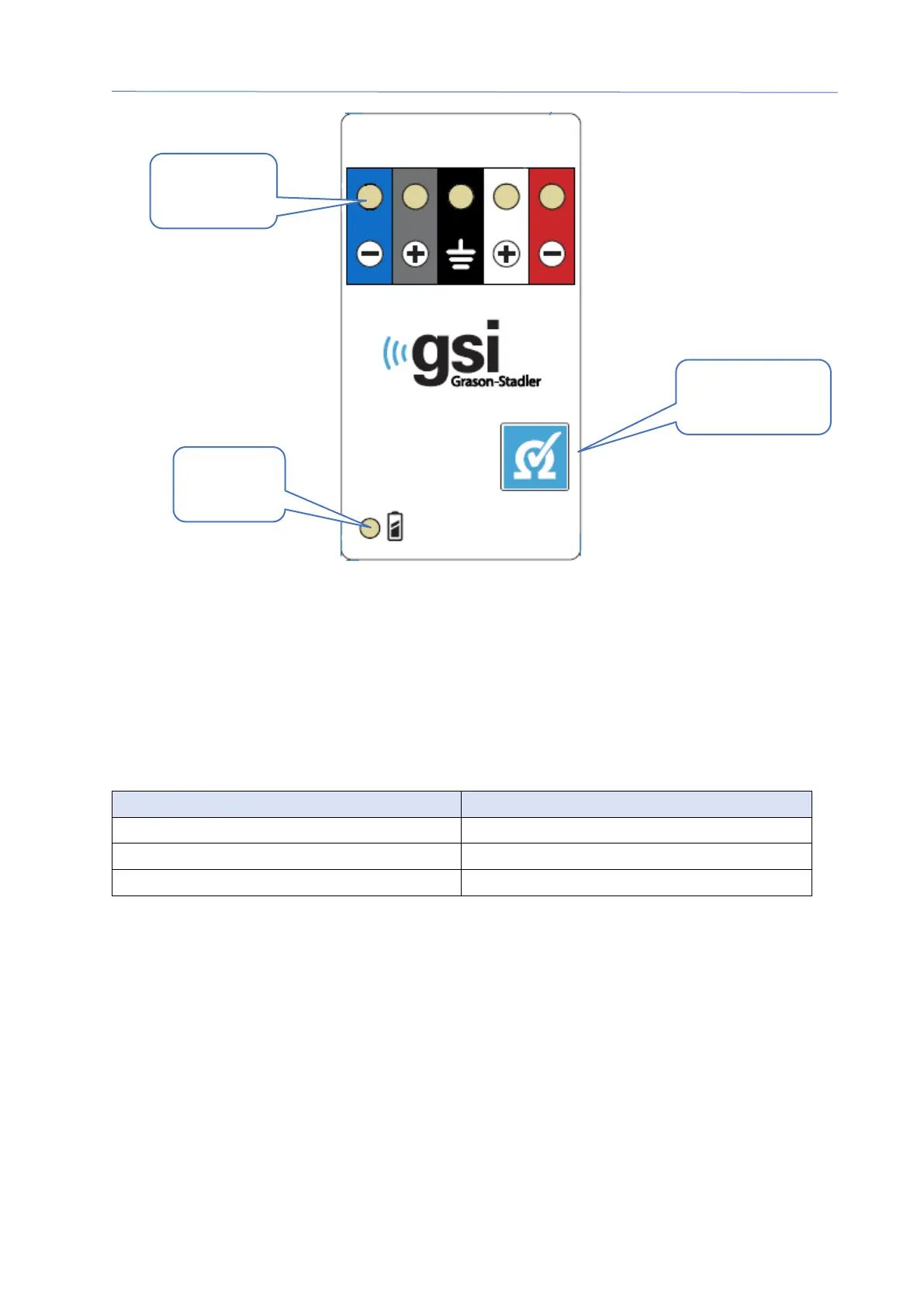
The Remote Impedance Display box requires 3 AAA batteries (included) to operate.
There is a battery status LED in the lower left corner. The LED will light green when the
power is on and the battery level is good. The battery status LED will change to red
when the batteries need to be changed. The batteries should last for about 1900 tests.
The Impedance test button in the lower right is used to turn on the device and initiate
an impedance test. When the impedance test is initiated, the Audera Pro tests the
impedance of each electrode and sends the results back to the box which displays a
red, yellow or green LED that corresponds to the impedance level.
Red > 10 k Ohms
The device will shut off automatically after approximately 4 minutes.
Test button
Status
LED



 To Next Page