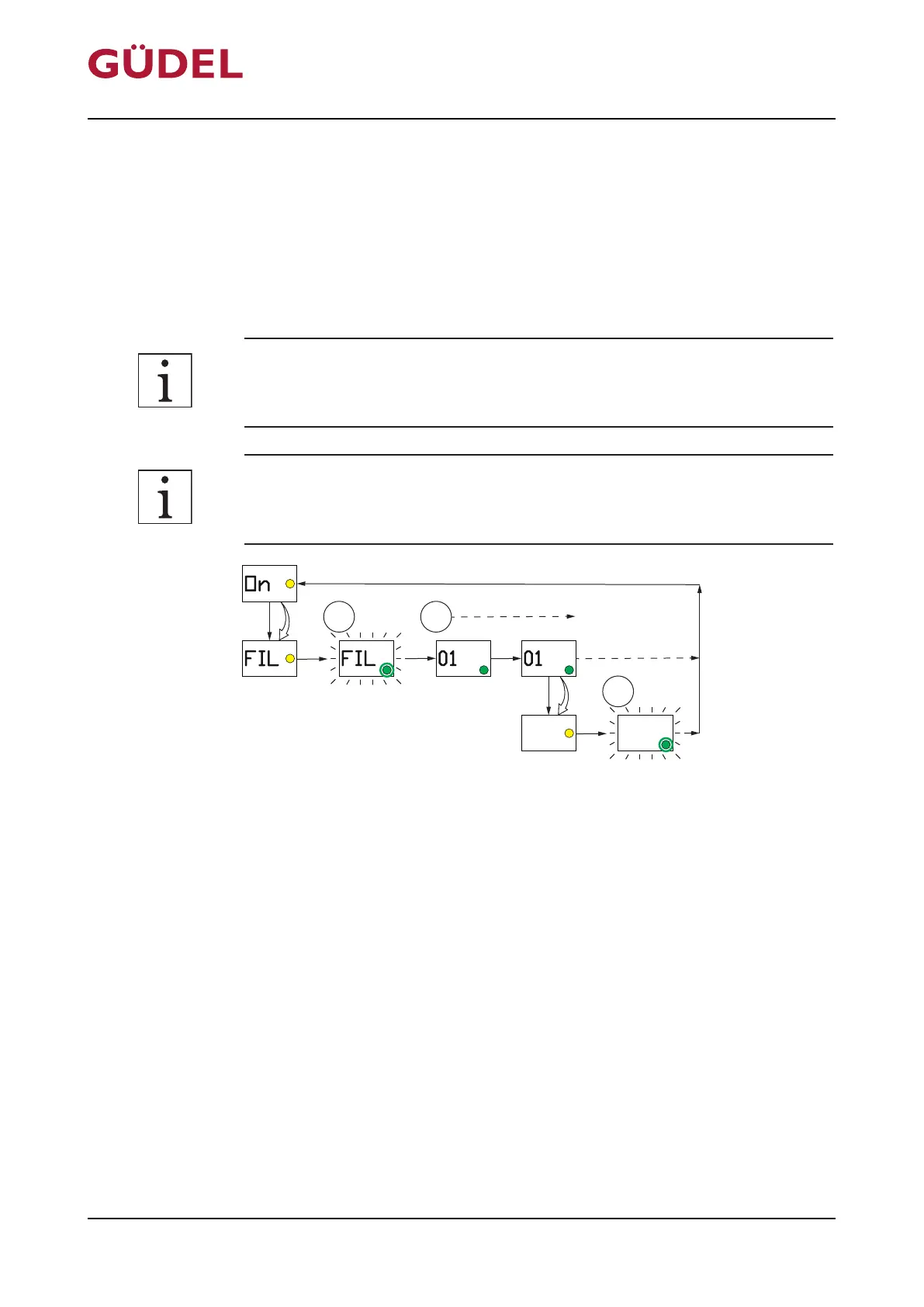
5.7.2 Execute FIL menu
The FIL menu is used to trigger a defined multi-dispensing action. The func-
tion enables, for example, connected components (lubricating lines, Y-seg-
ments, splitters) to be pre-filled with lubricant for the initial commissioning.
40pump strokes are initiated with the activation. The function can be inter-
rupted manually at any point.
The function is only available if the FlexxPump is switched "On". The control
system reverts to "On" mode after a completed function.
If the function is executed while the FlexxPump is in emptying time mode,
the set emptying time is shortened.
2x
FIL
40 x
On
FIL
01 01
2x
CLr
CLr
Fig.5-15 Execute FIL menu
Execute the FIL menu as follows:
Prerequisite: There is no malfunction at the FlexxPump
1 Touch the active surface with the magnetic peg Ü238
2 Remove the magnetic peg from the active surface once the LCD displays
"FIL" and the yellow LED lights up
3 Wait until the green LED and the LCD flash twice
The FlexxPump executes the FIL menu (40pump strokes).
The counter-pressure values are displayed in bar on the LCD and the green
LED lights up during the individual strokes.
Commissioning OPERATING MANUAL FlexxPump4N Lubrication System
3422906891_v1.0_EN-US
70



 To Next Page