6.7 Switch off FlexxPump
The FlexxPump can be switched off in any state (normal operating state or
malfunction state) as described here.
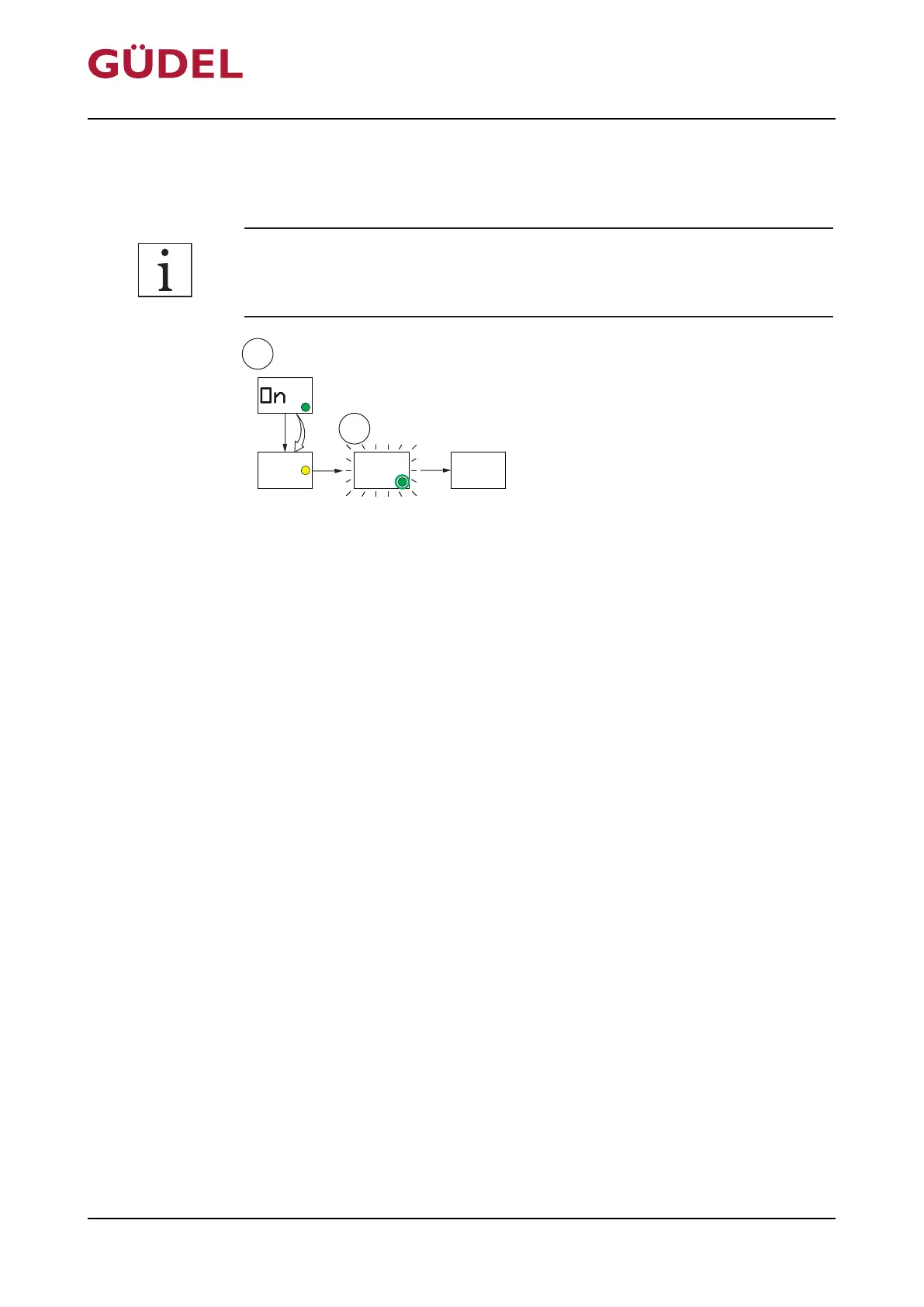
Fig.6-9 Switch off FlexxPump
Switch off the FlexxPump as follows:
Prerequisite: The FlexxPump is switched "On" and the green LED flashes
every 5s
1 Touch magnetic surface with magnetic peg Ü238
2 Remove magnetic peg from magnetic surface as soon as the LCD shows
“OFF” and the yellow LED lights up
3 Wait until the yellow LED goes off and the green LED and the LCD flash
2x
The FlexxPump is switched off.
The LCD will display “OFF”
Operation OPERATING MANUAL FlexxPump4N Lubrication System
3422906891_v1.0_EN-US
94



 To Next Page