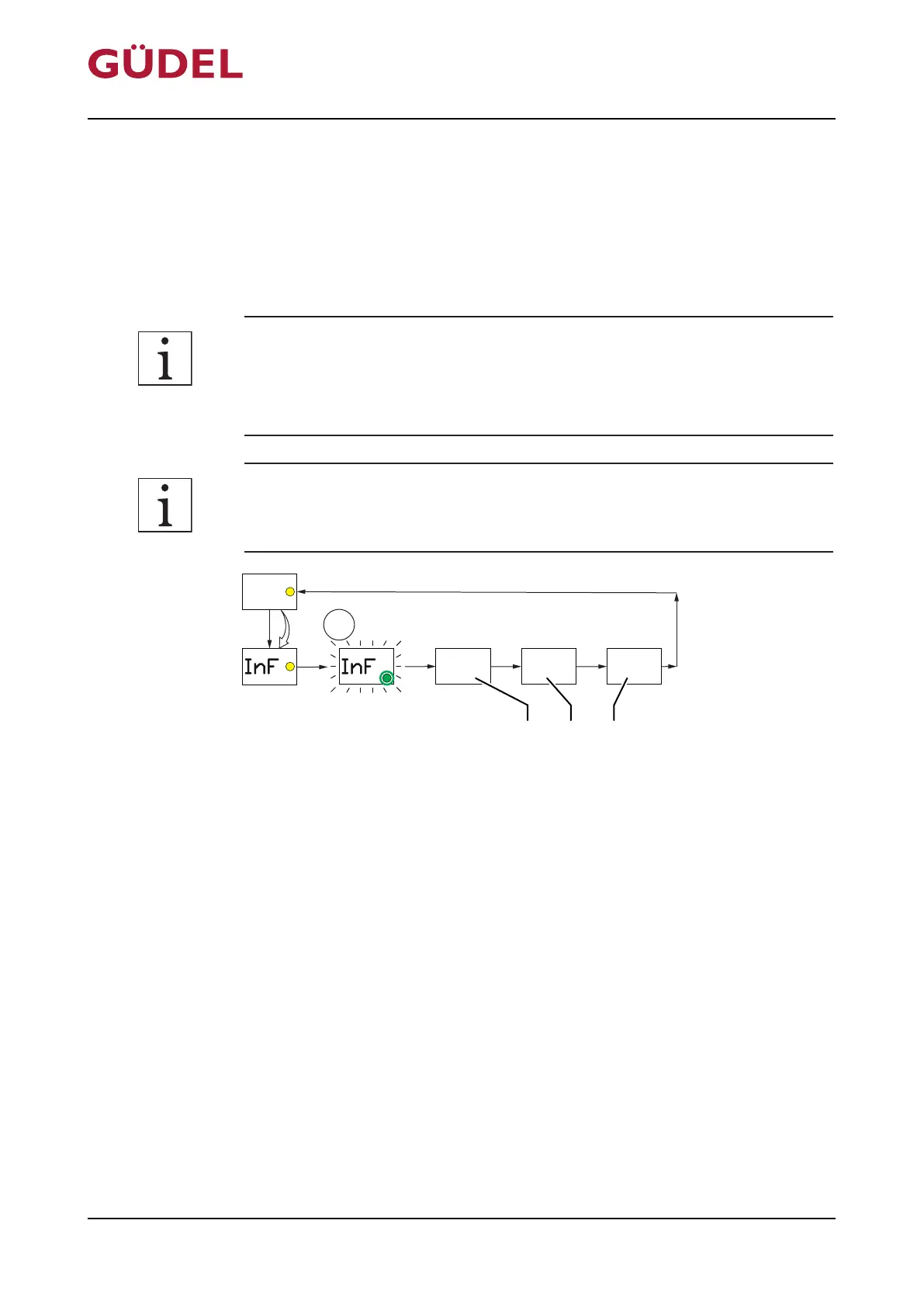
6.6.7 INF menu in pulse mode
The INF menu provides information on the firmware used and the values cur-
rently set in the PRO menu. The operator cannot make any changes to the
values in the INF menu. The function displays the values of the parameter in
an order which cannot be changed.
The emptying time mode is accepted as the standard at Güdel. Reference is
made to this operating mode in the lubrication recommendation and in the
lubricant quantity calculator. The details on other operating modes are to be
considered as supplementary information.
The function is only available if the FlexxPump is switched "OFF". The control
system reverts to "OFF" mode after a completed function.
Fig.6-7 INF menu in pulse mode
A FlexxPump firmware version
B Operating mode set to pulse mode
C Bellow volume value set
Set up the INF menu as follows:
1 Touch magnetic surface with magnetic peg Ü238
2 Remove magnetic peg from magnetic surface as soon as the LCD shows
“INF” and the yellow LED lights up
3 Wait until the green LED and the LCD flash 2x
The FlexxPump will run the INF menu and show the values set on the LCD.
Operation OPERATING MANUAL FlexxPump4N Lubrication System
3422906891_v1.0_EN-US
92



 To Next Page