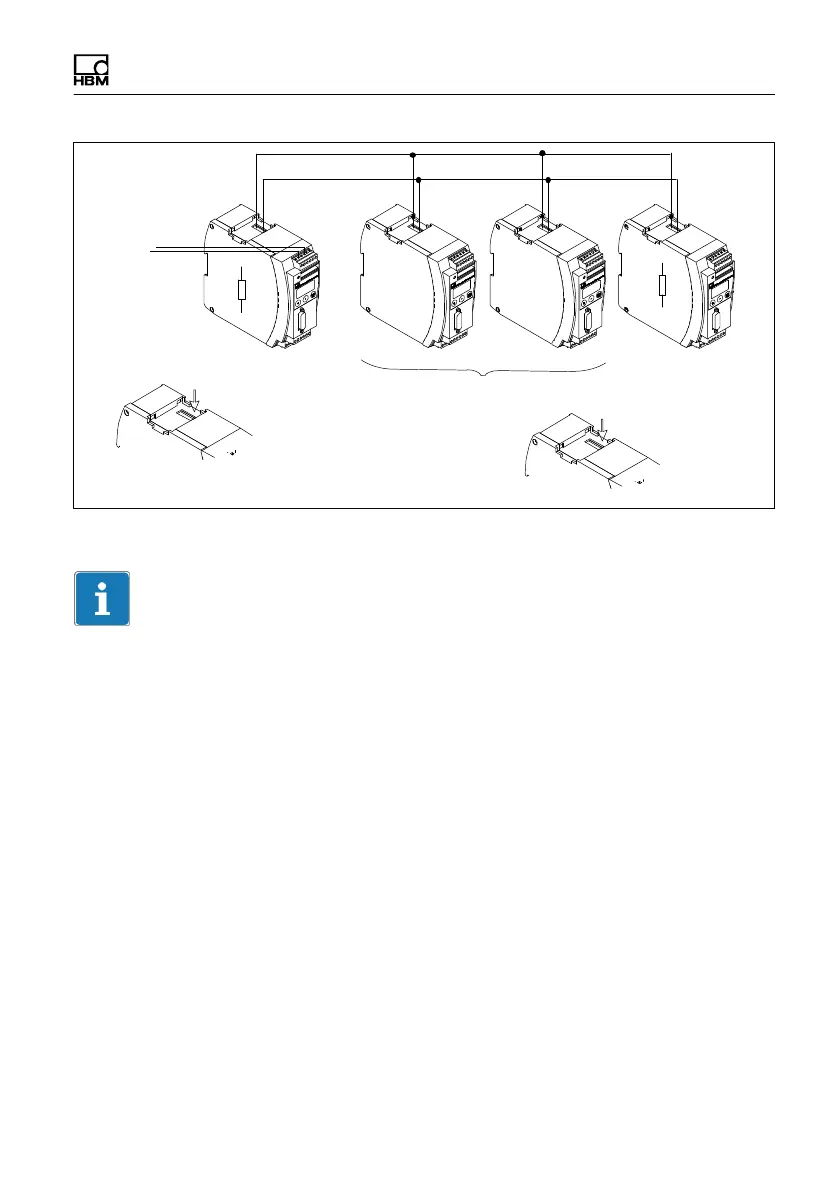
Electrical connection
MP85A A0293_06_E00_03 HBM: public 43
CAN‐High
CAN-Low
CAN connection
as per Fig. 5.14
First device in
the bus line
Last device in the
bus line
Connect the termination
resistor here (toggle
switch)
Do not connect the
termination resistor
Connect the
termination
resistor here
(toggle switch)
Fig. 5.15 CAN bus mode with several transducers (max. 32 as per standard)
Important
If the first or last device in the bus line is not a PME device, you must connect
a 120W resistor to each of these external devices.
The baud rate of all devices must be identical to that of the CAN master. For
longer cables, reduce the baud rate according to the CAN specifications.
5.7.3 PROFIBUS interface (MP85ADP/MP85ADP‐S only)
The front of the MP85ADP(-S) features a 9-pin D-sub connector for the
PROFIBUS connection.
Installation:
► Connect the MP85ADP(‐S) to the supply voltage (24V).
► Use the keyboard or the Setup program to set the required PROFIBUS
address.
► Connect the PROFIBUS line to the MP85ADP(-S).
Make sure that termination resistors are connected at the first and last



 To Next Page