Starting up/Setup mode
MP85A A0293_06_E00_03 HBM: public 65
Important
The minimum requirements listed above are sufficient if you have only con
nected one device. Suitable, more powerful PC hardware is necessary if you
also wish to transfer result and curve files from several devices to the PC.
You can find further information in the “FASTpress Suite” quick start guide.
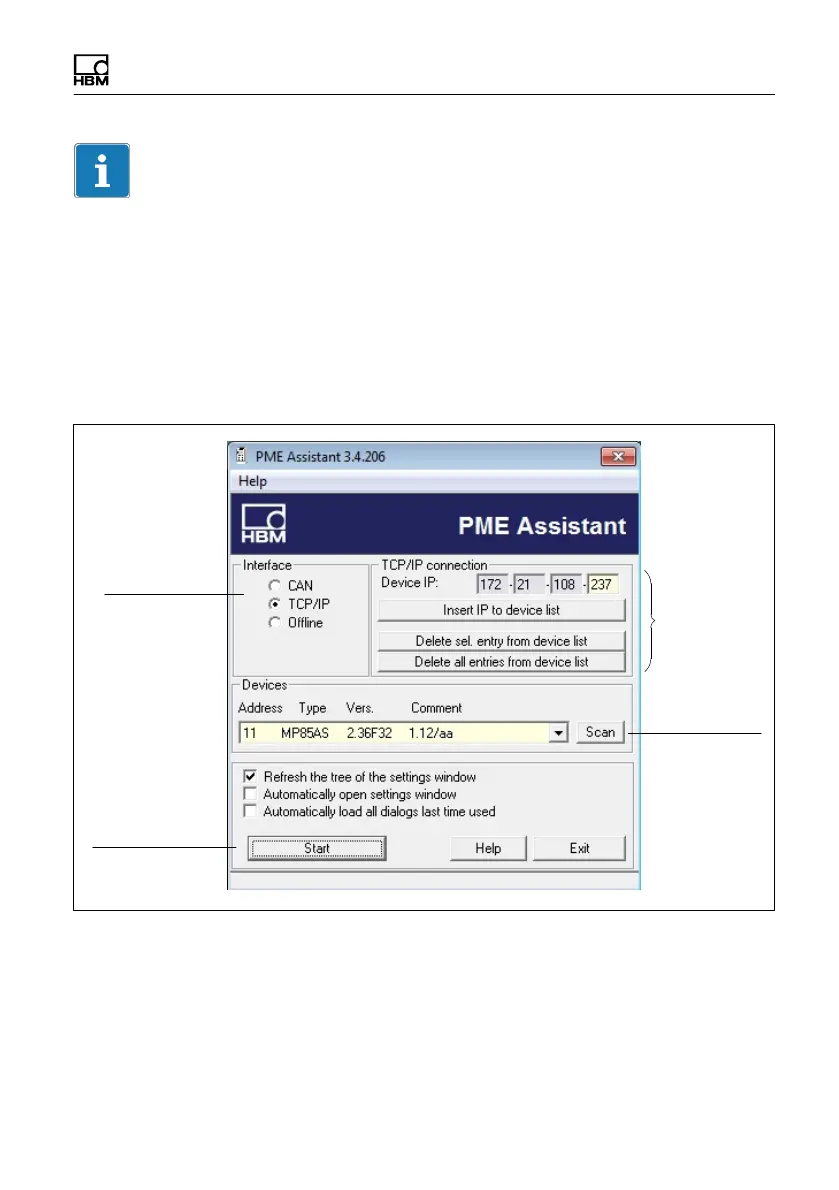
7.4 Using the PME Assistant
Interface
factory
settings
Scans the bus
for connected
PME modules
Opens the Setup
window
Interface mode
Fig. 7.2 Start window



 To Next Page