49
Cuvette Batch
Cuvette batch:
123456789
Expiration Date:
Save?
NoNo SaveSave
08/09/03
FIGURE 3-18
g) Press Save to store the information or
press No to cancel.
h) The updated Cuvette Batch list will be
displayed. Press the Confirm button in
this display to return to the Define List
menu (see FIGURE 3-5).
Delete Cuvette Batch Information
Batches
123456789
234567891
345678912
456789123
567891234
DeleteDelete AddAdd
2
1
3
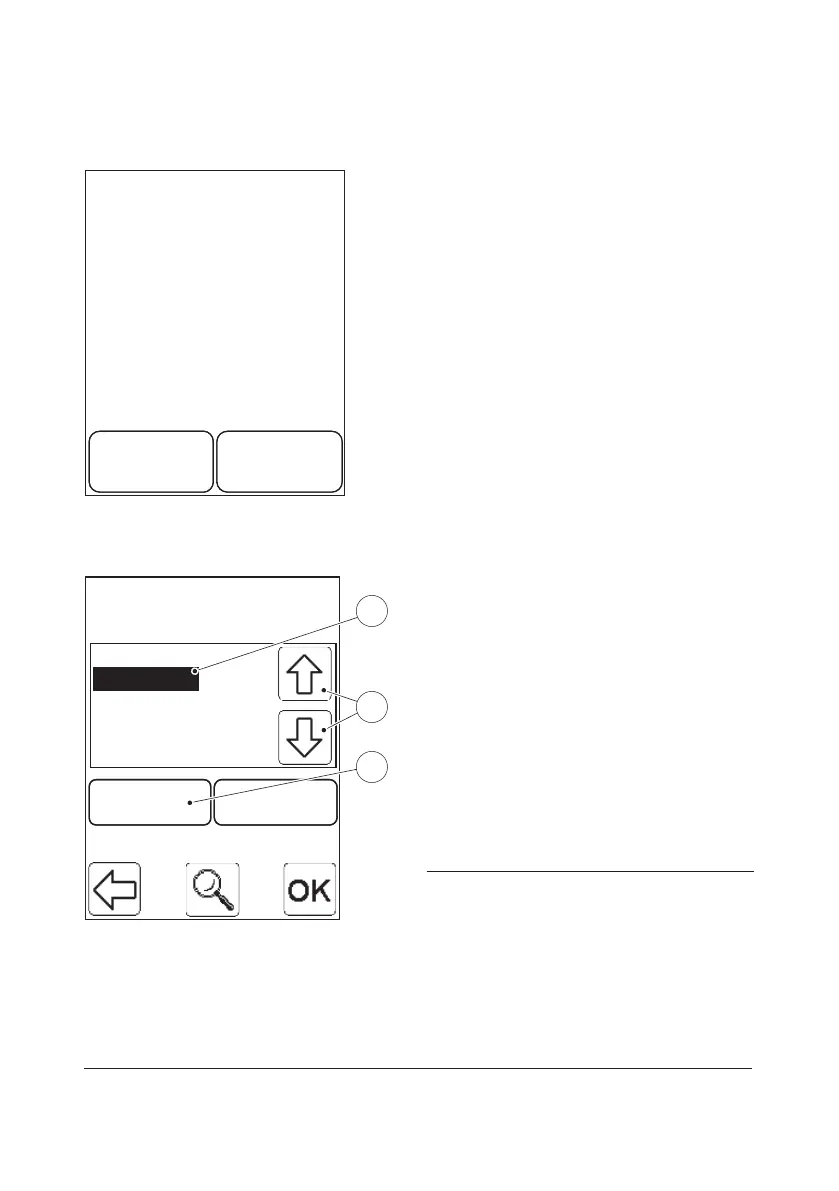
FIGURE 3-19
a) To choose the Cuvette Batch information
that is to be deleted, highlight the
Cuvette Batch No.(1) by pressing the
Scroll Bar Arrows(2). Press the Delete
button(3).
b) A confirm dialogue is displayed. Press
Delete to delete the Cuvette Batch or
press No to cancel.
c) The updated Cuvette Batch list will be
displayed. Press the Confirm button in
this display to return to the Define List
menu (see FIGURE 3-5).
1 Cuvette Batch (to be deleted)
2 Scroll bar arrows
3 Delete button


 To Next Page
 Loading...









