
EasyManua.ls Logo

HID CP1000 - User Manual

HID CP1000
212 pages
Print Icon
To Next Page IconTo Next Page
Loading...
hidglobal.com
ASURE ID ICLASS SE
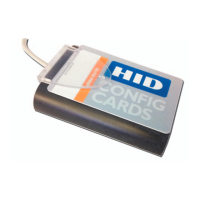
CP1000 DESKTOP ENCODER
USER GUIDE
PLT-01067
Version: A.7
July 2017

Table of Contents

Questions and Answers

  • S
    Shawn MendezAug 19, 2025
    What to do if keys on the card do not match the authentication keys specified in the work order for HID CP1000?
    • T
      Taylor BartonAug 20, 2025
      If the keys on the card do not match the authentication keys specified in the work order, you should: 1. Go to Key Management and verify that required keys have been installed. 2. Open Work Order and verify that proper authentication key/keyset(s) are in use. 3. Verify the correct card is on the encoder.
  • E
    Eugene BartlettAug 21, 2025
    How to activate configuration of Unconfigured iCLASS cards in HID CP1000 Media Converter?
    • T
      Todd McdanielAug 22, 2025
      If the iCLASS cards has not been activated in the Work Instruction, you should: 1. Open Work Instruction Wizard and change the Expected Card Type from Configured to Unconfigured. 2. Select the desired Card Configuration (2k, 16k/2, etc.) 3. Verify that encoder has been configured to allow configuration of Unconfigured cards.
  • C
    Crystal ThomasAug 25, 2025
    How to configure HID Media Converter to overwrite existing credentials?
    • K
      Kathleen MeyersAug 25, 2025
      If the Work Instruction is not configured to overwrite cards that have already been programmed, open the Work Instruction wizard and check the 'Overwrite Existing Credential' checkbox.
  • M
    matthewsmichaelAug 26, 2025
    What to do if HID CP1000 shows not enough memory blocks were selected?
    • R
      Robert JohnsonAug 26, 2025
      If not enough memory blocks were selected in the Work Instruction Wizard to support the size of the data the user is attempting to write to the card, you can open the iCLASS Work Instruction Wizard and allocate more memory blocks for the custom data field. If not enough blocks exist, consider reducing the size of the data being written to the card, or purchasing cards with larger memory size (16k vs. 2k, etc.).
  • A
    Adam HayesAug 27, 2025
    How to upload applets to SAM in HID Media Converter?
    • A
      Alexis OneillAug 28, 2025
      If applets have not been uploaded or have been cleared from SAM, you should: 1. Navigate to Options > Plugins. 2. If the Applet Version for the specified technology reads 'Unavailable', click the hyperlink to upload dlls for the plugin to the SAM.
  • M
    Michael GreeneAug 29, 2025
    What to do if HID CP1000 Media Converter encoder is unplugged or malfunctioning?
    • B
      Breanna BrownAug 29, 2025
      If the encoder is unplugged or malfunctioning: 1. Make sure the correct encoder is selected. 2. Reset the encoder. 3. Restart the desktop application.
  • J
    Jasmine HernandezAug 31, 2025
    What to do if HID Media Converter encoder was not plugged in when application was launched?
    • S
      Samuel BrownAug 31, 2025
      If the encoder was not plugged in when the application was launched, select refresh next to the drop-down list to request the system search for active encoders.
  • D
    Donald BarnettSep 2, 2025
    What to do if an error occurred attempting prepare the sector for the Legacy HID Access App in HID CP1000 Media Converter?
    • E
      Evan FisherSep 2, 2025
      If an error occurred attempting to prepare the sector for the Legacy HID Access App: 1. Verify the proper keys exist on the encoder. 2. Verify the HID Access Application sector has not already been written to by another application.
  • C
    christopher55Sep 4, 2025
    What to do if an error occurred attempting prepare the sector for the SO HID Access App in HID CP1000?
    • A
      Andrew BakerSep 5, 2025
      If an error occurred attempting to prepare the sector for the SO HID Access App: 1. Verify the proper keys exist on the encoder (this includes the SO keys). 2. Verify the HID Access Application sector has not already been written to by another application.
  • G
    Gabriel GarciaSep 6, 2025
    What to do if an error occurred attempting to modify the sector trailer in HID CP1000?
    • J
      juan96Sep 6, 2025
      If an error occurred attempting to modify the sector trailer, verify that the sector trailer access currently on the card allows the trailer bits to be modified.

Summary

Overview

Main Concepts

Explains core concepts for using the iCLASS SE Encoder, including key management and administration.

Media Keys

Details the purpose and types of media keys used for authenticating credentials during read/write operations.

Secure Object Keys

Describes Secure Object (SO) technology and its enhanced security features for credentials.

Encoder Application Navigation

Work Order Manager Module

Allows users to define and save encoding profiles for credential deployment.

Key Management Module

Enables users to view and manage HID and Custom Keys within the encoder.

Reader Configuration Module

Used to create Reader Data configuration cards for keys and reader settings.

User Config Module

Allows administrators to create users and set their access permissions.

Setup and Configuration

System Requirements

Lists the necessary hardware and software specifications for the iCLASS SE Encoder Desktop application.

Administrative Privileges

Requires Administrator privileges for installation and startup procedures.

Getting Started

Provides initial setup steps, including connecting the encoder and installing the software.

Initial Configuration

Guides through changing default administrative keys for enhanced security during setup.

Change Default Admin Password

Emphasizes modifying default admin credentials immediately for security.

Initial Configuration (Startup)

Upload Encoder Configuration Package

Describes how to load credential credits and HID keys onto the encoder via a USB flash drive.

Work Order Manager

Work Order Manager Home Tab

Introduces the Work Order Manager module for creating, managing, and executing Work Orders.

Work Order Manager Toolbar

Details toolbar functions for managing Work Orders like Open, Save, Edit, and Execute.

Create a Work Order

Details the process of creating a new Work Order, selecting technology, and defining instructions.

Add a Work Instruction to a Work Order

Describes adding a Work Instruction, which is a single routine for encoding.

Work Order Execution

Covers the process of executing a Work Order, including writing SIO credentials.

Key Management

Create Key

Guides on defining and saving new custom keys to the iCLASS SE Encoder.

Export Keys

Allows secure export of custom and admin keys for backup and recovery.

Change Encoder Admin Keys

Guides on changing administrative keys on the device for security purposes.

Reader Configuration

Elite Prep Card

Sets Reader Configuration Key to authenticate future Configuration cards.

Load HID Application Keys

Designed to load media and application keys to one or more encoders.

User Config

User Config Home Tab

Introduces the User Config module for managing user records, configurations, and passwords.

Add a User

Provides instructions for adding a new user with limited access.

Troubleshooting

Backup and Recovery

Recommends backing up the iCLASS SE Encoder folder for recovery purposes.

Log Files

Explains how to access and use log files for troubleshooting issues.

Exceptions and Error Codes

Lists common exceptions and error codes with suggested actions for resolution.

HID CP1000 Specifications

General IconGeneral
CategoryMedia Converter
ModelCP1000
Fiber Ports1
Fiber ConnectorSC
Data Transfer Rate10/100 Mbps
RJ45 Ports1
RJ45 Speed10/100 Mbps
Operating Temperature0°C to 50°C
Power SupplyExternal
Weight0.2 kg