4.26 Bumper
Chapter 4: Removal, Replacement, and Adjustment Procedures
Basic Care™ Bed Service Manual (man336) Page 4 - 61
4
4.26 Bumper
Tools required: 5 mm Allen™
1
wrench
Removal
1. Raise the bed to its highest position.
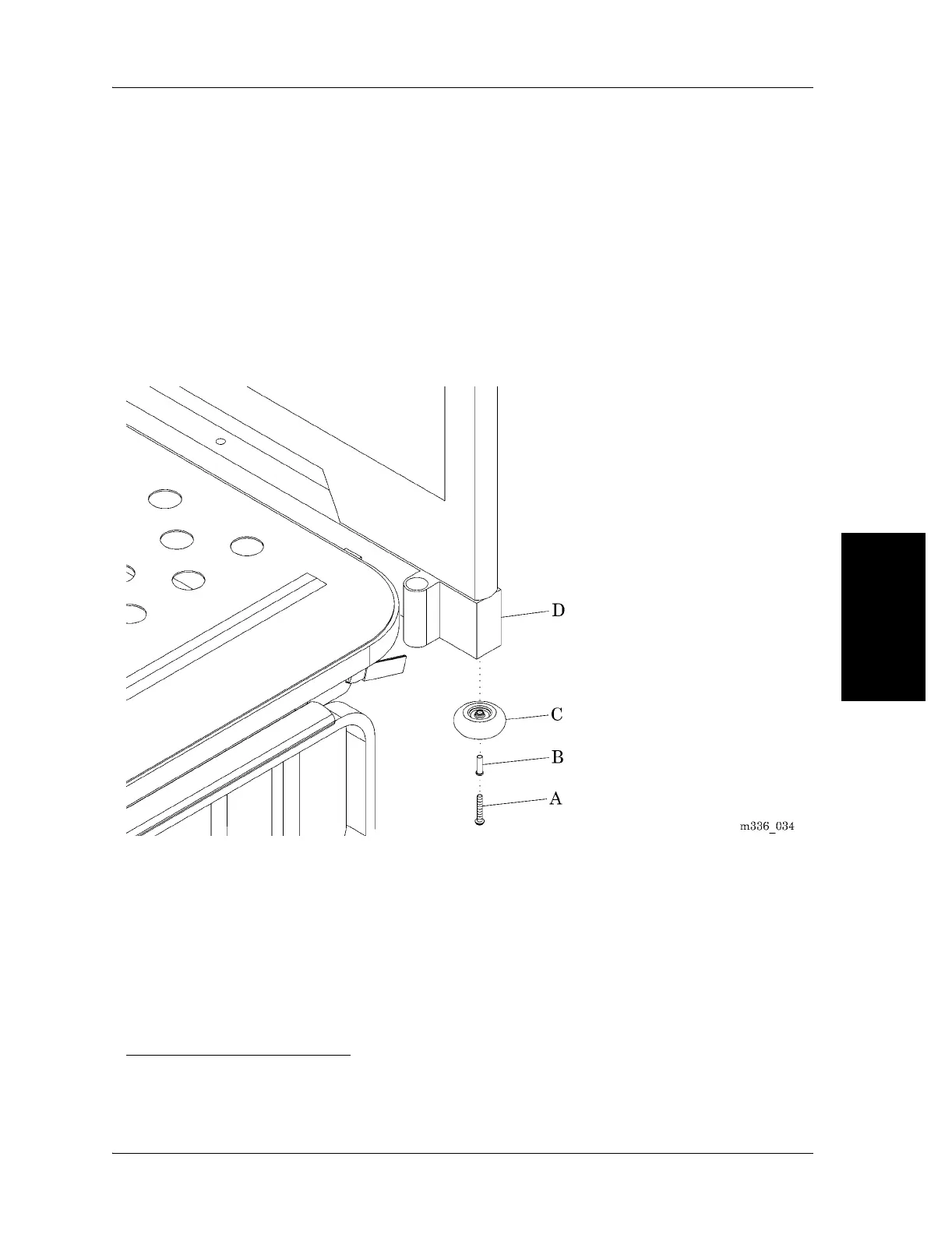
2. Remove the screw (A) and bushing (B) attaching the bumper (C) to the bed
frame (D) (see figure 4-27 on page 4-61).
Figure 4-27. Bumper
3. Remove the bumper (C) from the bed frame (D).
Replacement
1. Do the removal procedure in the reverse order.
2. Do the “Function Checks” on page 2-2.
1. Allen™ is a trademark of Industrial Fasteners, Inc.
034














 To Next Page