4.10 Knee Motor
Chapter 4: Removal, Replacement, and Adjustment Procedures
Page 4 - 24 Basic Care™ Bed Service Manual (man336)
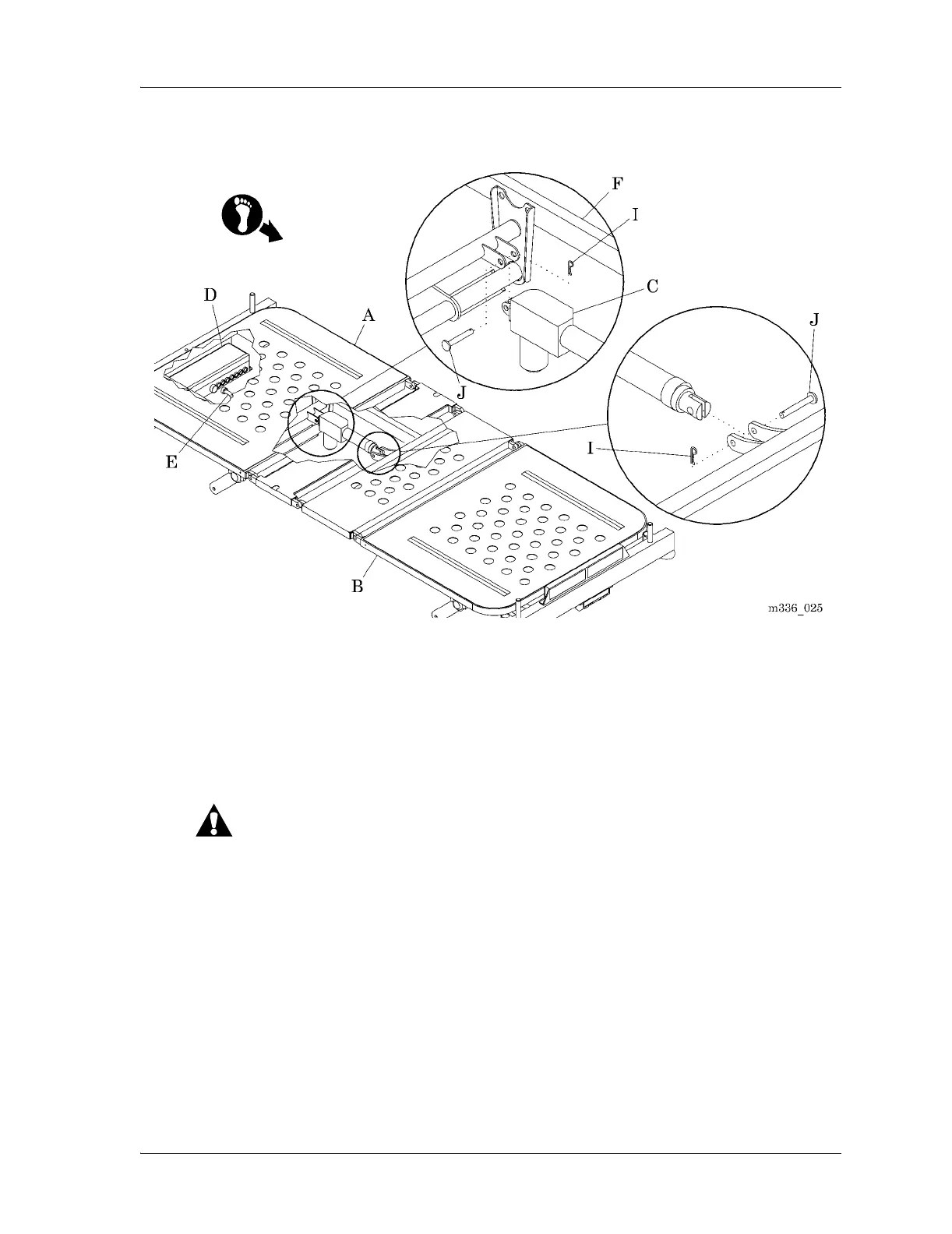
Figure 4-10. Knee Motor
10. Remove the two retaining rings (I) and two pins (J) attaching the knee
motor (D) to the bed frame (F).
11. Remove the knee motor (D).
Replacement
CAUTION:
Keep enough slack in the cables to allow the bed to move through its
full range of motion without putting force on any of the cables. Failure to
do so could result in equipment damage.
1. When routing the cables, make sure they have enough slack for the bed to
move through its full range of motion.
2. Do the removal procedure in the reverse order.
3. Do the “Function Checks” on page 2-2.
025














 To Next Page