● Setting Print Lines 3-4
3
2
1
The "Print line setup" screen then opens.
Print line
setup type
Print line setup
2011.07.07 12:45
Manual
OK
1 line 2 lines 3 lines 4 lines
Insert
column
Delete
column
Individual column setup
Overall column setup
Cancel
Overall column setup : Sets same number of lines for all
columns.
Individual column setup : Sets number of lines for each column,
or deletes column.
Column 1 Column 2 Column 3
[・・・・・・・・・・] [・・・・・・・・・・] [・・・・・・・・・・]
[・・・・・・・・・・] [・・・・・・・・・・] [・・・・・・・・・・]
[・・・・・・・・・・] [・・・・・・・・・・] [・・・・・・・・・・]
Status: Ready Com=0
Prev.
col.
Next
col.
Message name
[
]
Start
up
Shut
down
Comm
On/Off
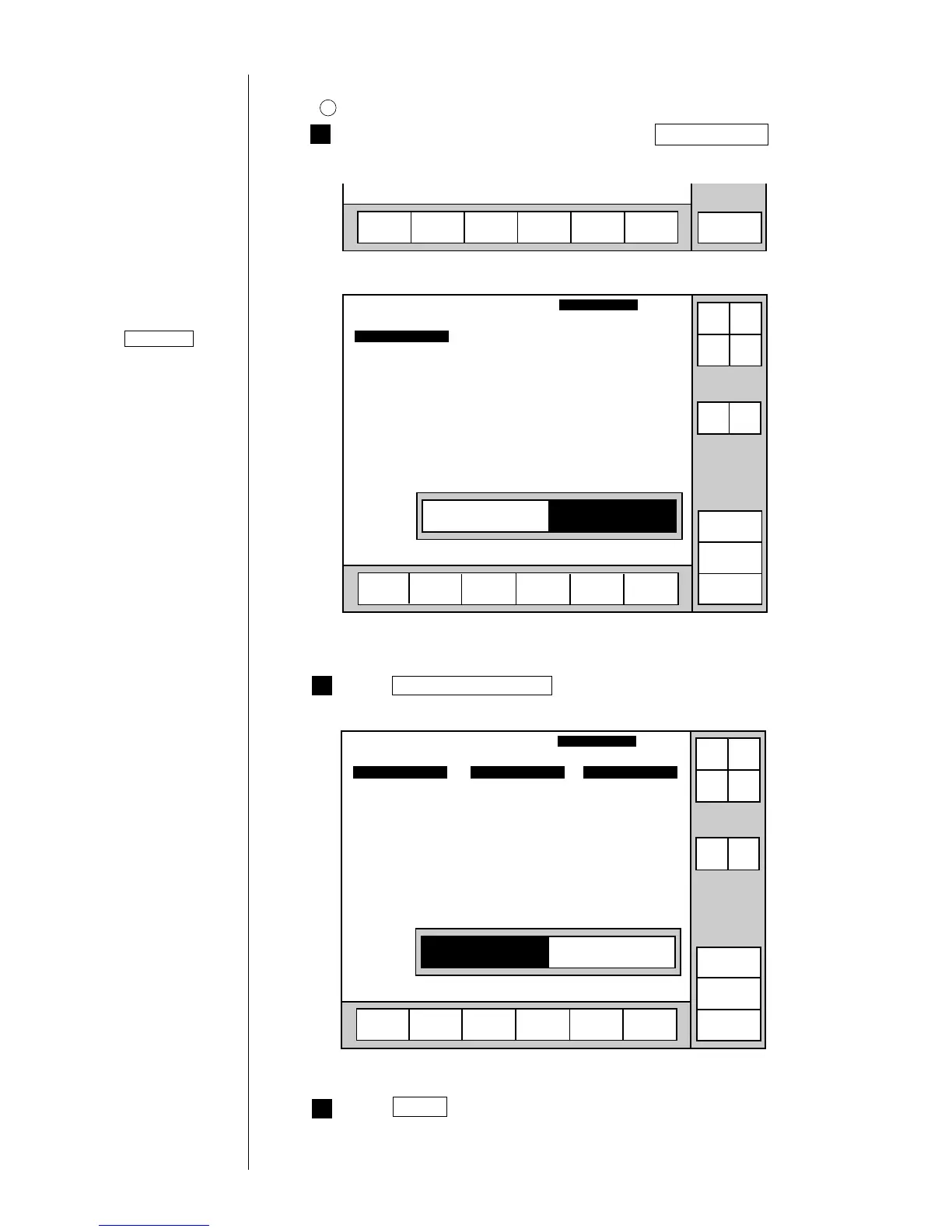
(2) Operating procedure
1
Selecting a Print line setting of 4 for all columns
From the "Print description" screen, press Print line setup .
Menu
Select
message
Print line
setup
Edit
message
Print
format
Print
spec.
Save
message
Press Overall column setup .
The "Overall column setup" screen then opens.
Print line
setup type
Print line setup
2011.07.07 12:45
Manual
OK
1 line 2 lines 3 lines 4 lines
Individual column setup
Overall column setup
Cancel
Overall column setup : Sets same number of lines for all
columns.
Individual column setup : Sets number of lines for each column,
or deletes column.
Column 1 Column 2 Column 3
[・・・・・・・・・・] [・・・・・・・・・・] [・・・・・・・・・・]
[・・・・・・・・・・] [・・・・・・・・・・] [・・・・・・・・・・]
[・・・・・・・・・・] [・・・・・・・・・・] [・・・・・・・・・・]
Status: Ready Com=0
Prev.
col.
Next
col.
Message name
[
]
Start
up
Shut
down
Comm
On/Off
Press 4 lines .
Operations for
modifying the setting
contents
(See Section 2.1.3,
Operations for
modifying the setting
contents. )
If the cursor is not
displayed, press
Show cursor .



 To Next Page
 Loading...









