SECURITY
Version 4.2.7.2, 05/2014. Copyright 2012 Hitron Technologies
100
Version 4.2.7.2, 05/2014. Copyright 2014 Hitron Technologies
100
Hitron CGNV User’s Guide
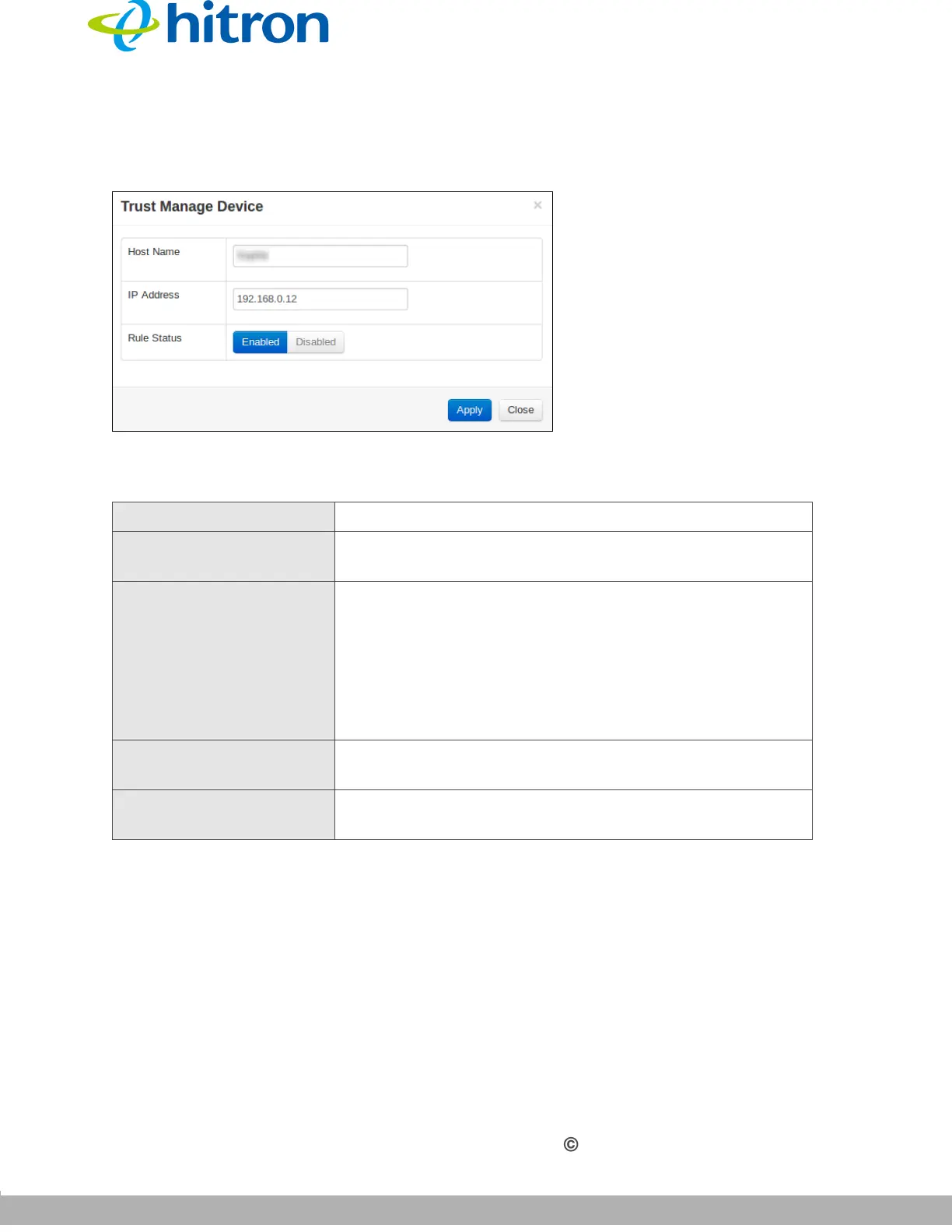
The following screen displays.
Figure 40: The Security: Service Filter > Trust PC List Add/Edit Screen
The following table describes the labels in this screen.
7.4 The Device Filter Screen
Use this screen to configure Media Access Control (MAC) address filtering on the
LAN, and to configure IP filtering.
NOTE: To configure MAC address filtering on the wireless network, see The Access
Control Screen on page 77.
Table 37: The Security: Service Filter Add/Edit Trust Manage Device Screen
Host Name
This displays the name of each network device connected.
IP Address This displays the IP address of each network device
connected.
Rule Status Use this field to select whether the filtering rule should
be active or not.
Select Enabled to activate the rule. Matching traffic
will be blocked.
Select Disabled to deactivate the rule. Matching
traffic will not be blocked.
Apply Click this to save your changes to the fields in this
screen.
Close Click this to return to the Service Filter screen without
saving your changes to the trust PC list.



 To Next Page