SECURITY
Version 4.2.7.2, 05/2014. Copyright 2012 Hitron Technologies
108
Version 4.2.7.2, 05/2014. Copyright 2014 Hitron Technologies
108
Hitron CGNV User’s Guide
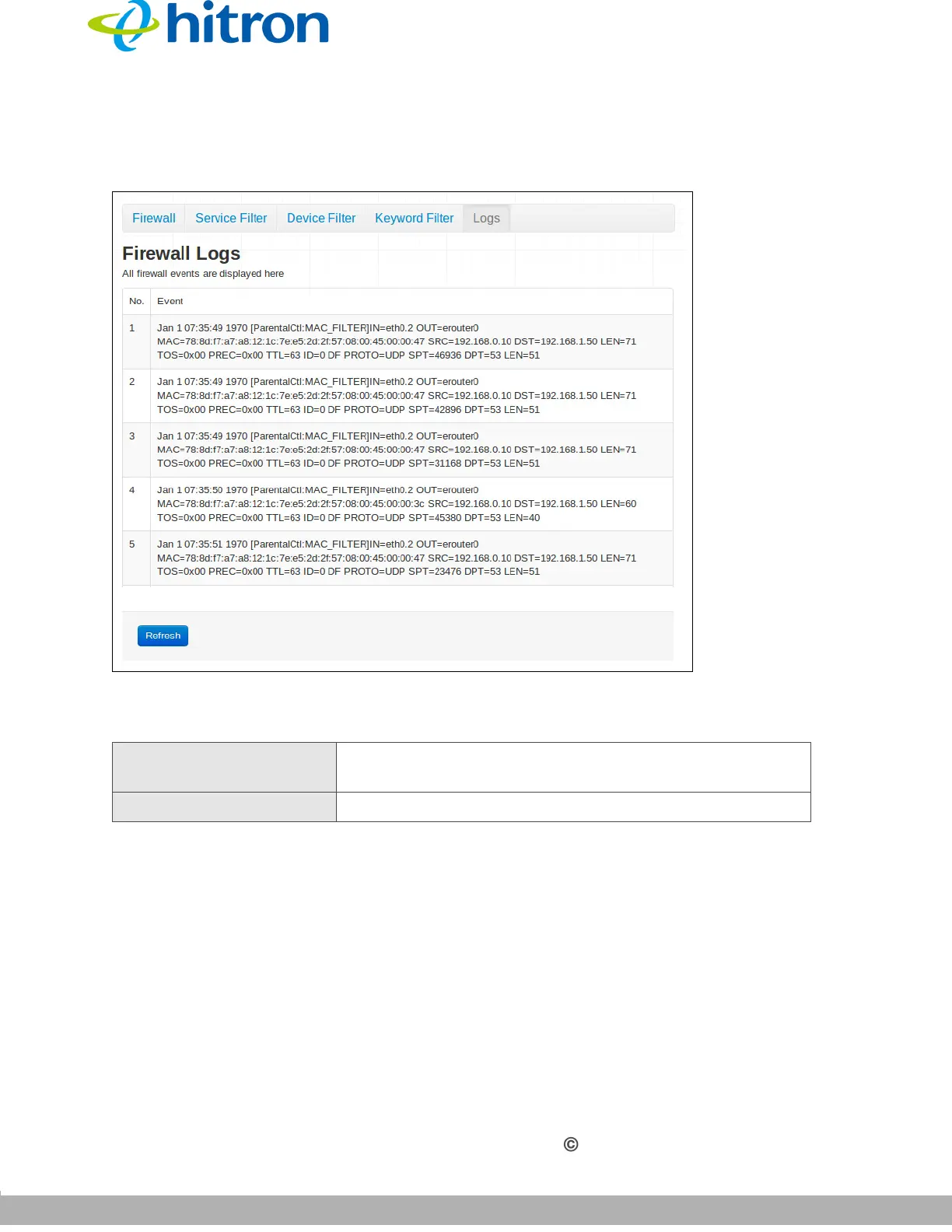
Click Security > Logs. The following screen displays.
Figure 46: The Security: Logs Screen
The following table describes the labels in this screen.
Table 42: The Security: Logs Screen
No. This displays the arbitrary, incremental index number
assigned to the firewall event.
Event This displays a description of the firewall event.



 To Next Page