SECURITY
Version 4.2.7.2, 05/2014. Copyright 2012 Hitron Technologies
95
Version 4.2.7.2, 05/2014. Copyright 2014 Hitron Technologies
95
Hitron CGNV User’s Guide
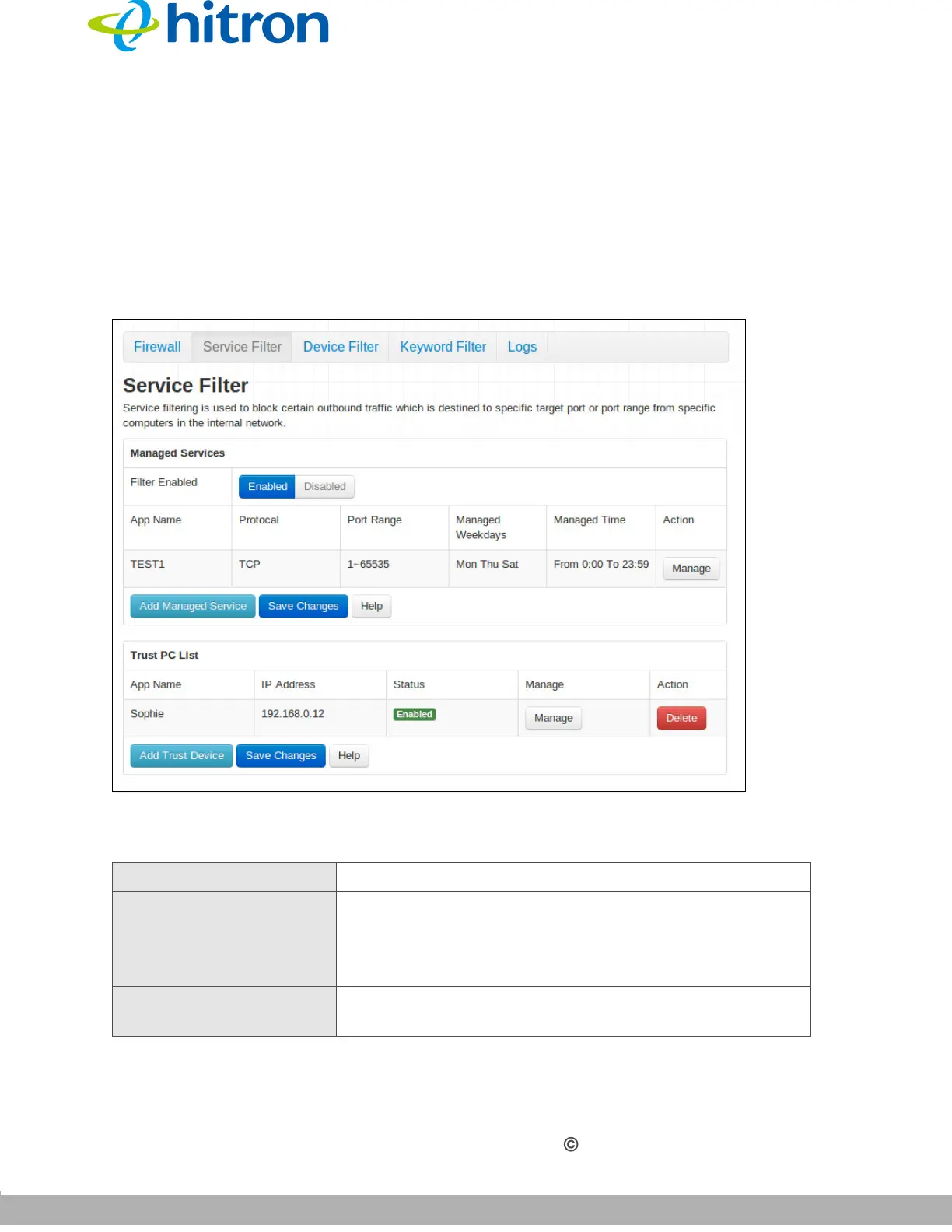
7.3 The Service Filter Screen
Use this screen to configure service filtering. You can turn service filtering on or off
and configure new and existing service filtering rules.
Click Security > Service Filter. The following screen displays.
Figure 37: The Security: Service Filter Screen
The following table describes the labels in this screen.
Table 35: The Security: Service Filter Screen
Managed Services
Filter Enabled Use this field to turn service filtering on or off.
Select Enabled to turn service filtering on.
Select Disabled to turn service filtering off.
App Name This displays the name you assigned to the filtering rule
when you created it.



 To Next Page