ADMIN
Version 4.2.7.2, 05/2014. Copyright 2012 Hitron Technologies
84
Version 4.2.7.2, 05/2014. Copyright 2014 Hitron Technologies
84
Hitron CGNV User’s Guide
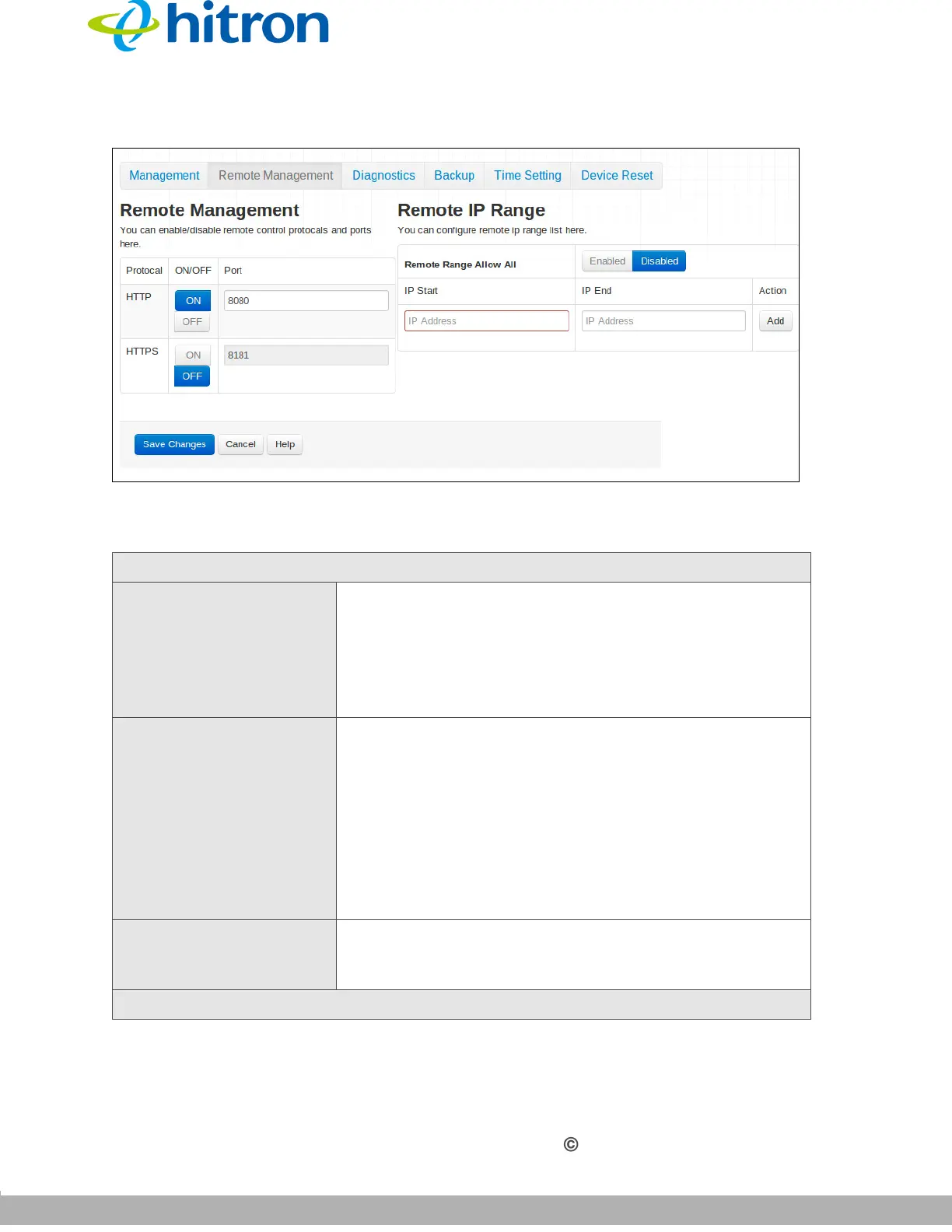
Figure 31: The Admin: Remote Management Screen
The following table describes the labels in this screen.
Table 29: The Admin: Remote Management Screen
Remote Management
Protocol This column contains a list of common protocols that
you can permit or deny from accessing devices on the
LAN.
HTTP (HyperText Transfer Protocol)
HTTPS (HyperText Transfer Protocol Secure)
ON/OFF Use these fields to enable or disable the relevant
protocol.
Click ON to allow devices on the WAN to
communicate with devices on the LAN via the
relevant protocol.
Click OFF to prevent devices on the WAN from
communicating with devices on the LAN via the
relevant protocol.
Port This field displays the standard port number for the
relevant protocol. When a protocol is enabled, you can
change the relevant port number from its default value.
Remote IP Range



 To Next Page