SETUP WIZARD
Version 4.2.7.2, 05/2014. Copyright 2012 Hitron Technologies
30
Version 4.2.7.2, 05/2014. Copyright 2014 Hitron Technologies
30
Hitron CGNV User’s Guide
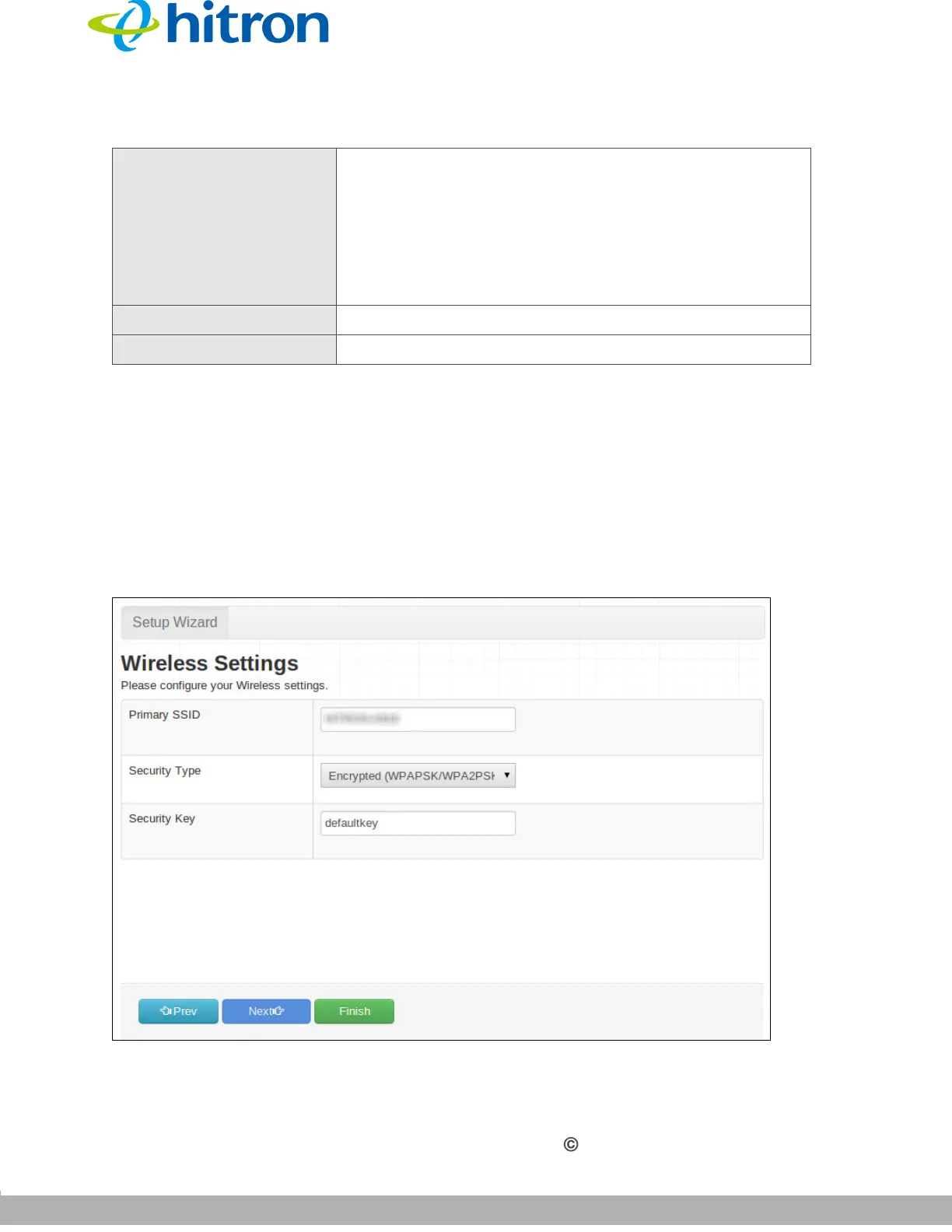
2.4 Wireless Settings
Use this screen to configure the CGNV’s wireless network.
Click Next in the Setup Wizard: LAN Settings screen. The following screen
displays.
Figure 9: Wireless Settings Screen
DHCP End IP Use this field to specify the IP address at which the
CGNV stops assigning IP addresses to devices on the
LAN (when DHCP is enabled).
NOTE: Devices requesting IP addresses once the
DHCP pool is exhausted are not assigned an IP
address.
Prev Click this to return to the previous screen.
Next Click this to continue to the next screen.
Table 6: LAN Settings Screen (continued)



 To Next Page