SECURITY
Version 4.2.7.2, 05/2014. Copyright 2012 Hitron Technologies
99
Version 4.2.7.2, 05/2014. Copyright 2014 Hitron Technologies
99
Hitron CGNV User’s Guide
7.3.2 Adding or Editing a Trust PC List
To add a new trust PC to the list, click Add Trust Device in the Security >
Service Filter screen.
To edit an existing trust PC in the list, locate the device in the Security > Service
Filter screen and click its Manage button.
NOTE: Ensure that Enabled is selected in the Security > Service Filter screen in
order to add or edit a trust PC.
Manage All Day Use this field to specify whether the filtering rule should
apply on all days of the week, at all times, or whether the
rule should be applied only at certain times.
Select YES to apply the rule at all times.
Select NO to apply the rule only at certain times.
Additional fields display, allowing you to specify the
times at which the rule should be applied.
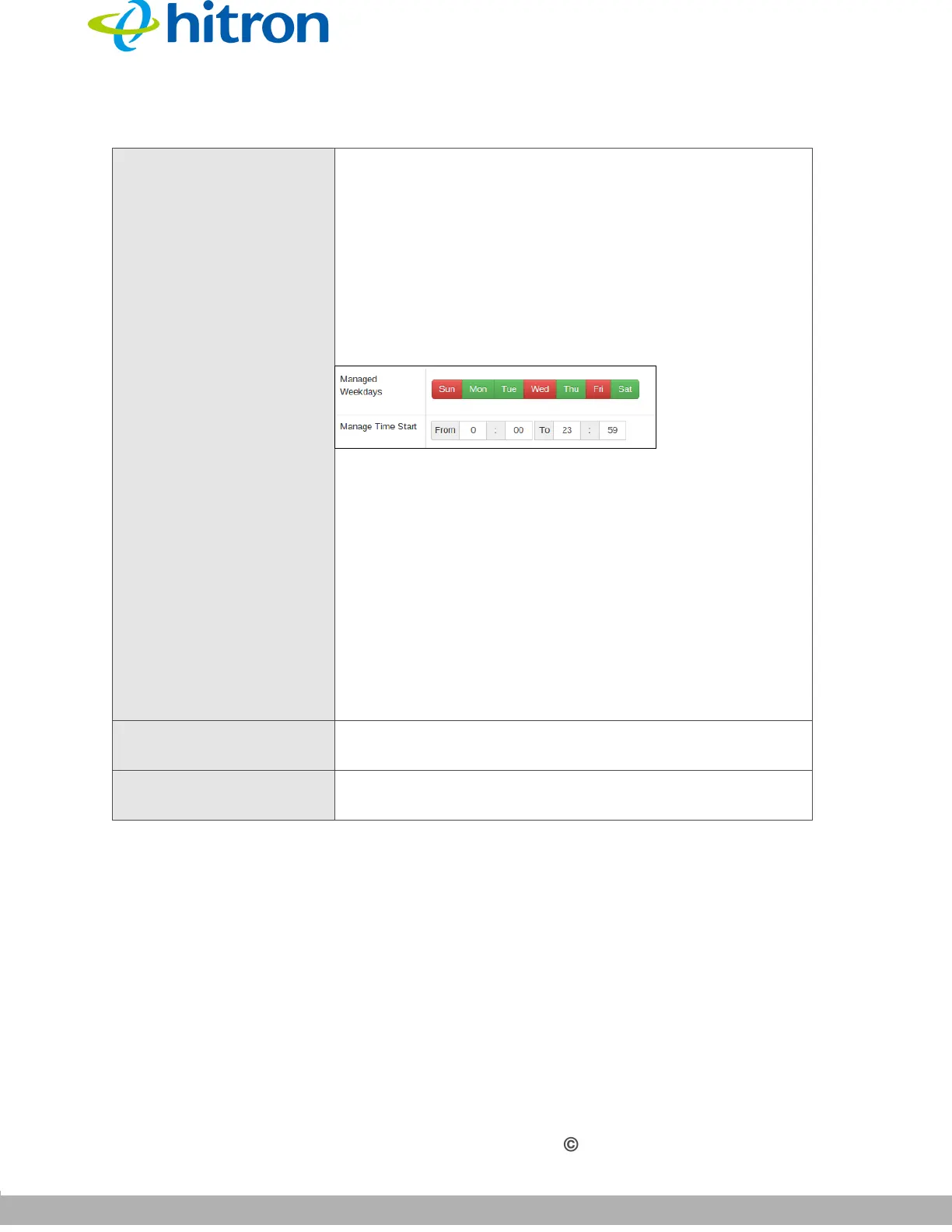
Figure 39: Additional Service Filtering Options
Use the Managed Weekdays fields to specify the
days on which the rule should be applied. A red
background indicates that the rule will be applied
(traffic will be blocked), and a green background
indicates that the rule will not be applied (traffic will
not be blocked). Click a day to toggle the rule on or
off for the relevant day.
Use the Manage Time Start fields to specify the
period during which the rule should be applied.
Enter the start time in the From fields, using twenty-
four hour notation, and enter the end time in the To
fields.
Apply Click this to save your changes to the fields in this
screen.
Close Click this to return to the Service Filter screen without
saving your changes to the rule.
Table 36: The Security: Service Filter Add/Edit Screen



 To Next Page