BASIC
Version 4.2.7.2, 05/2014. Copyright 2012 Hitron Technologies
57
Version 4.2.7.2, 05/2014. Copyright 2014 Hitron Technologies
57
Hitron CGNV User’s Guide
Define how the CGNV assigns IP addresses on the LAN
See information about the network devices connected to the CGNV on the LAN.
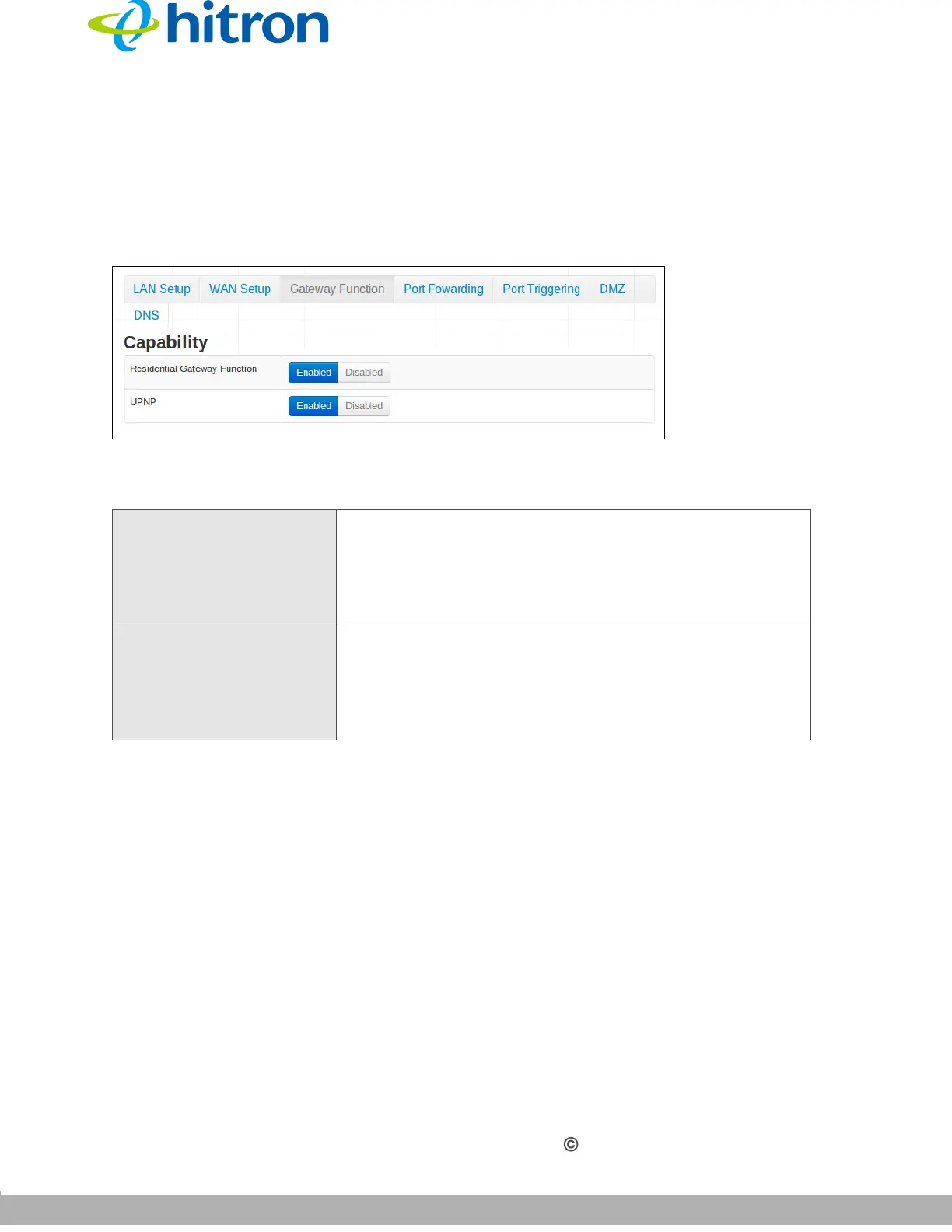
Click Basic > Gateway Function Setup. The following screen displays.
Figure 19: The Basic: Gateway Function Screen
The following table describes the labels in this screen.
4.5 The Port Forwarding Screen
Use this screen to configure port triggering. You can turn port triggering on or off and
configure new and existing port triggering rules.
Click Basic > Port Forwarding. The following screen displays.
Table 17: The Basic: Gateway Function Screen
Residential Gateway
Function
Use this field to configure whether or not the CGNV’s
Gateway Function is active.
To turn the Gateway Function on, click Enabled.
To turn the Gateway Function off, click Disabled.
UPNP Use this field to configure whether or not the CGNV’s
UPNP is active.
To turn the UPNP on, click Enabled.
To turn the UPNP off, click Disabled.



 To Next Page