STATUS
Version 4.2.7.2, 05/2014. Copyright 2012 Hitron Technologies
47
Version 4.2.7.2, 05/2014. Copyright 2014 Hitron Technologies
47
Hitron CGNV User’s Guide
3.6 The Wireless Status Screen
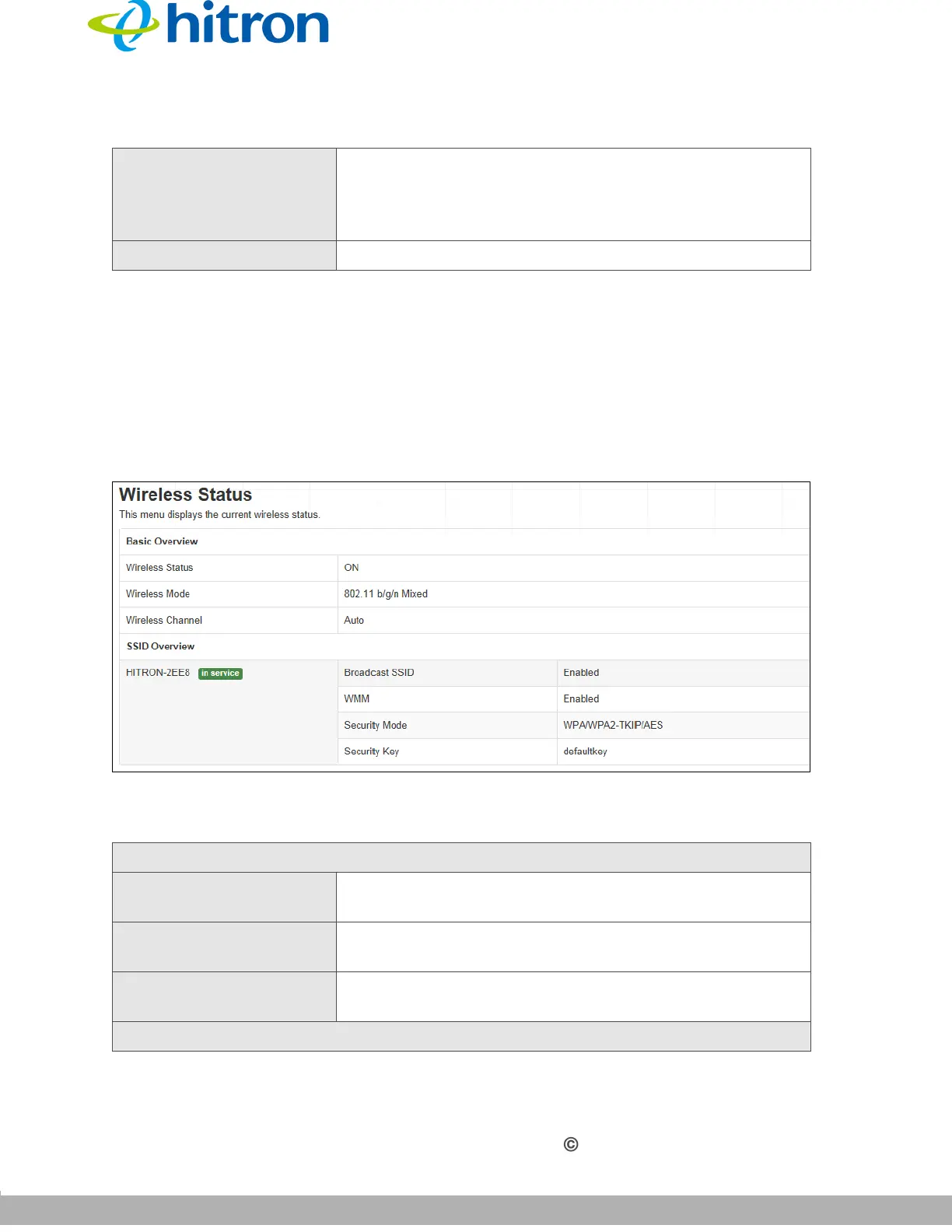
Use this screen to view information about the CGNV’s wireless network.
Click Status > Wireless. The following screen displays.
Figure 16: The Status: Wireless Status Screen
The following table describes the labels in this screen.
Priority
This displays the priority of the DOCSIS event.
NOTE: The definitions of the priority of DOCSIS event
follow DOCSIS’s specification accordingly.
Event This displays a description of the DOCSIS event.
Table 14: The Status: Wireless Status Screen
Basic Overview
Wireless Status This field displays ON when the CGNV’s wireless
network is active, and displays OFF when it is inactive.
Wireless Mode This displays the type of wireless network that the
CGNV is using.
Wireless Channel This displays the wireless channel on which the CGNV’s
wireless network is transmitting and receiving.
SSID Overview
Table 13: The Status: DOCSIS Event Screen (continued)



 To Next Page