SETUP WIZARD
Version 4.2.7.2, 05/2014. Copyright 2012 Hitron Technologies
32
Version 4.2.7.2, 05/2014. Copyright 2014 Hitron Technologies
32
Hitron CGNV User’s Guide
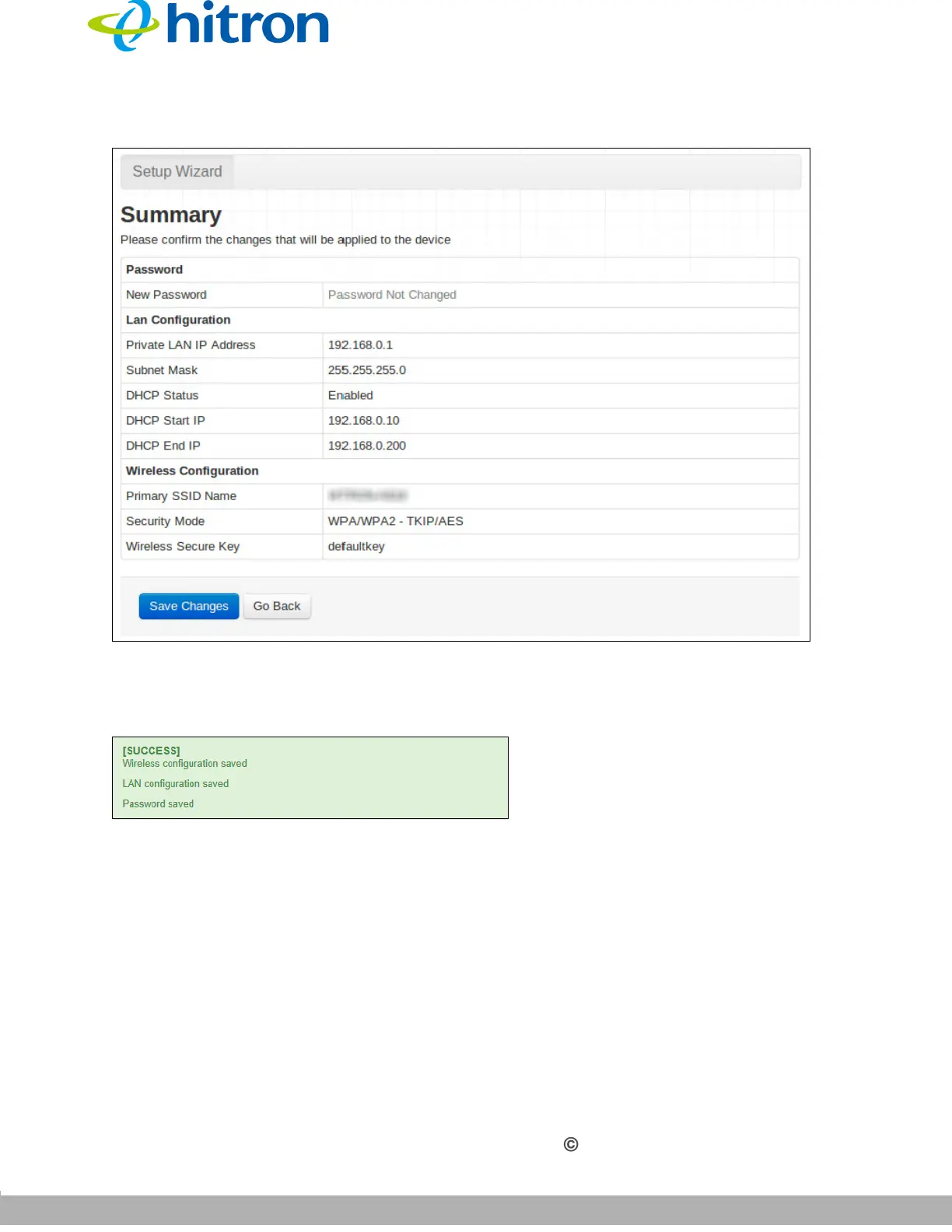
Figure 10: Summary Screen
If you are happy with the settings, click Save changes. The following confirmation
message displays.
Figure 11: Summary Screen
NOTE: If you changed the Private LAN IP Address, Primary SSID Name or
Wireless Secure Key, make sure you keep a note of the new details.
Alternatively, click Go Back to make further changes to the wizard’s fields.



 To Next Page