EOS
|
HD OPERATION
28
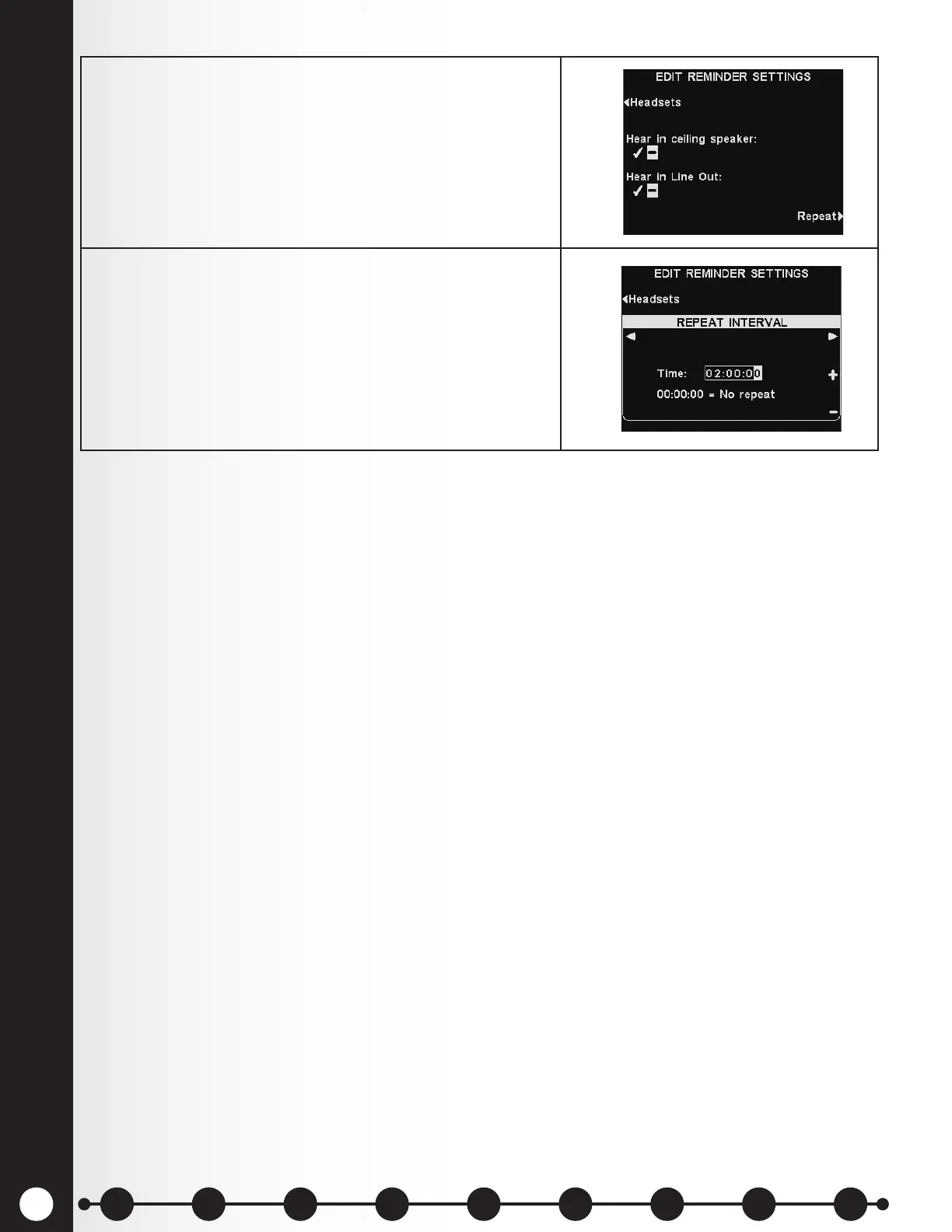
5. To have the Reminder message play repeatedly at
selected intervals, press the Repeat button on the
EDIT REMINDER SETTINGS display.
6. On the REPEAT INTERVAL display, use the ◄ or ►
button to move the highlight left or right for hours,
minutes or seconds (HH:MM:SS) in the Time eld, and
use the + and − buttons to change the number in the
highlighted box.
Setting the repeat interval to all 0’s disables repeats.
Press the Back button to save this setting.
1 2 3 4 5 6 7 8 9
Introduction
EOS|HD
Equipment
EOS|HD
Operation
Audio Processing
Functions
Equipment Care
and Cleaning
Troubleshooting
Equipment
Specications
EOS|HD Message
Center Guide
Important
Notices



 To Next Page