18-22
b. INSPECTION
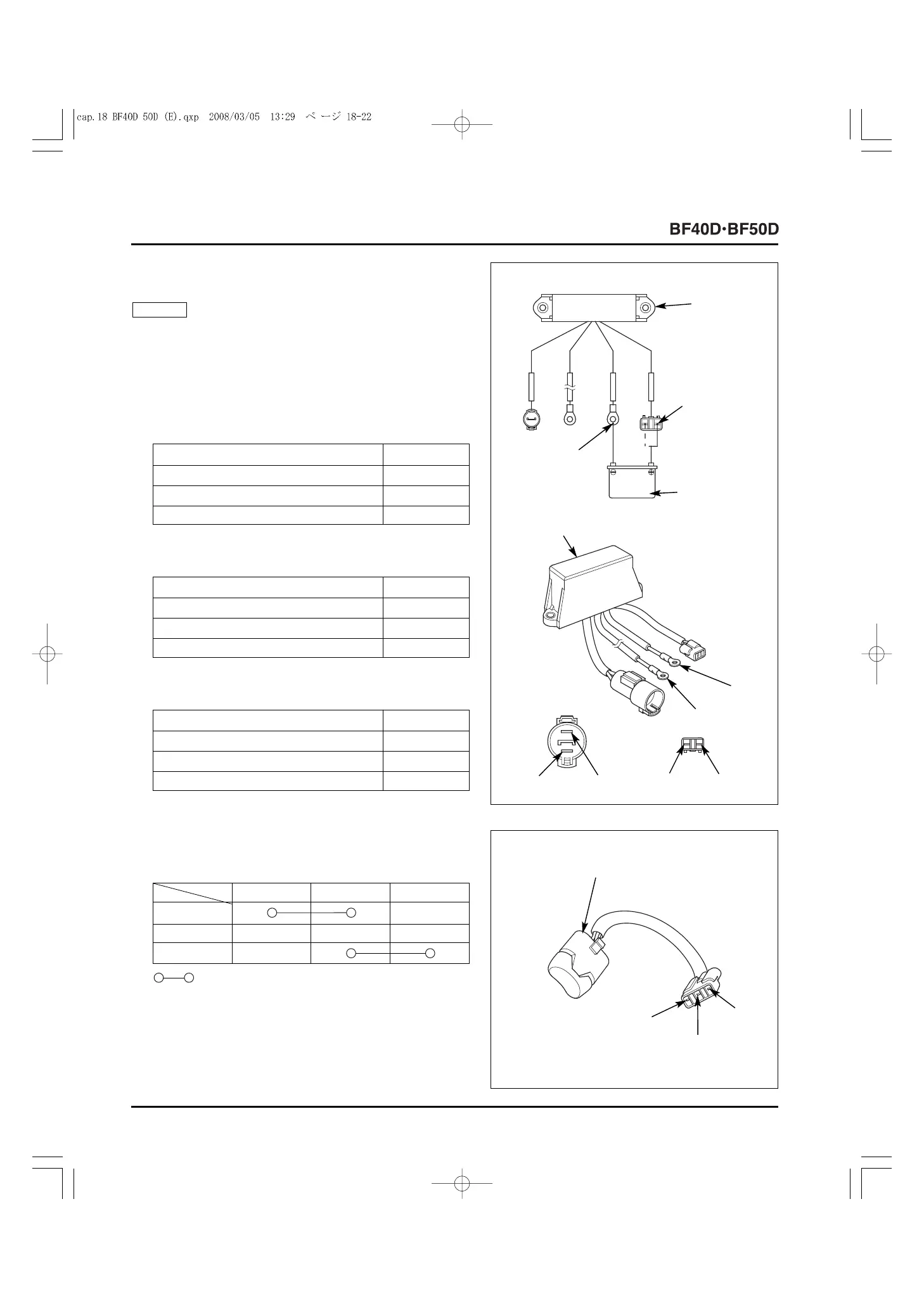
• POWER TILT RELAY
Use a known-good battery and connect it to the power tilt relay
terminals with care not to short-circuit the relay.
1) Connect the battery cables to the power tilt relay terminals
as shown, and check for continuity between the terminals.
• Battery positive (+) cable connected to Light green
terminal:
NOTICE
3) If there is any abnormality, replace the power tilt relay.
• Battery positive (+) cable connected to Light blue
terminal:
Between Green and Black terminals No continuity
Between Blue and Black terminals Continuity
Between Green and White/Yellow terminals Continuity
Between Blue and White/Yellow terminals No continuity
2) Disconnect the battery cables from the power tilt relay
terminals, and check for continuity between the terminals.
[3]
12V BATTERY
[2]
(+) to Light
green terminal,
or (+) to Light
blue terminal
[1]
POWER TILT
RELAY
[4]
(
-
) to Black
terminal
W/Y
Bl
Lb
Lg
G
Bu
• POWER TILT SWITCH
1) Check for continuity between the terminals with the switch
in each position.
Lg W/Bl Lb
[2] UP (Up)
[3] Neutral
[4] DN (Down)
[1]
POWER TILT SWITCH
W/Y
Lb
Lg
[5]
POWER TILT RELAY
: [5] Continuity
2) If there is any abnormality, replace the power tilt switch.
Between Green and Black terminals Continuity
Between Blue and Black terminals No continuity
Between Green and White/Yellow terminals No continuity
Between Blue and White/Yellow terminals Continuity
Between Green and Black terminals Continuity
Between Blue and Black terminals Continuity
Between Green and White/Yellow terminals No continuity
Between Blue and White/Yellow terminals No continuity



 To Next Page