DRAFT - HP Confidential - DRAFT
Removal and replacement procedures 33
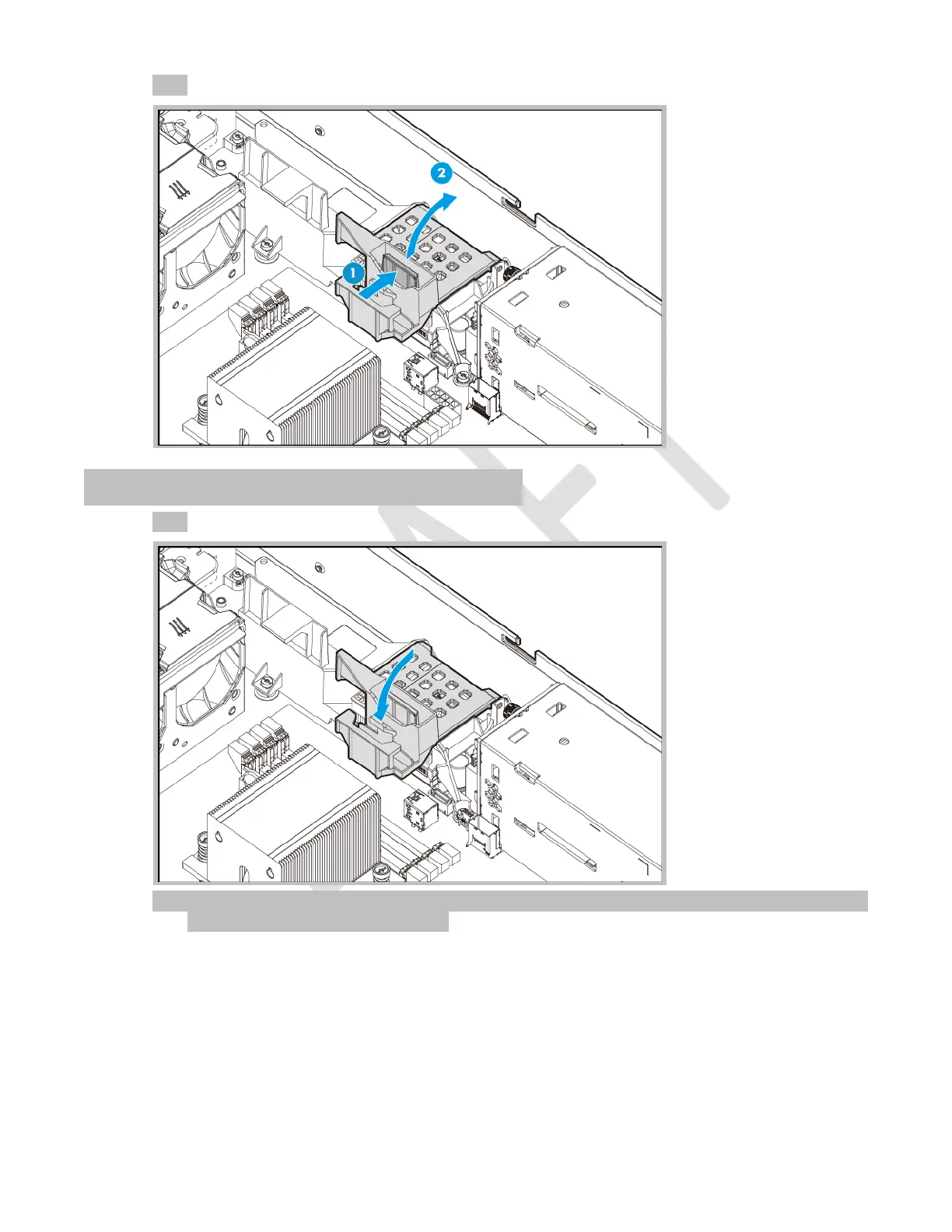
7. Press and hold the cable management holder release latch, and then move the holder up.
Close the cable management holder
1. Return the cable management holder to its original position.
2. Secure all disconnected system cables in the cable management holder, and then connect them to the
system board and/or controller board.



 To Next Page
 Loading...