DRAFT - HP Confidential - DRAFT
Removal and replacement procedures 42
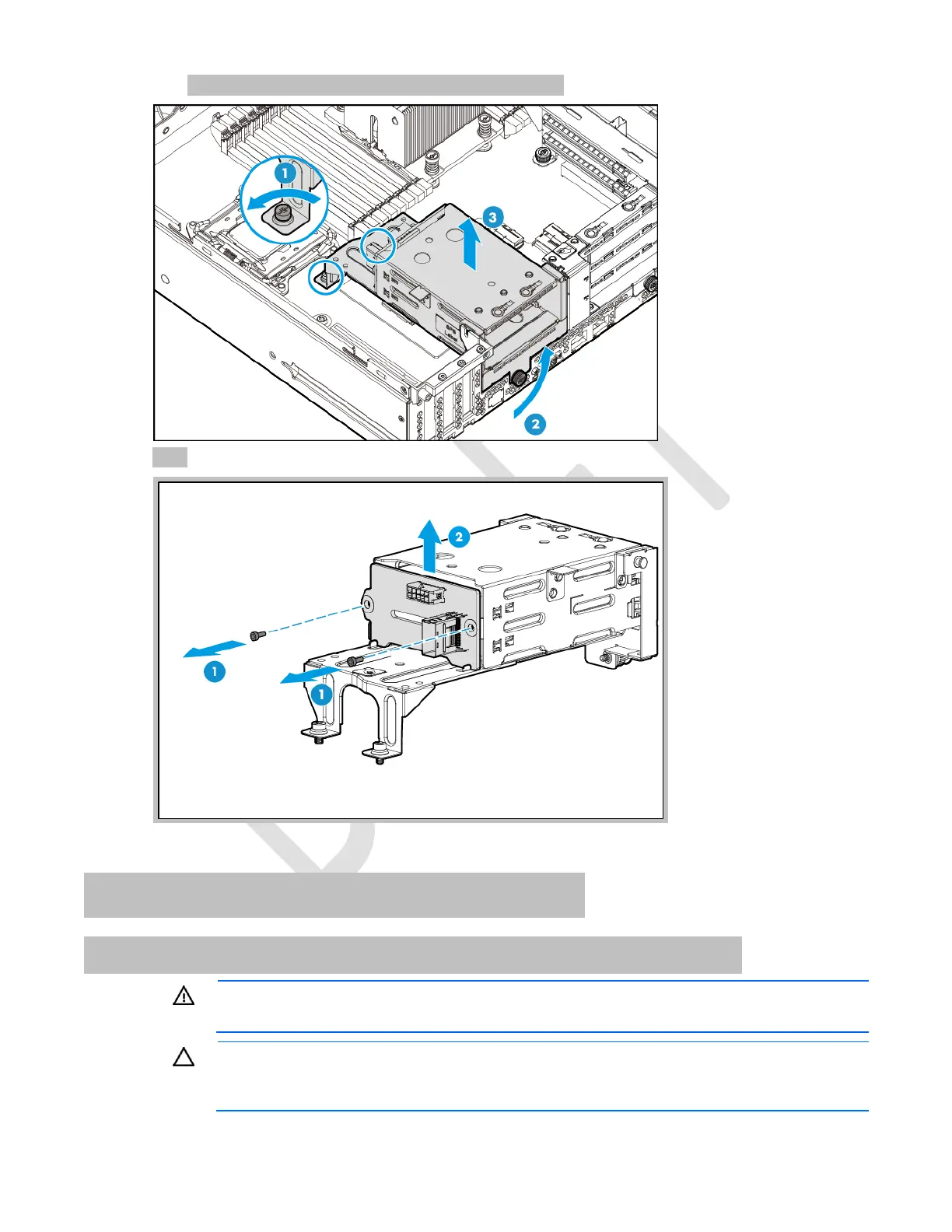
c. Grasp and lift the rear drive cage out of the chassis.
7. Remove the drive backplane.
To replace the component, reverse the removal procedure.
LFF hot-plug front drive backplane
Removing drive backplane from LFF front drive cage 1
WARNING: To reduce the risk of personal injury from hot surfaces, allow the drives and the
internal system components to cool before touching them.
CAUTION: To prevent damage to electrical components, take the appropriate anti-static
precautions before beginning any installation, removal, or replacement procedure. Improper
grounding can cause electrostatic discharge.



 To Next Page
 Loading...