DRAFT - HP Confidential - DRAFT
Removal and replacement procedures 99
Front I/O board
CAUTION: To prevent damage to electrical components, take the appropriate anti-static
precautions before beginning any installation, removal, or replacement procedure. Improper
grounding can cause electrostatic discharge.
To remove the component:
1. Power down the server (on page 17).
2. Remove all power:
a. Disconnect each power cord from the power source.
b. Disconnect each power cord from the server.
3. Extend the front drive cages (on page 21).
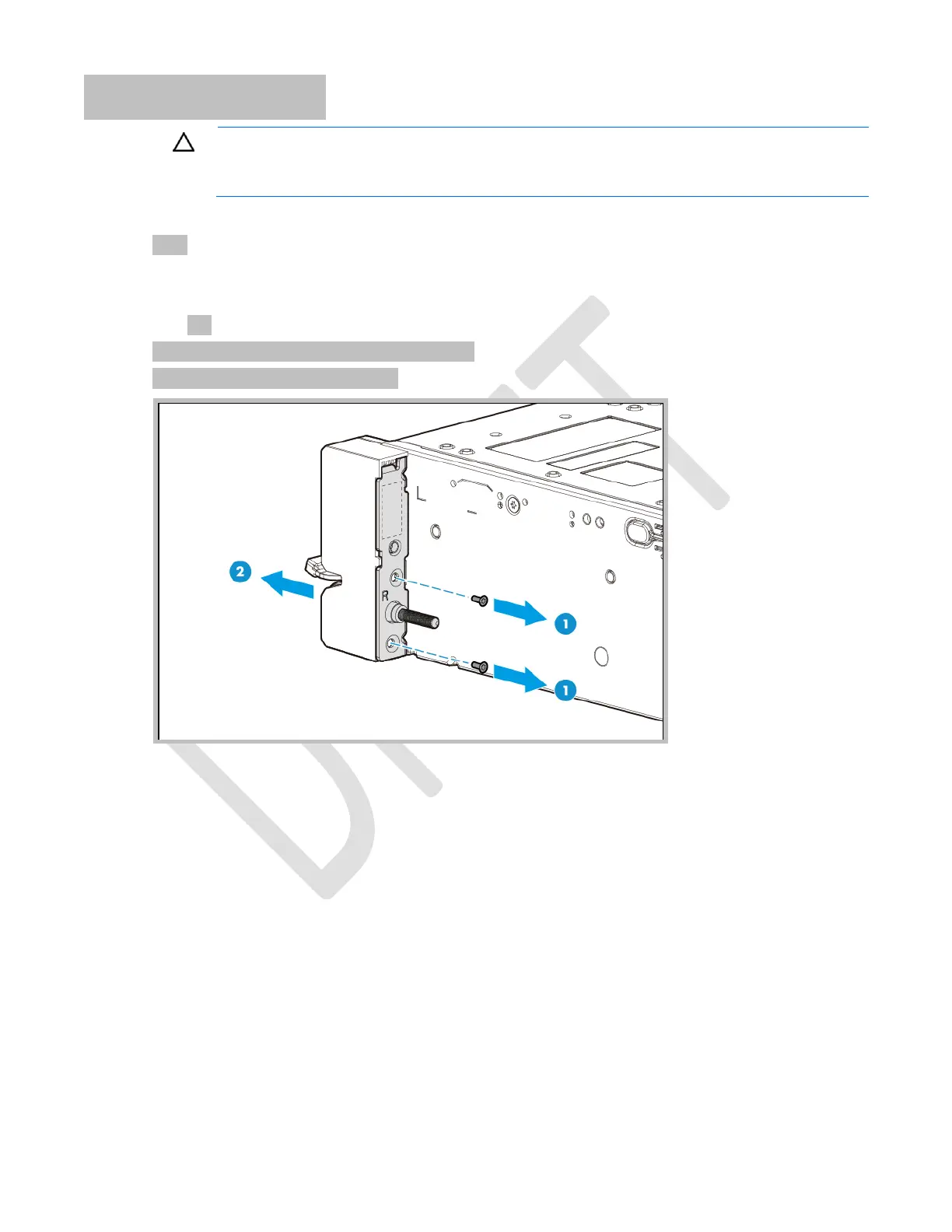
4. Remove the right ear assembly.



 To Next Page
 Loading...