Appendix B Setting Up Your Computer’s IP Address
B222s User’s Guide
202
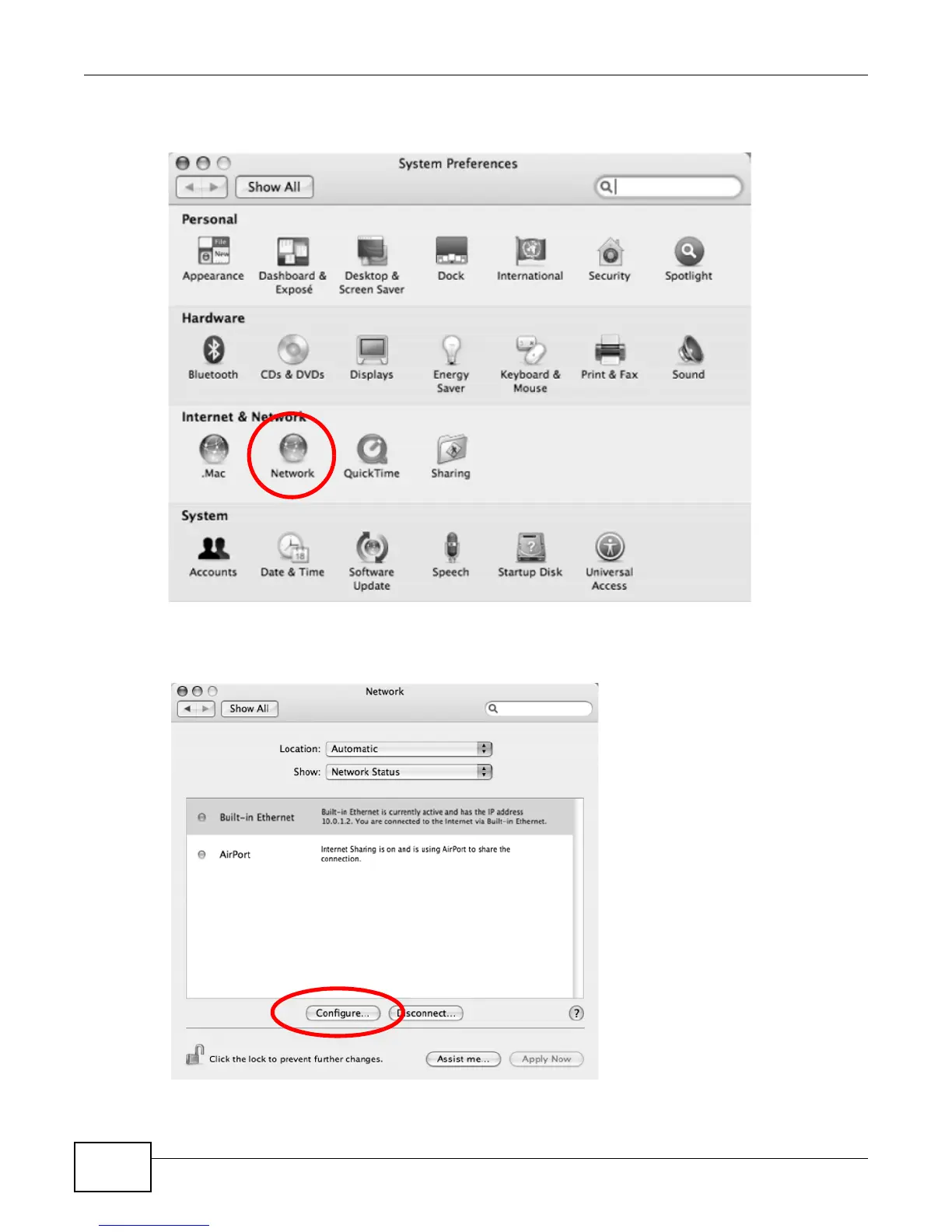
2 In the System Preferences window, click the Network icon.
Figure 127 Mac OS X 10.4: System Preferences
3 When the Network preferences pane opens, select Built-in Ethernet from the network
connection type list, and then click Configure.
Figure 128 Mac OS X 10.4: Network Preferences











 To Next Page