NetCol5000-A 42 kW Air Cooled In-row Precision Air
Conditioner
User Manual
Huawei Proprietary and Confidential
Copyright © Huawei Technologies Co., Ltd.
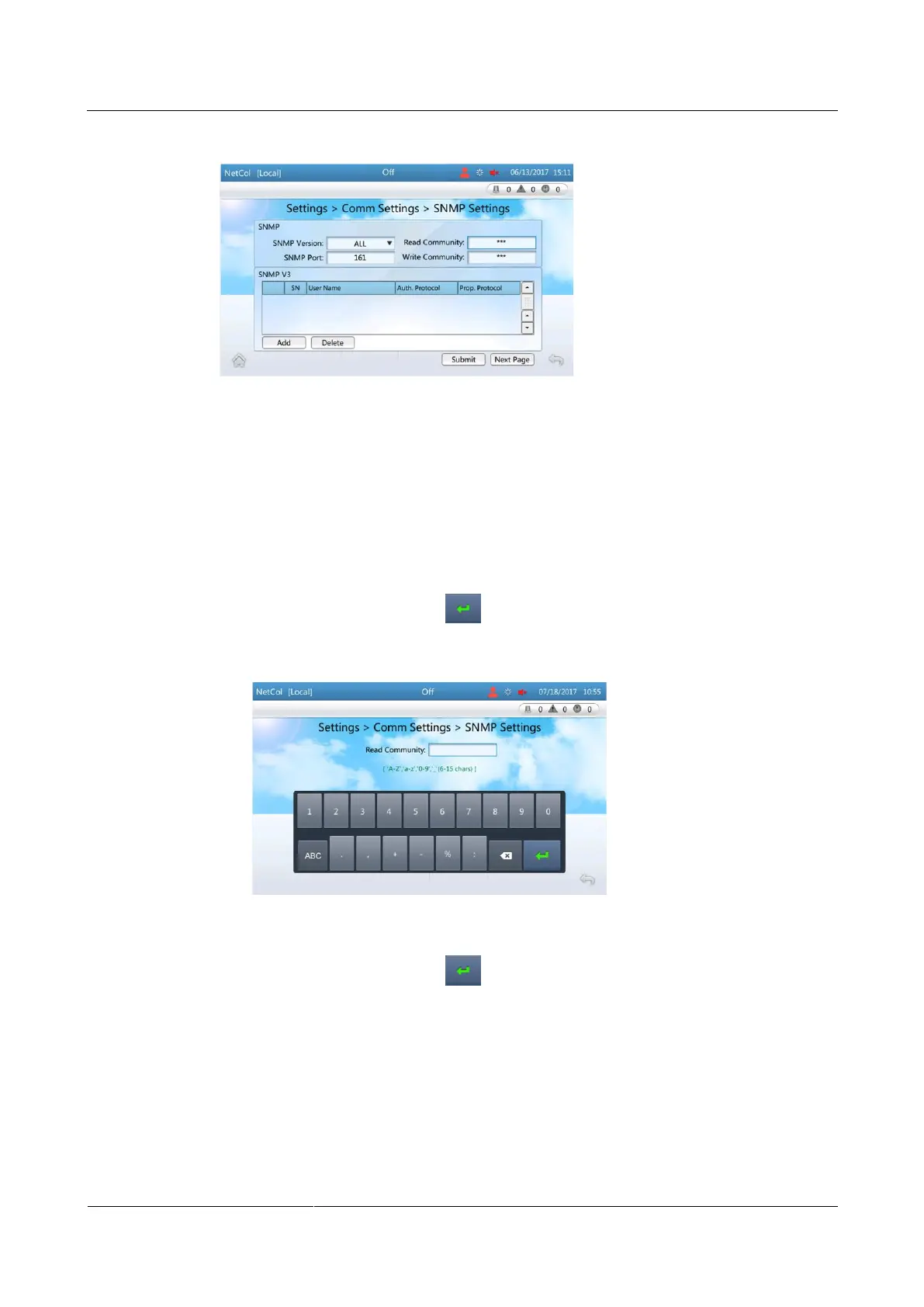
Figure 4-15 Setting SNMP communications parameters
Step 2 Set SNMP Version based on site requirements, and then tap Submit.
If you set SNMP Version to ALL or SNMPv1&v2c, you can set Read Community and
Write Community by performing Step 3.
If you set SNMP Version to ALL or SNMPv3, you can add SNMPv3 users by
performing Step 4.
Step 3 Set Read Community and Write Community.
1. Tap the text box after Read Community, as shown in Figure 4-16. Set Read
Community as planned, tap , and then tap Submit.
Figure 4-16 Setting read community
2. Tap the text box after Write Community, as shown in Figure 4-17. Set Write
Community as planned, tap and then tap Submit.







 To Next Page