NetCol5000-A 42 kW Air Cooled In-row Precision Air
Conditioner
User Manual
Huawei Proprietary and Confidential
Copyright © Huawei Technologies Co., Ltd.
SNMP Port is set to 161 by default.
Step 6 Tap Next Page.
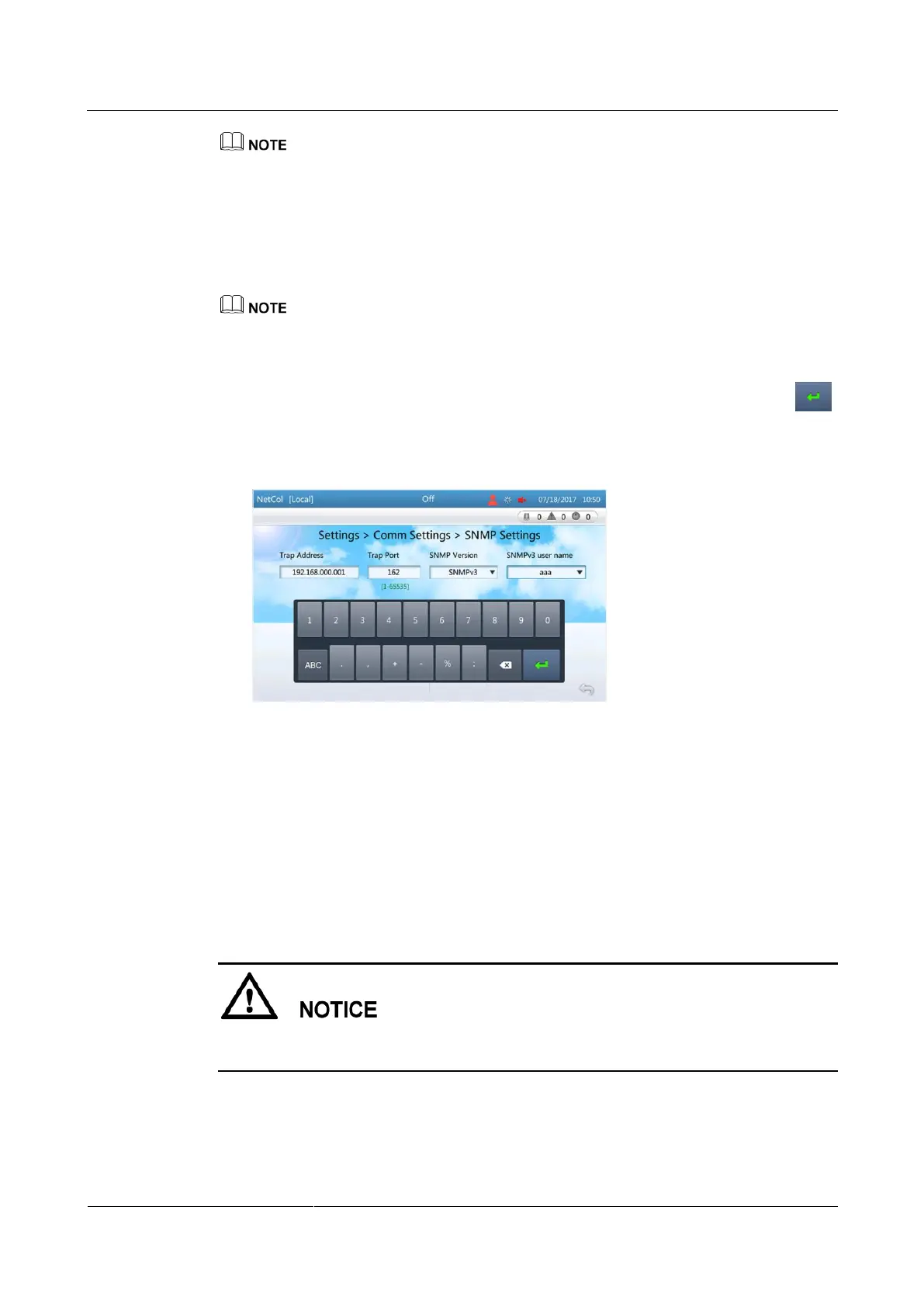
Step 7 Set SNMP trap parameters.
1. Tap Add under SNMP Trap.
2. Set Trap Address as planned and Trap Port to the actual port number.
Trap Port is set to null by default.
3. Select the SNMP Version. If an SNMPv3 user is configured, it is recommended that
SNMP Version be set to SNMPv3.
4. If SNMP Version is set to SNMPv3, select an SNMPv3 user name, and then tap
as shown in Figure 4-22.
Figure 4-22 Setting SNMP trap parameters
5. Tap Submit under SNMP Trap.
----End
Follow-up Procedure
After a USB flash drive has been inserted into the controller USB port and successfully
identified, tap Export File under MIB File to export the MIB file to the USB flash drive for
the customer's use in accessing a third-party EMS. Figure 4-23 shows successful file export.
Before using a USB flash drive, ensure that its data has been scanned by antivirus software
and is secure.







 To Next Page