NetCol5000-A 42 kW Air Cooled In-row Precision Air
Conditioner
User Manual
Huawei Proprietary and Confidential
Copyright © Huawei Technologies Co., Ltd.
Context
The startup wizard allows for commissioning of components such as the indoor fan, electric
heater, humidifier, condensate pump, and cooling system. It also supports component
automatic operation and automatic device checking, and can output commissioning report.
After you power on the air conditioner for the first time, the screen displays the Wizard
Startup screen. If the air conditioner is not started for the first time, choose Maint > Wizard
Startup to enter the Wizard Startup screen.
Tapping No or Exit, submission timeout, and system exception all result in commissioning
failures. Choose Maint > Wizard Startup to enter the Wizard Startup screen for new
commissioning.
Procedure
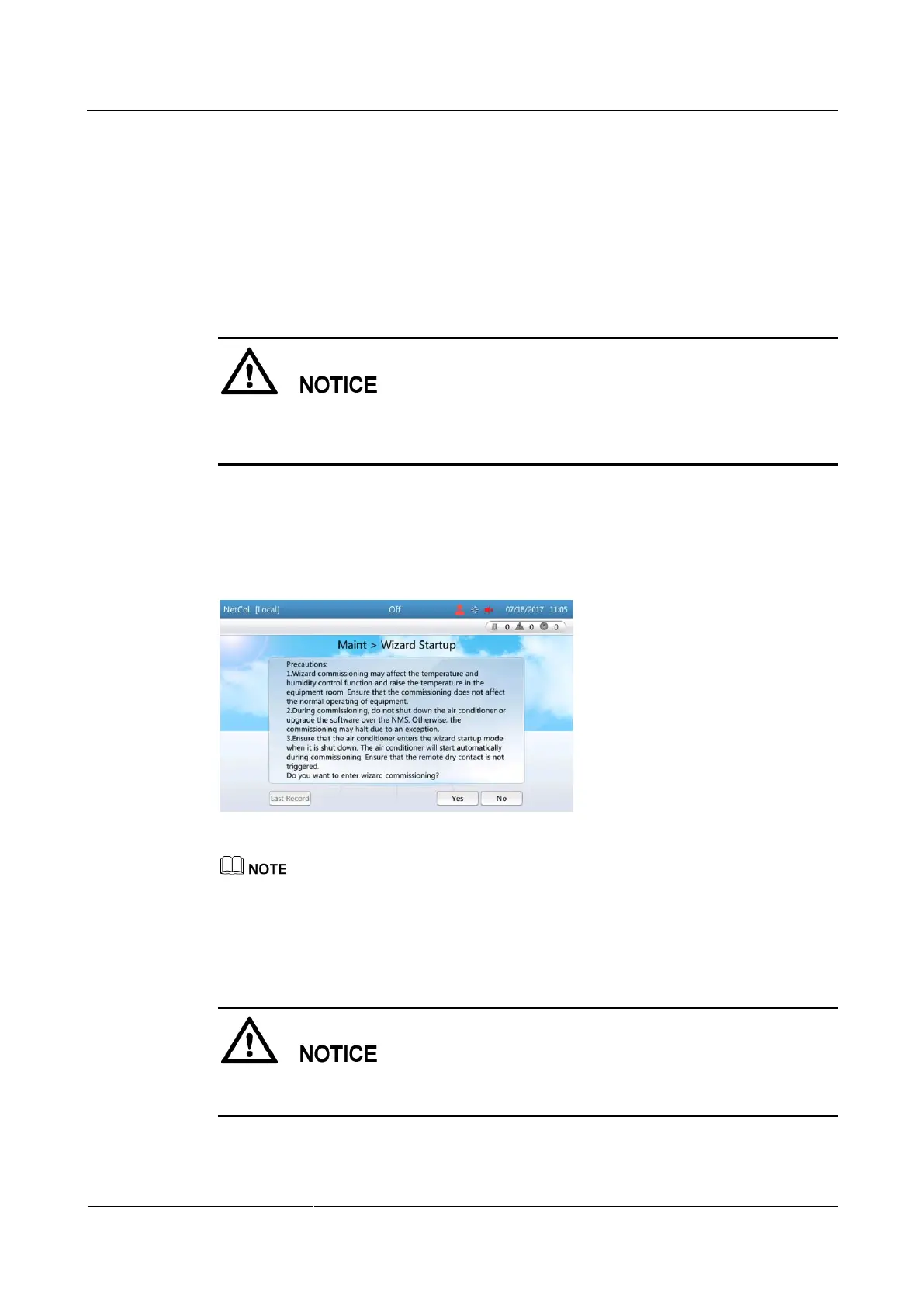
Step 1 On the home screen, choose Maint > Wizard Startup, as shown in Figure 4-31.
Figure 4-31 Startup wizard
For the initial startup wizard, Last record is in gray, indicating that the operation is not allowed.
For the non-initial startup wizard, choose Last record and you can view the last startup wizard
report.
Step 2 Tap Yes. The checking before startup screen is displayed, as shown in Figure 4-32.
If the remaining refrigerant is not charged, tap No. Complete refrigerant charging by referring
to 4.7 Charging the Remaining Refrigerant, and then perform the wizard commissioning.







 To Next Page