NetCol5000-A 42 kW Air Cooled In-row Precision Air
Conditioner
User Manual
Huawei Proprietary and Confidential
Copyright © Huawei Technologies Co., Ltd.
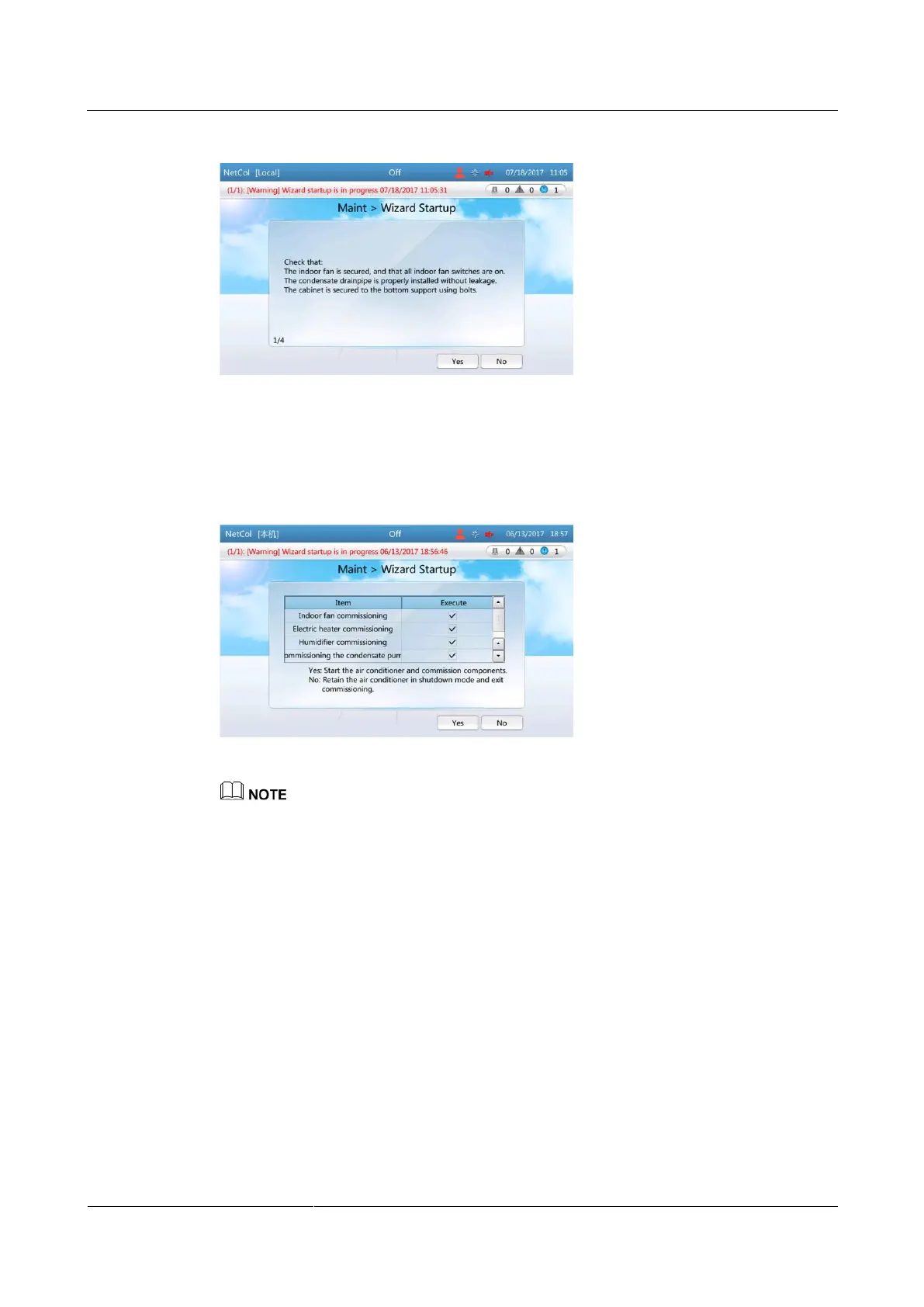
Figure 4-32 Checking before startup
Step 3 Tap Yes for check items one by one according to the prompt messages on the screen.
Step 4 Tap Yes and enter the screen where you select commissioning items, as shown in Figure 4-33.
Figure 4-33 Selecting commissioning items
If the system is not configured with the electric heater and humidifier components, the electric heater
and humidifier commissioning items will not appear on the screen.
If the heating function and humidification function are disabled, you cannot select the electric heater
and humidifier items.
All the items are selected by default if you first enter the screen where you select commissioning
items. Except that the indoor fan item is mandatory, you can clear other commissioning items that
are not required.
Step 5 Tap Yes. The fan commissioning screen is displayed, as shown in Figure 4-34.







 To Next Page