4.8.8.1 Installing the Humidier Water Inlet Pipe (With a Humidier Hose)
Bottom Pipe Routing
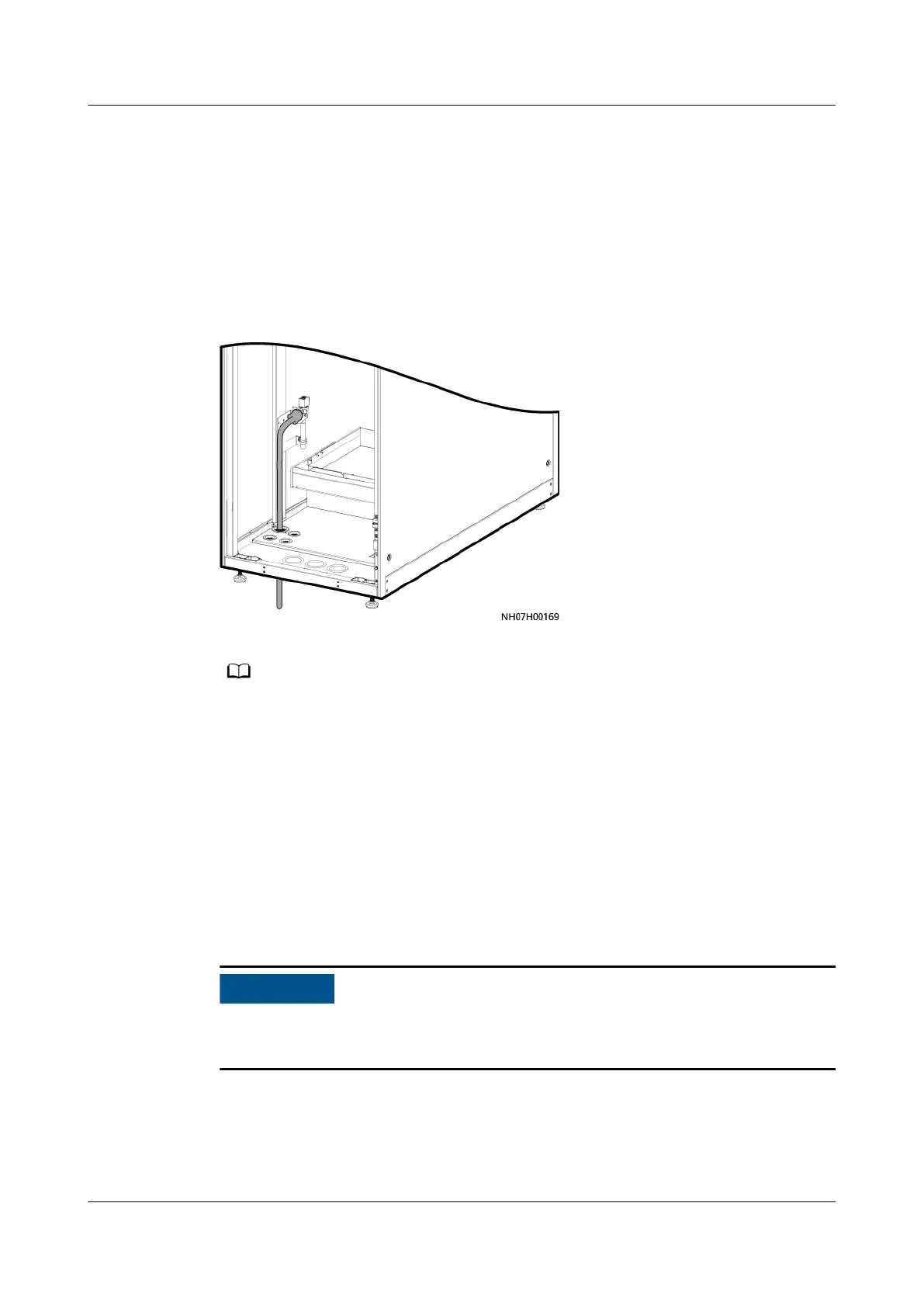
Step 1 Straighten the water inlet pipe delivered with the smart cooling product, and route
it from the inside to the outside through the water inlet hole at the bottom of the
smart cooling product.
Figure 4-72 Bottom routing of the water inlet pipe
The other end is a reserved G 1/2 inch connector with inner screw threads. Connect the
other end to a hose or rigid pipe based on site requirements.
Step 2 Clean the engineering pipes before connecting the water inlet pipe to the engineer
pipe to avoid impurities entering into the humidier.
Step 3 Connect the water inlet pipe to the engineering pipe and wrap the pipe with
thermal insulation foam.
----End
Top Pipe Routing
When routing pipes from the top, do not route the pipes over servers or other
devices to protect them from being
aected by pipe leaks.
Step 1 Straighten the water inlet pipe delivered with the smart cooling product, and route
it from the inside to the outside through the water inlet hole on the top of the
smart cooling product.
NetCol5000-A050 In-row Air Cooled Smart Cooling
Product
User Manual 4 Installation
Issue 08 (2021-09-17) Copyright © Huawei Technologies Co., Ltd. 96



 To Next Page