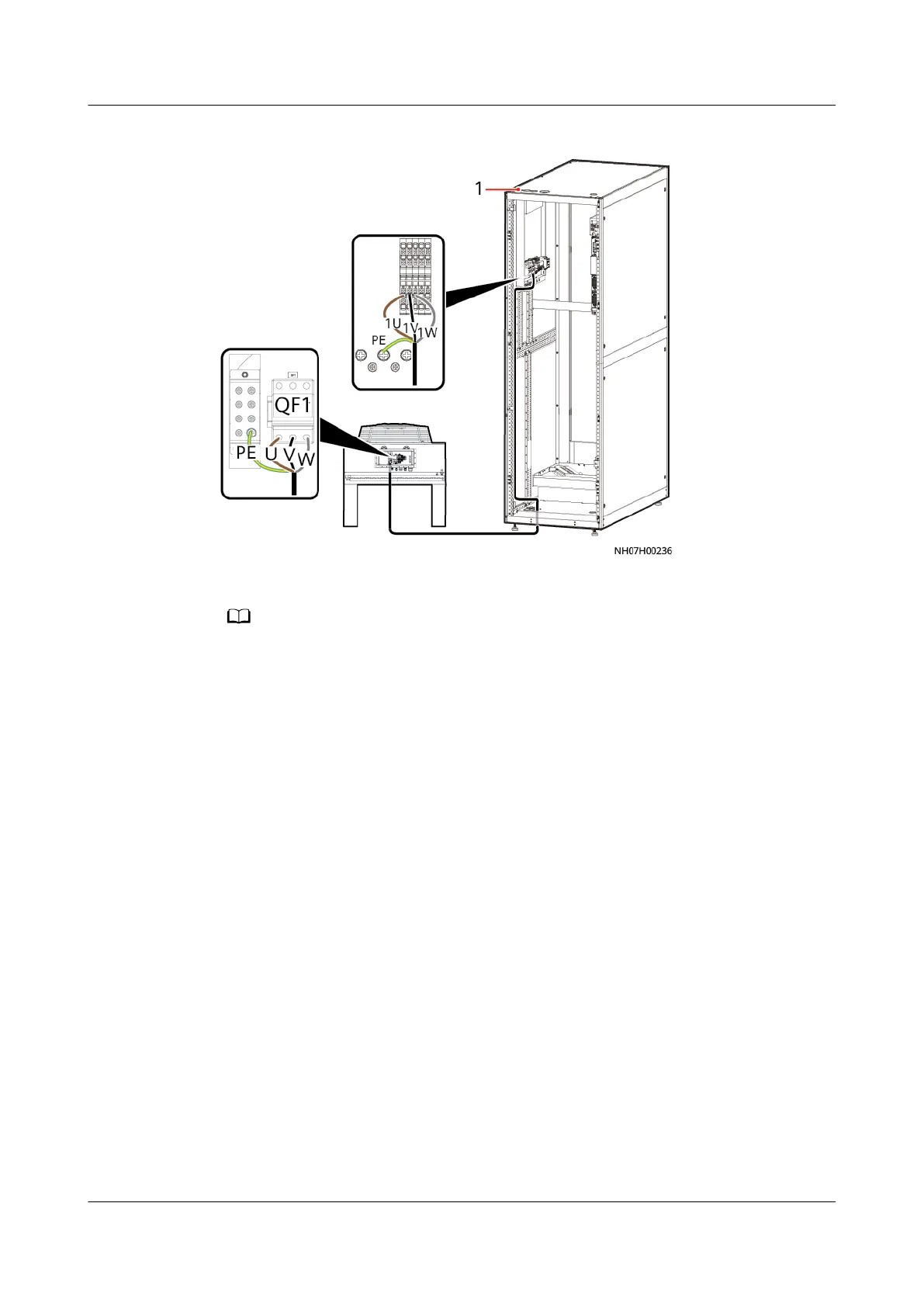
Figure 4-83 Connecting a power cable for the outdoor unit
(1) Top cable hole
● The preceding gure takes the power cable installation of an outdoor unit with the
single power supply as an example, which is the same as that of an outdoor unit with
dual power supplies.
Step 2 Connect the PE cable to the PE terminal at the bottom of the outdoor unit, as
shown in Figure 4-83.
Step 3 Secure the cable on the post of the cabinet with cable ties.
----End
4.9.5 (Optional) Installing the Low-temperature Component
Power Cable
Step 1 Route the low-temperature component cable through the cable hole to the L and
N terminals of QF2 on the outdoor unit.
NetCol5000-A050 In-row Air Cooled Smart Cooling
Product
User Manual 4 Installation
Issue 08 (2021-09-17) Copyright © Huawei Technologies Co., Ltd. 106



 To Next Page