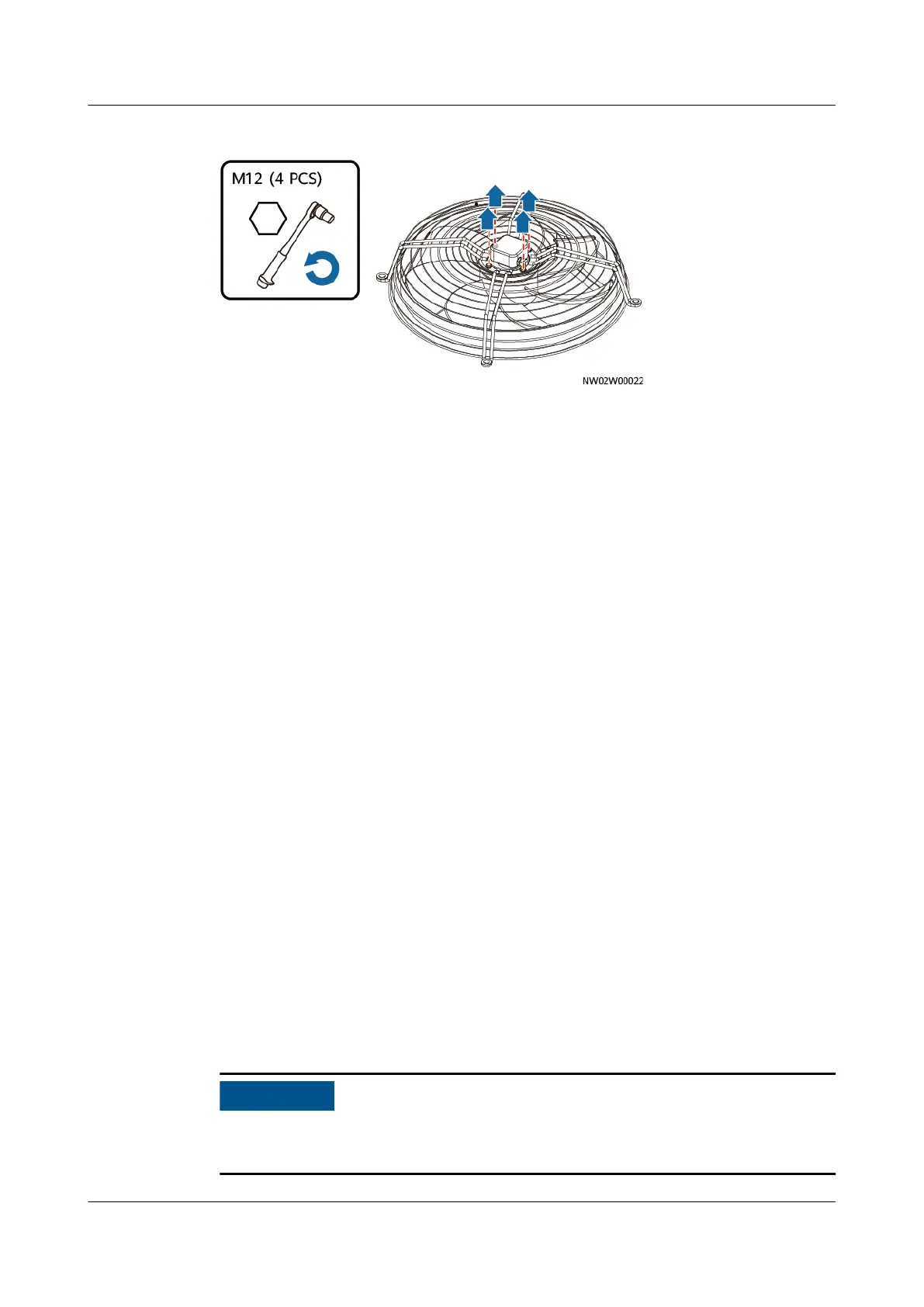
Figure 11-7 Separating the fan from the guard
Step 7 Remove the waterproof connector from the spare fan, as shown by (2) in Figure
11-6. Use a torque wrench to replace the hexagonal waterproof connector
delivered with the spare fan. The torque must be 3.75 N·m.
Step 8 Install the new fan in the sequence from Step 6 to Step 1.
Step 9 After re-power on, on the home screen of the indoor unit, choose Maint >
Diagnostic Mode > Enter, and set the outdoor unit speed to 100%. After the
outdoor unit has run for 5 minutes, check that the outdoor fan is running properly
and no alarm is raised.
Step 10 After
conrmation, set the outdoor unit speed to 0% and exit from the diagnostic
mode.
----End
11.4 Replacing a
Dierential Pressure Switch
Prerequisites
● A dierential pressure switch needs to be replaced.
● A spare dierential pressure switch of the same model is available and
functional.
● Tool: Phillips screwdriver
Context
The
dierential pressure switch can be maintained only from the rear door.
Procedure
Step 1 Tap Shutdown on the controller home screen.
Exercise caution because the device is still energized after it is shut down on the
controller home screen.
NetCol5000-A050 In-row Air Cooled Smart Cooling
Product
User Manual 11 Parts Replacement
Issue 08 (2021-09-17) Copyright © Huawei Technologies Co., Ltd. 253



 To Next Page