1. Use a screwdriver to remove the hold hoop from the pagoda connector and
remove the water inlet pipe.
2. Loosen the two captive nuts on one side of the wet
lm humidier and
remove the
humidier.
Step 5 Install the new wet lm humidier at the original position in reverse order of the
preceding steps, insert the water inlet pipe, and tighten the hold hoop.
Put the bottom of wet lm humidier into the installation position, and then put the top into
the installation position. Fasten the two captive nuts.
Step 6 Install the air
lter and close the rear door.
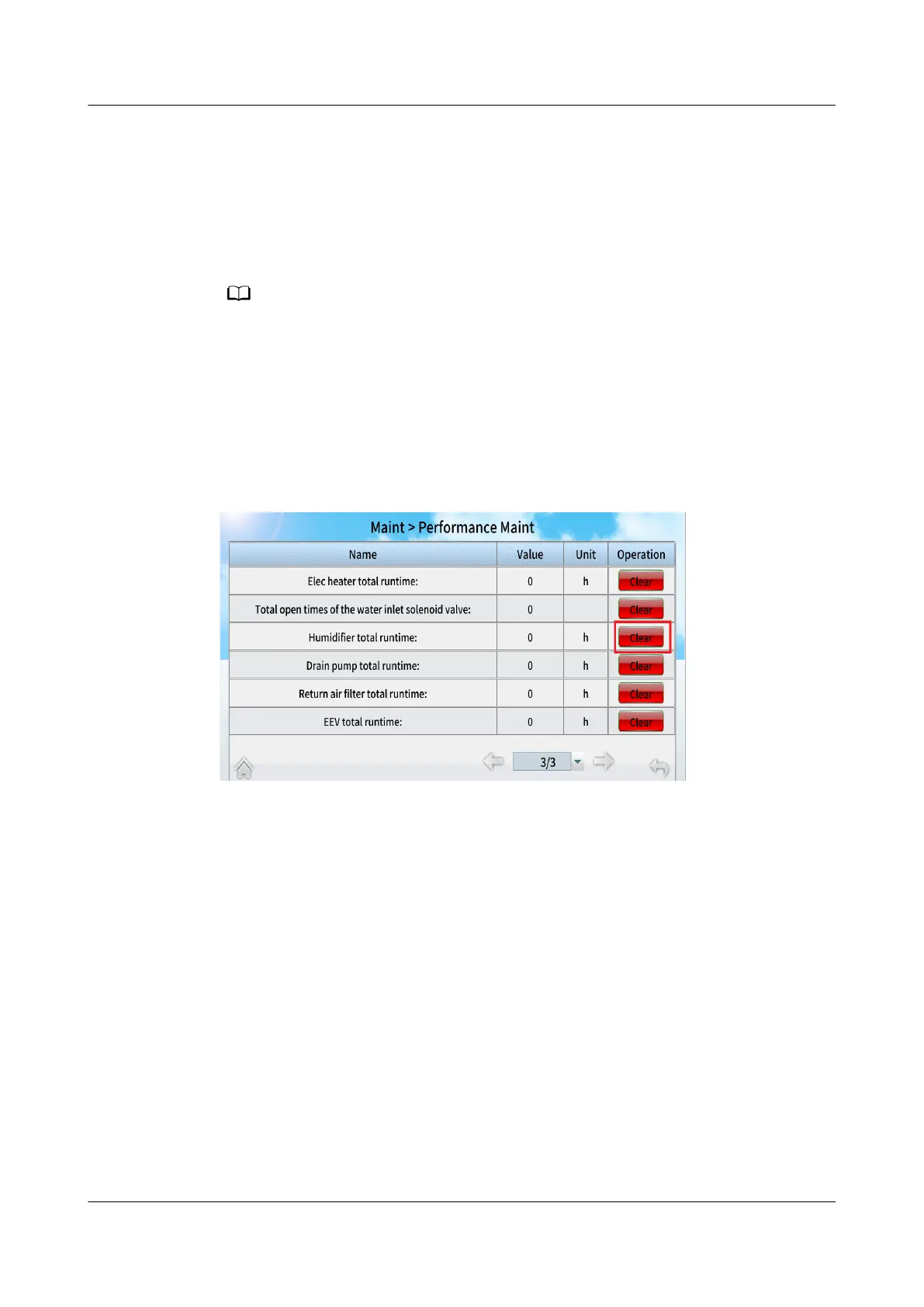
Step 7 Power on the device, choose Maint > Performance Maint on the home screen to
access the performance maintenance screen, and clear the runtime of the
humidier.
Figure 11-41 Performance maintenance
Step 8 Tap Startup on the home screen. Ensure that the smart cooling product is running
normally without any alarms.
----End
11.13 Replacing a Controller Panel
Prerequisites
● A controller panel needs to be replaced.
● A spare LCD is available, and its model or BOM number is the same as that of
the faulty LCD.
Context
Recommended tools: Phillips screwdriver (M4) and ESD gloves
Preparation: Maintain from the front door.
NetCol5000-A050 In-row Air Cooled Smart Cooling
Product
User Manual 11 Parts Replacement
Issue 08 (2021-09-17) Copyright © Huawei Technologies Co., Ltd. 283



 To Next Page