the value measured by the sensor is 22°C, the sensor has an error of 2°C, and the
calibration value should be set to –2°C.
Procedure
Step 1 On the home screen, choose Maint > Sensor Calibration.
Step 2 Fill the calibration value based on the measured error.
----End
12.15 How Do I Change the Password?
Prerequisites
● To modify a password, log in as the admin user or operator user.
● You can only change the password of the current user.
Procedure
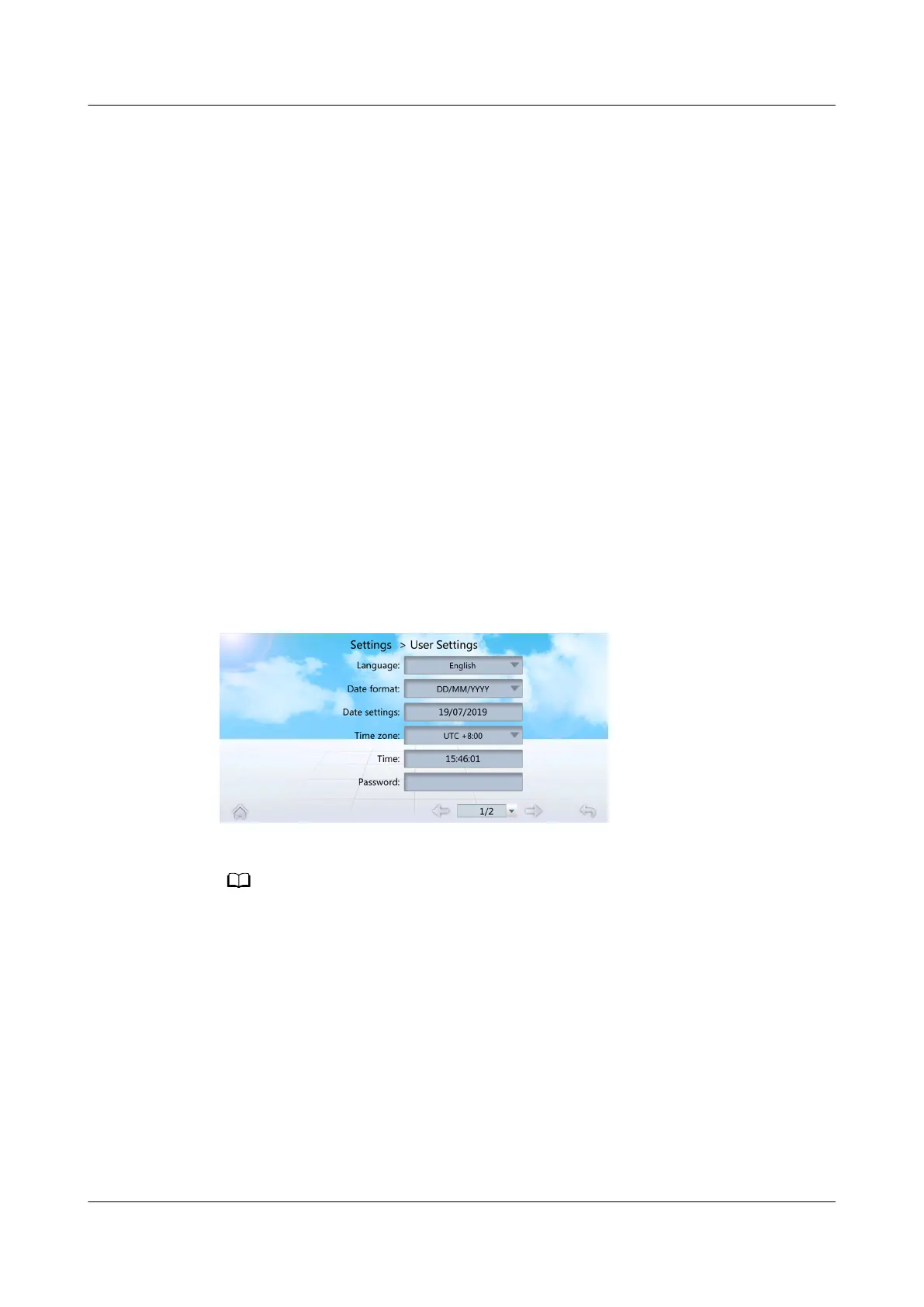
Step 1 On the home screen, choose Settings > User Settings to enter the User Settings
screen, as shown in Figure 12-19.
Figure 12-19 User Settings
Step 2 Tap Password to enter the password changing screen, as shown in Figure 12-20.
It is recommended that the password should contain at least two types of characters.
NetCol5000-A050 In-row Air Cooled Smart Cooling
Product
User Manual 12 FAQ
Issue 08 (2021-09-17) Copyright © Huawei Technologies Co., Ltd. 305



 To Next Page