Procedure
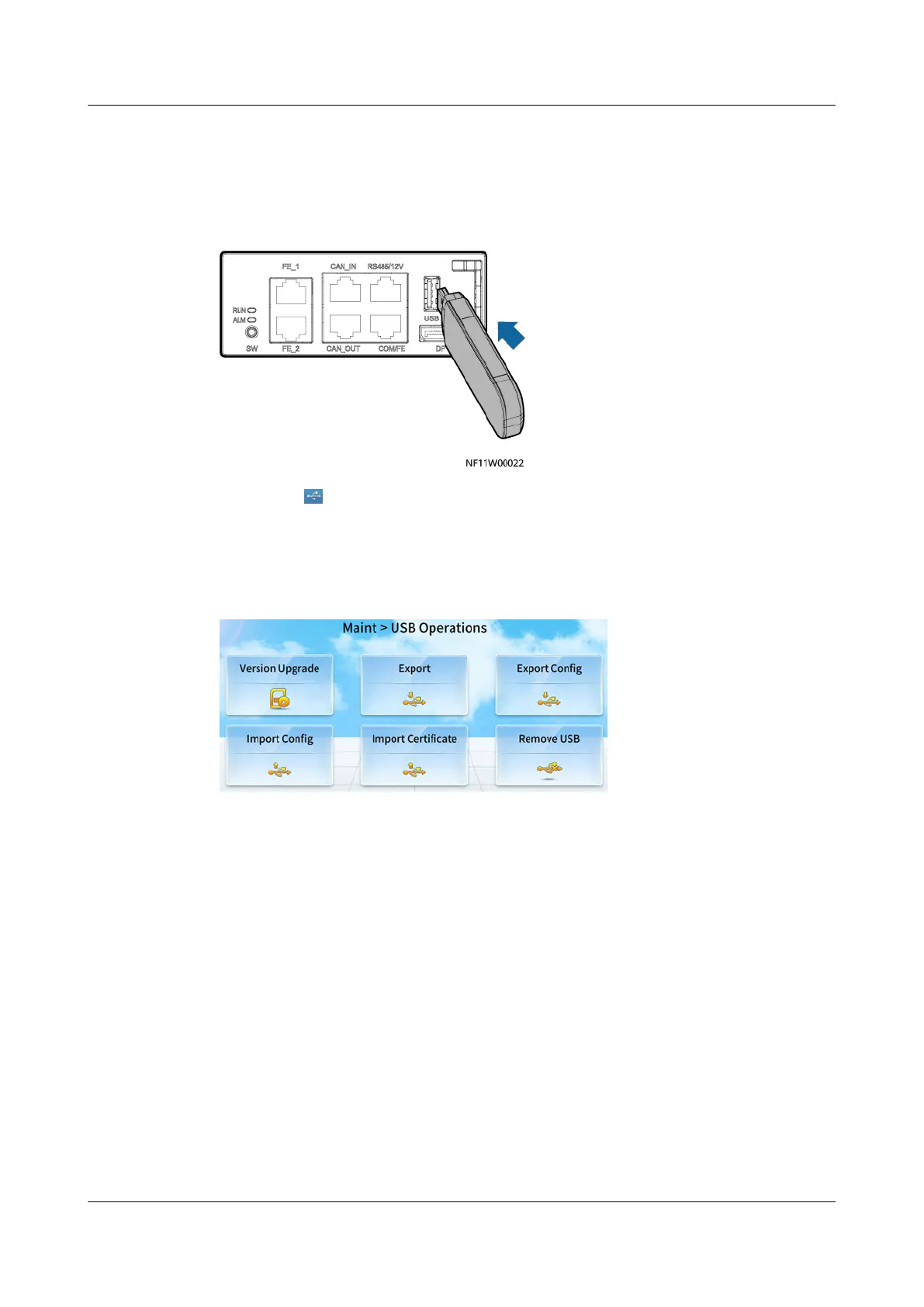
Step 1 Connect a USB ash drive.
Figure 12-6 Connecting to a USB ash drive
Step 2 Check that is displayed in the status bar of the home screen, indicating that the
USB ash drive is successfully identied.
Step 3 Select an operation in USB Operations and perform the operation as prompted.
Figure 12-7 USB Operations
Step 4 Tap Remove USB to remove the USB ash drive in safe mode.
Step 5 Remove the USB ash drive and set it aside.
----End
12.3.1 How Do I Export Data?
Context
With the one-click mode, you can export active alarms, historical alarms, run logs,
and so on.
Procedure
Step 1 Choose Maint > USB Operations > Export to enter the Select Path screen.
NetCol5000-A050 In-row Air Cooled Smart Cooling
Product
User Manual 12 FAQ
Issue 08 (2021-09-17) Copyright © Huawei Technologies Co., Ltd. 295



 To Next Page