6.9 (Optional) Device Power-O
Context
In shutdown mode, the Shutdown button is green (unavailable) and the Start
button is gray (available).
Procedure
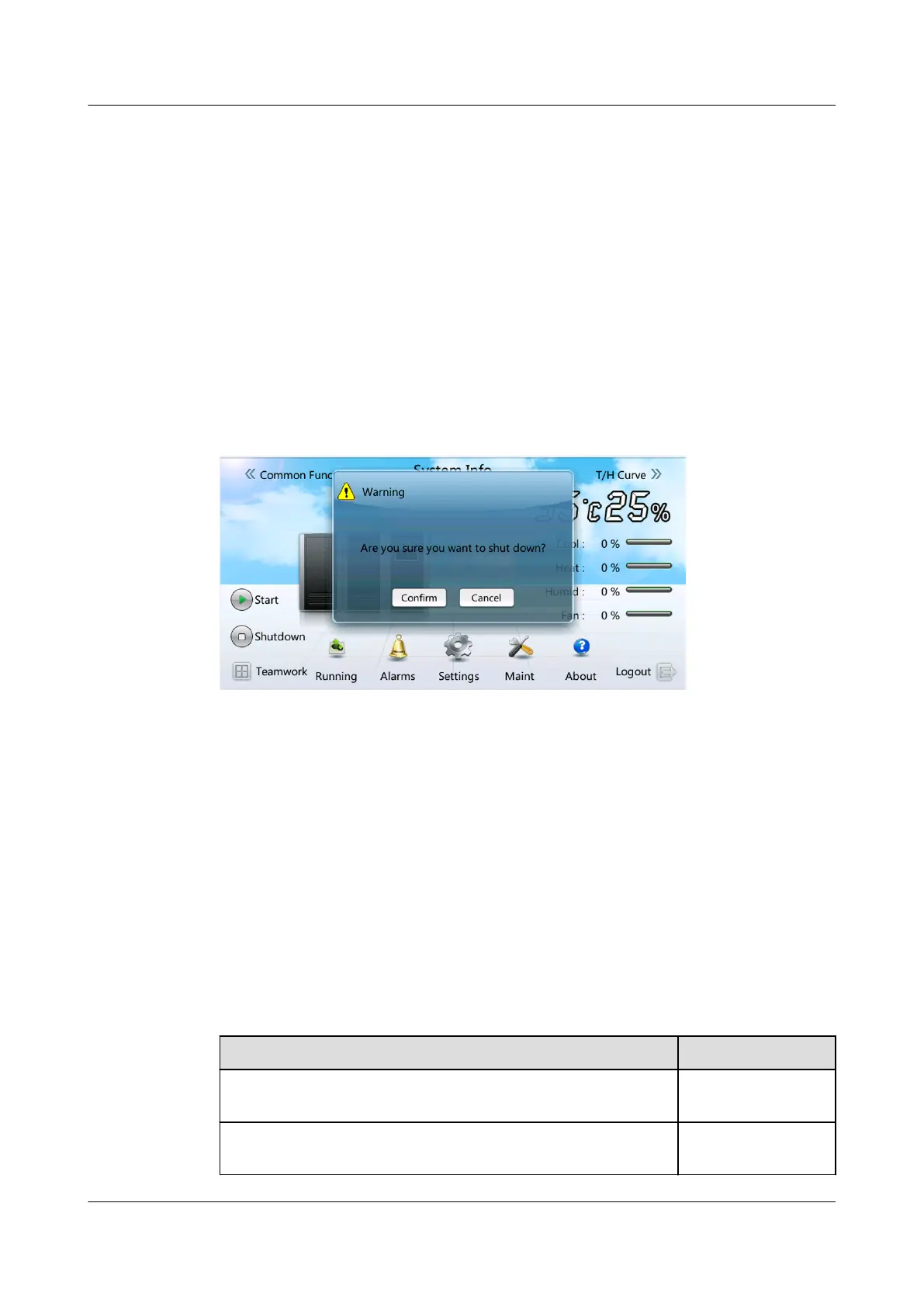
Step 1 Tap Shutdown on the home screen. A warning is displayed, indicating whether to
shut down the smart cooling product, as shown in Figure 6-39.
Figure 6-39 Shutdown
Step 2 Tap Conrm. If the device is successfully shut, the system displays a message,
indicating that the command is successfully triggered.
Step 3 Turn o the active switch QF1 and standby switch QF2. (You do not need to turn
o the standby switch QF2 when there is only one power supply.)
Step 4 (Optional) If the power supply needs to be disconnected for maintenance or for a
long period, turn
o the smart cooling product switch in the PDF.
----End
6.10 Checking After Commissioning
Table 6-13 lists the commissioning checklist.
Table 6-13 Commissioning checklist
Check Item
Actual Result
No oil stain exists on the copper pipe thermal insulation
foam or bottom plate, or it has been cleaned.
□ Passed □ Failed
The needle valve plug is secured (torque of 0.45±0.05
N·m), and valve bonnet is tightened.
□ Passed □ Failed
NetCol5000-A050 In-row Air Cooled Smart Cooling
Product
User Manual 6 Power-On Commissioning
Issue 08 (2021-09-17) Copyright © Huawei Technologies Co., Ltd. 166



 To Next Page