Step 6 Power on the device, choose Maint > Performance Maint on the home screen to
access the performance maintenance screen, and clear the total runtime of the
condensate pump.
Step 7 Tap Startup on the home screen. Ensure that the smart cooling product is running
normally without any alarms.
----End
11.12 Replacing a Wet Film
Humidier
Prerequisites
● A wet lm humidier needs to be replaced.
● A spare wet
lm humidier of the same model is available and functional.
Context
The wet lm humidier can be maintained only from the rear door.
Procedure
Step 1 Tap Shutdown on the controller home screen.
Exercise caution because the device is still energized after it is shut down on the
controller home screen.
Step 2 Open the rear door and remove the air lter.
Step 3 Turn o the active power switch QF1, standby power switch QF2 (you do not need
to turn o QF2 for the model with a single power supply), and drive switch QF3.
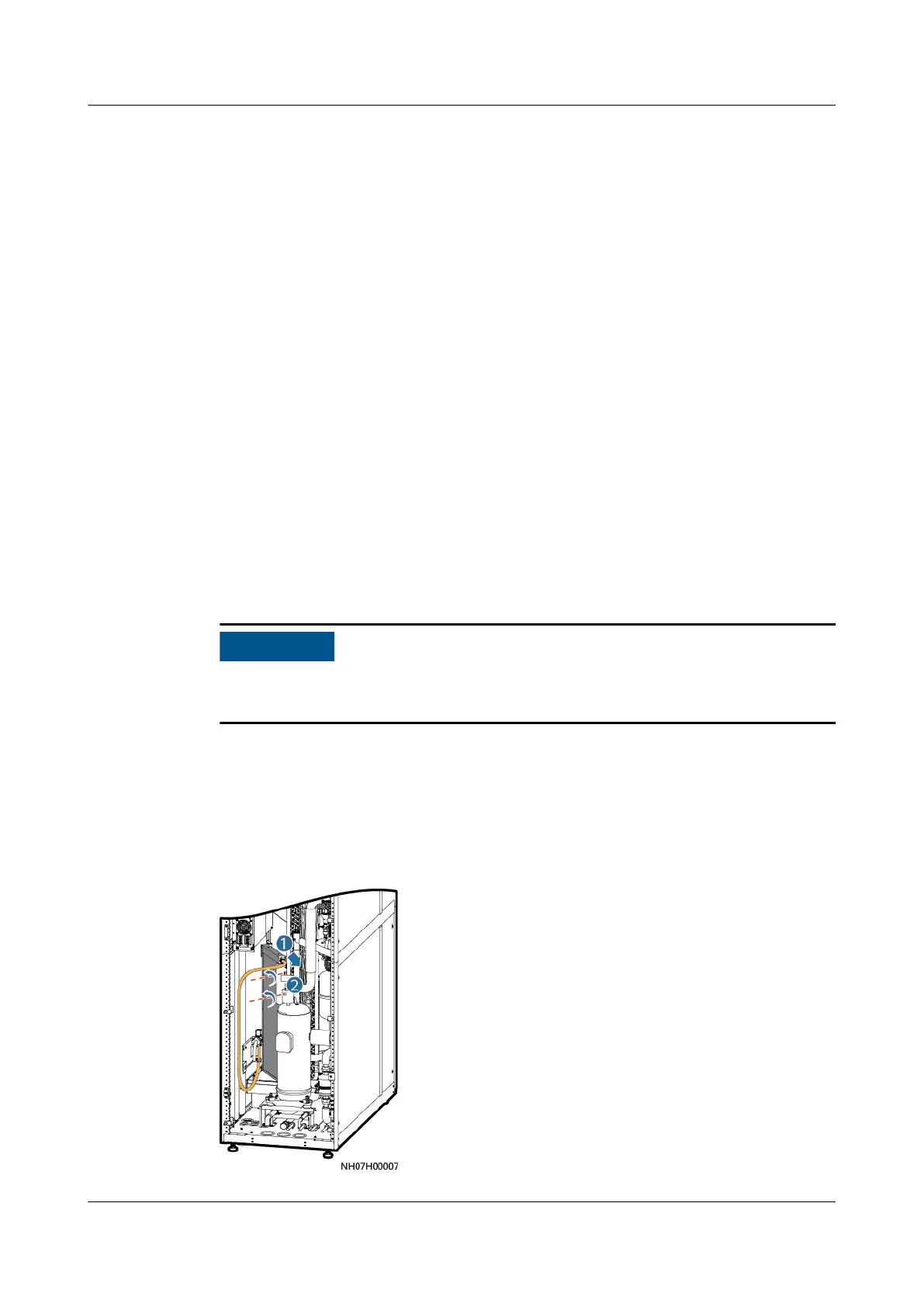
Step 4 Remove the wet lm humidier.
Figure 11-40 Removing a wet lm humidier
NetCol5000-A050 In-row Air Cooled Smart Cooling
Product
User Manual 11 Parts Replacement
Issue 08 (2021-09-17) Copyright © Huawei Technologies Co., Ltd. 282



 To Next Page