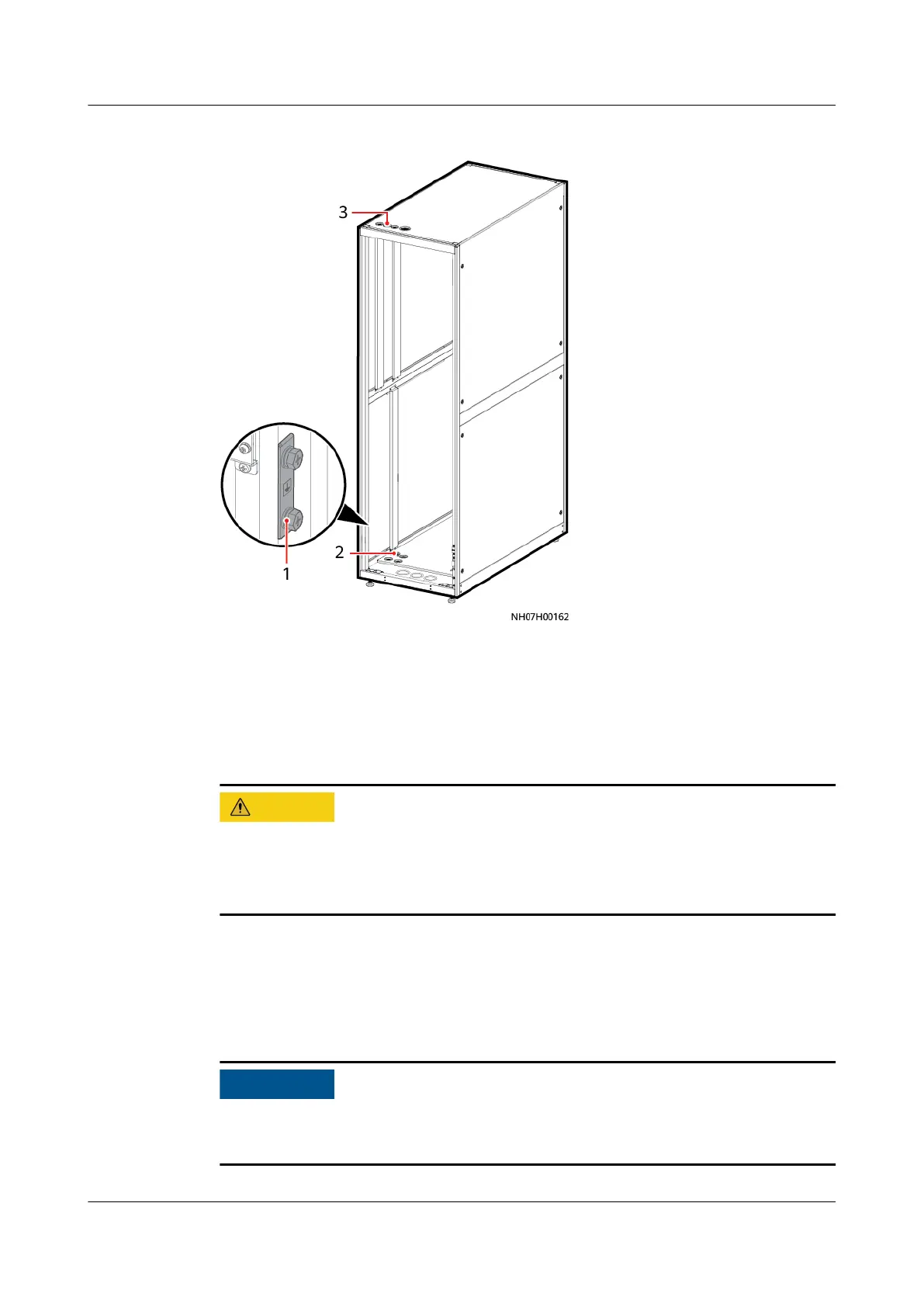
Figure 4-80 Equipotential ground position
(1) Equipotential ground
position
(2) Equipotential bottom cable
hole
(3) Equipotential top cable
hole
4.9.3 Installing the Indoor Unit Power Cable
● Route power cables from the top or bottom.
● If there is only one power supply, connect the power cable to the main power
route.
Installing the Power Cable to an Indoor Unit (Single Power Supply)
Step 1 Route the external power cable through the cabinet cable hole, then to the L1, L2,
L3, and N ports of the QF1 terminal on the indoor unit.
When there is one power supply, connect the power cable to the primary power
switch QF1.
NetCol5000-A050 In-row Air Cooled Smart Cooling
Product
User Manual 4 Installation
Issue 08 (2021-09-17) Copyright © Huawei Technologies Co., Ltd. 103



 To Next Page